







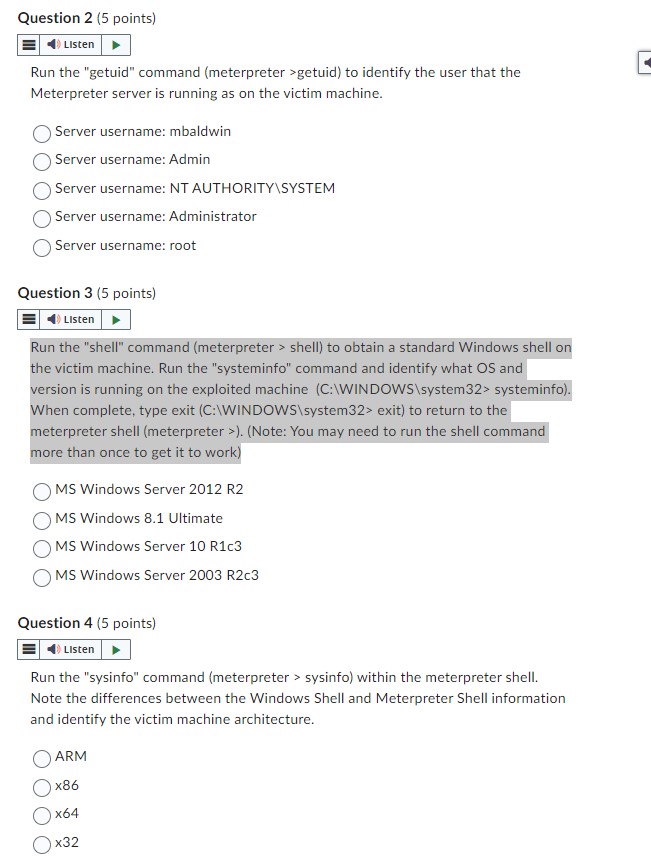
Question: Question 2 ( 5 points ) Run the getuid command ( meterpreter > getuid ) to identify the user that the Meterpreter server is running
Question points
Run the "getuid" command meterpreter getuid to identify the user that the
Meterpreter server is running as on the victim machine.
Server username: mbaldwin
Server username: Admin
Server username: NT AUTHORITYSYSTEM
Server username: Administrator
Server username: root
Question points
Run the "shell" command meterpreter shell to obtain a standard Windows shell on
the victim machine. Run the "systeminfo" command and identify what OS and
version is running on the exploited machine WINDOW system systeminfo
When complete, type exit C:WINDOWS C system exit to return to the
meterpreter shell meterpreter Note: You may need to run the shell command
more than once to get it to work
MS Windows Server R
MS Windows Ultimate
MS Windows Server Rc
MS Windows Server Rc
Question points
Run the "sysinfo" command meterpreter sysinfo within the meterpreter shell.
Note the differences between the Windows Shell and Meterpreter Shell information
and identify the victim machine architecture.
ARM
x
Step by Step Solution
There are 3 Steps involved in it
1 Expert Approved Answer
Step: 1 Unlock

Question Has Been Solved by an Expert!
Get step-by-step solutions from verified subject matter experts
Step: 2 Unlock
Step: 3 Unlock
 Study Help