







Question: Question #2. For the code below * Compiler directives #define ASCII00x30 #define ASCII 9 0x39 idefine ALL _GOOD I - / Prototypes for functions available
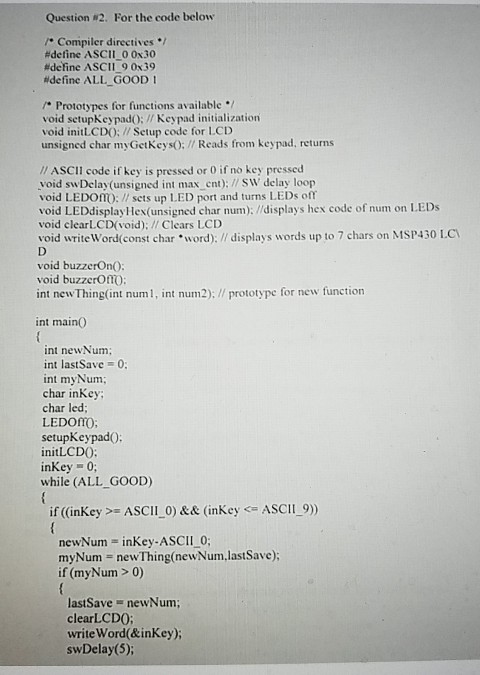
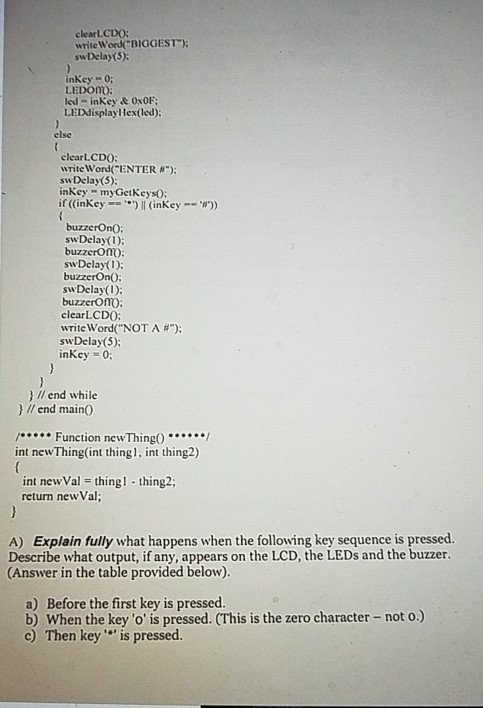
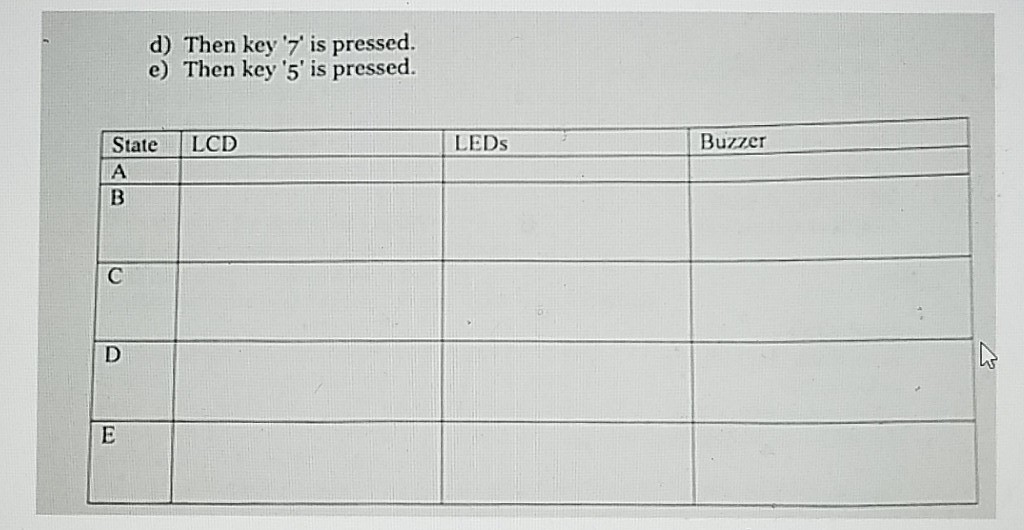
Question #2. For the code below * Compiler directives #define ASCII00x30 #define ASCII 9 0x39 idefine ALL _GOOD I - / Prototypes for functions available / void setupKeypadO:Keypad initialization void inittCDO:Setup code for LCD unsigned char my GetKeysO:/Reads from keypad, returns // ASCII code if key is pressed or 0 if no key pressed void swDelay(unsigned int max ent); / SW delay loop void LEDOmO: sets up LED port and turns LEDs off void LEDdisplayHex(unsigned char num)://displays hex code of num on LEDs void clearLCD(void): Clears LCD void writeWord(const charword); // displays words up to 7 chars on MSP430 LC void buzzerOnO: void buzzcrOftO int newThing(int num1, int num2); // prototype for new function int main0 int newNum; int lastSave -0 int myNum; char inKey char led; LEDOmO; setupKeypadO: initLCDO: inkey 0 while (ALL GOOD) if ((inKey >_ ASCI 1.0) && (inkey 0) lastSave newNum; clearLCDO: write Word(&inKey) swDelay
Step by Step Solution
There are 3 Steps involved in it

Get step-by-step solutions from verified subject matter experts
 Study Help