







Question: Question 2 public class Main public static void main(String[] args) { 6 7 int 6 # If a > 0) 9 switch (a) 10 -
![Question 2 public class Main public static void main(String[] args) {](https://dsd5zvtm8ll6.cloudfront.net/si.experts.images/questions/2024/09/66f4e100b2e34_41666f4e100566cd.jpg)
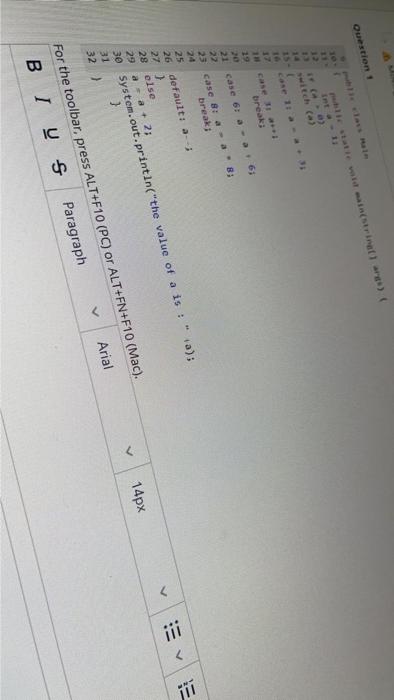
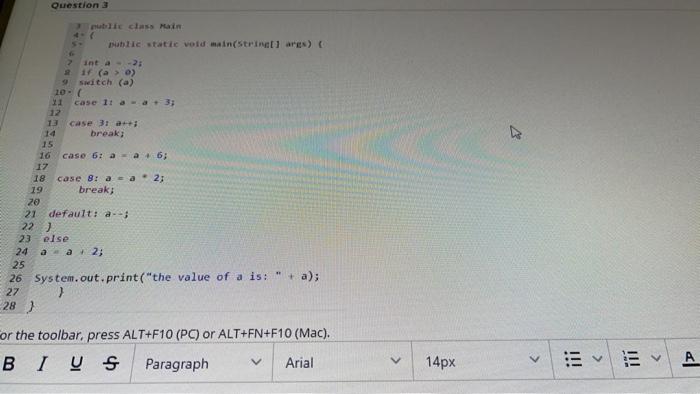
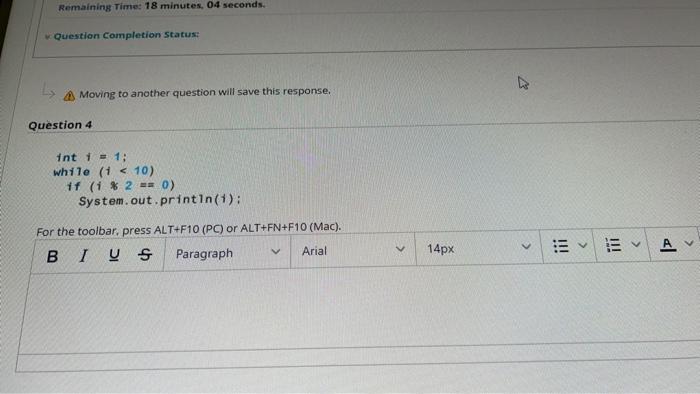
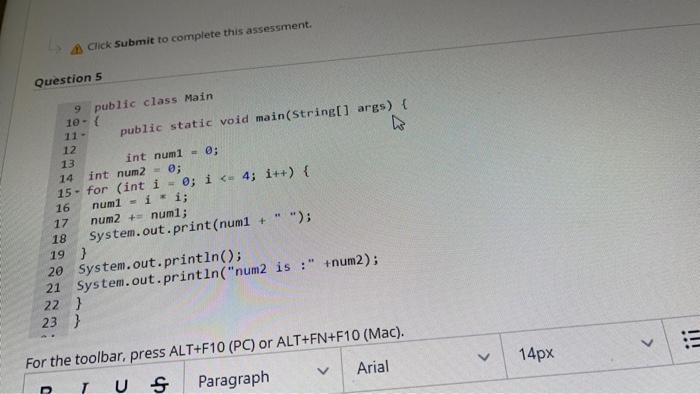
Question 2 public class Main public static void main(String[] args) { 6 7 int 6 # If a > 0) 9 switch (a) 10 - 12 case 1: a = a + 3; 12 13 case 3: a 14 break; 15 16 case 6: a = a + 6; 17 18 case 8: a = a 2; 19 break; 20 21 default: a- 22] 23 else 24 aa + 2; 25 26 System.out.print("the value of a is: + a); 27 ) 28 ) For the toolbar, press ALT+F10 (PC) or ALT+FN+F10 (Mac). !!! > 21 case 6: a -26; 22 case 8: a - a"; 24 break; 25 26 default: --- 27] 28 else 29 aa + 2; 30 System.out.println("the value of a is: a); 31 32 > 14px > V For the toolbar, press ALT+F10 (PC) or ALT+FN+F10 (Mac). B 1 U Paragraph Arial Question 3 public class Main utic static void main(String ares) int --2: 21 (a > 0) Switch (a) 10- 11 case 1: .-.& 3; 12 13 case 3: 14 break; 15 16 caso 6: a - 6; 17 18 case 8: a - a 2; 19 break; 20 21 default: a --; 22] 23 else 24 a. 2; 25 26 System.out.print("the value of a is: " + a); 27 > 28) For the toolbar, press ALT+F10 (PC) or ALT+FN+F10 (Mac). B 1 ] Paragraph Arial > 14px jii 14px , A Click Submit to complete this assessment. Question 5 9 public class Main 10- 11- public static void main(String[] args) { 12 13 int num1 = 0; 14 int num2 = 0; 15. for (int i = 0; i V 14px For the toolbar, press ALT+F10 (PC) or ALT+FN+F10 (Mac). TU S Paragraph Arial
Step by Step Solution
There are 3 Steps involved in it

Get step-by-step solutions from verified subject matter experts
 Study Help