







Question: Question 2 (repeated from Tutorial) Cut and paste the following text to the file learnjava.txt Well, there is no shortcut to learning anything, and the
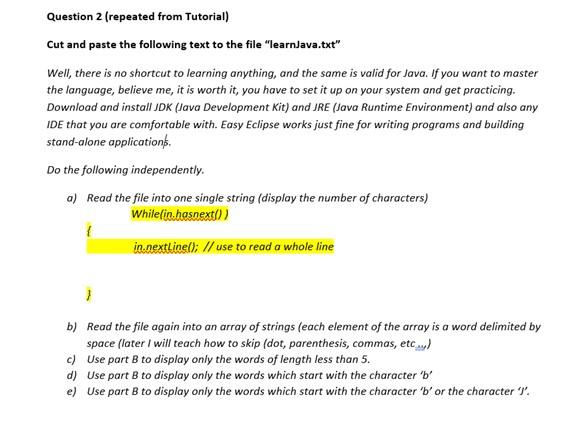
Question 2 (repeated from Tutorial) Cut and paste the following text to the file "learnjava.txt" Well, there is no shortcut to learning anything, and the same is valid for Java. If you want to master the language, believe me, it is worth it, you have to set it up on your system and get practicing. Download and install JDK (Java Development Kit) and JRE (Java Runtime Environment) and also any IDE that you are comfortable with. Easy Eclipse works just fine for writing programs and building stand-alone applications Do the following independently. a) Read the file into one single string (display the number of characters) While(in.hasnext/) in.nextLinel); // use to read a whole line } b) Read the file again into an array of strings (each element of the array is a word delimited by space (later I will teach how to skip (dot, parenthesis, commas, etc..) c) Use part B to display only the words of length less than 5. d) Use part B to display only the words which start with the character 'b' e) Use part B to display only the words which start with the character 'b'or the character 'l
Step by Step Solution
There are 3 Steps involved in it

Get step-by-step solutions from verified subject matter experts
 Study Help