







Question: Question #2-10 Marks (a) Write a MATLAB function M-file with header function root = Bisect ( xl , xu , eps , imax, f, enablePlot
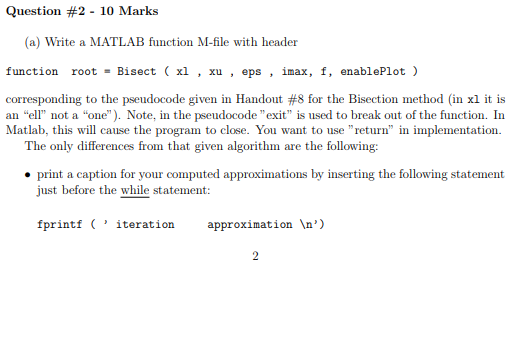
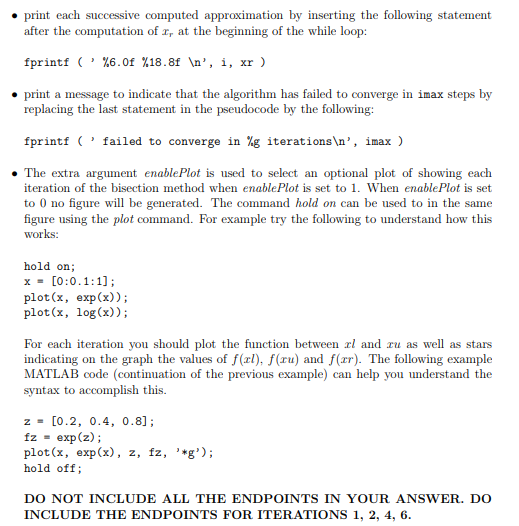
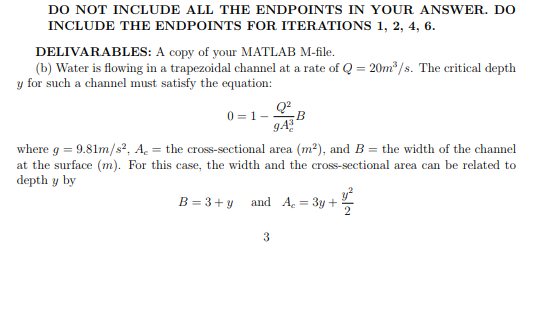
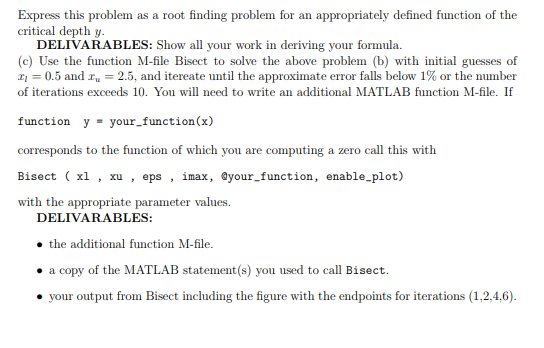
Question #2-10 Marks (a) Write a MATLAB function M-file with header function root = Bisect ( xl , xu , eps , imax, f, enablePlot ) corresponding to the pseudocode given in Handout #8 for the Bisection method (in x1 it is an "ell not a "one"). Note, in the pseudocode "exit" is used to break out of the function. In Matlab, this will cause the program to close. You want to use "return" in implementation. The only differences from that given algorithm are the following: print a caption for your computed approximations by inserting the following statement just before the while statement fprintf 'iteration approximation n)
Step by Step Solution
There are 3 Steps involved in it
1 Expert Approved Answer
Step: 1 Unlock

Question Has Been Solved by an Expert!
Get step-by-step solutions from verified subject matter experts
Step: 2 Unlock
Step: 3 Unlock
 Study Help