







Question: Question 3 - Refer to the relevant Excel sheet. a) Calculate the NPV for both projects using the =NPV() formula. b) Create a plot of
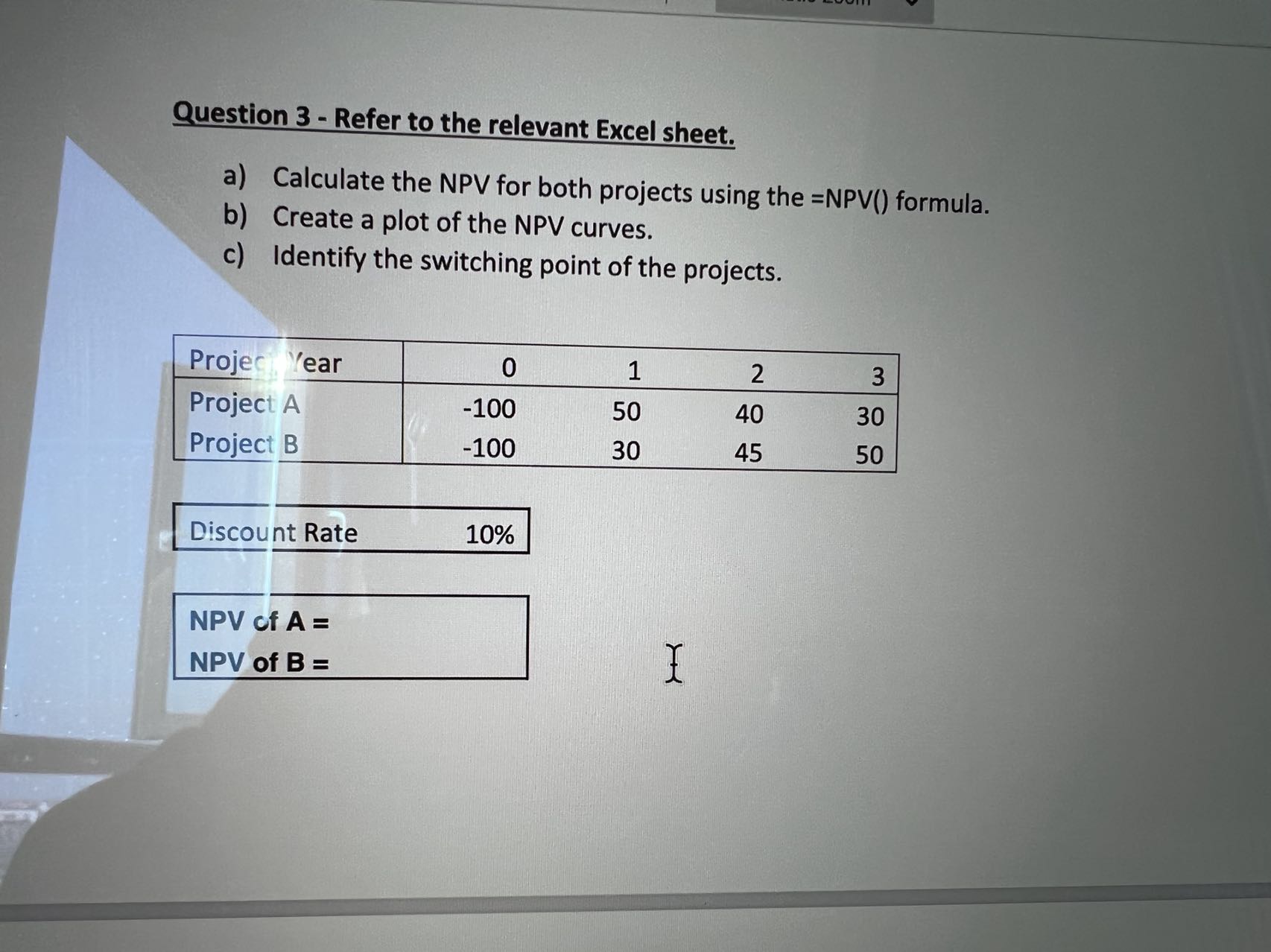
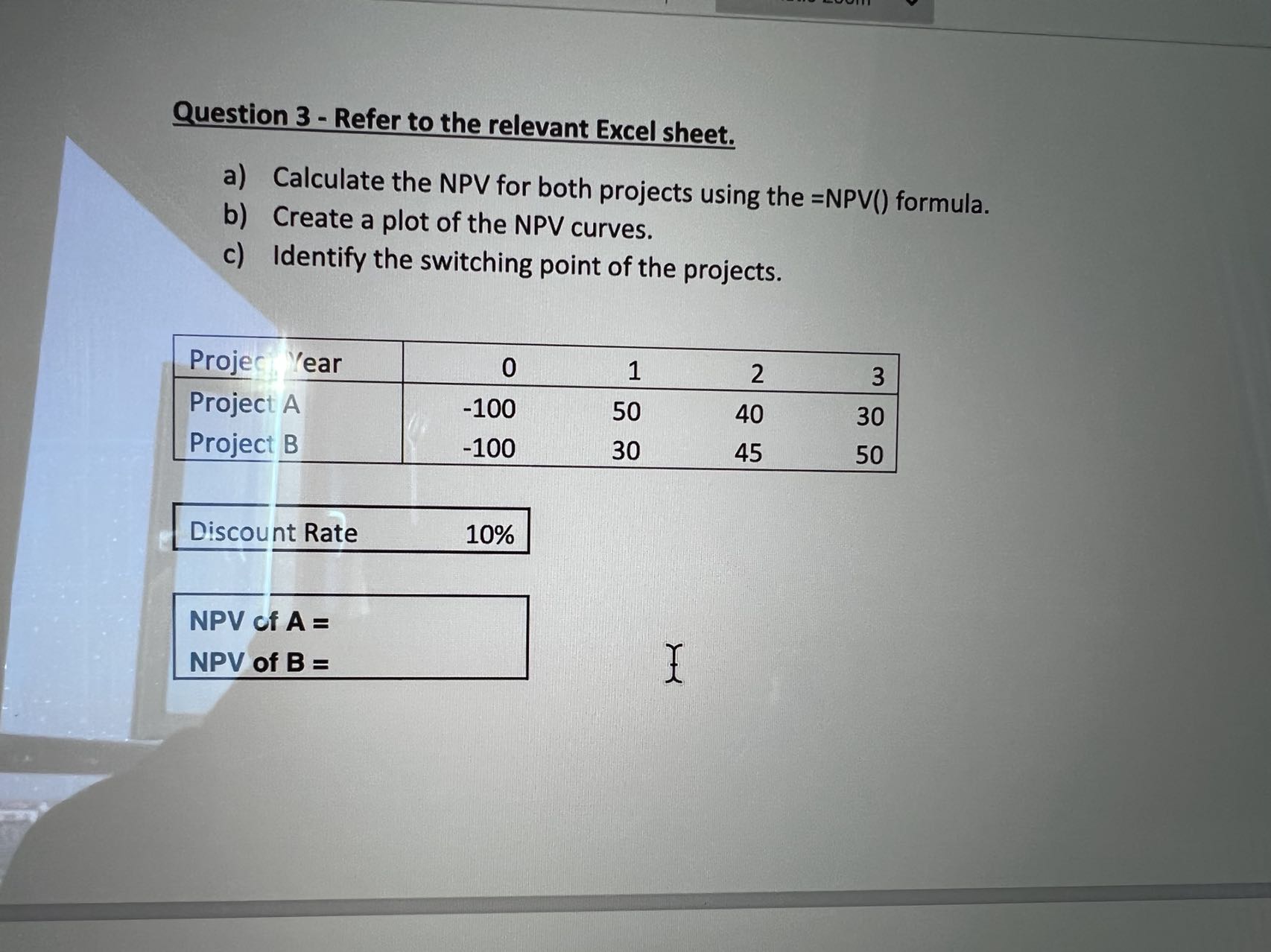
Question 3 - Refer to the relevant Excel sheet. a) Calculate the NPV for both projects using the =NPV() formula. b) Create a plot of the NPV curves. c) Identify the switching point of the projects. Project, Year 0 1 2 3 Project A -100 50 40 30 Project B -100 30 45 50 Discount Rate 10% NPV of A = NPV of B =
Step by Step Solution
There are 3 Steps involved in it
1 Expert Approved Answer
Step: 1 Unlock

Question Has Been Solved by an Expert!
Get step-by-step solutions from verified subject matter experts
Step: 2 Unlock
Step: 3 Unlock
 Study Help