







Question: Question 3 : xv 6 System Call ( Max Mark: 4 0 / 1 0 0 ) This question requires you to modify the source
Question : xv System Call Max Mark:
This question requires you to modify the source code of xvriscv. Make sure you start with a fresh copy of the original xv code.
There is a ps command on Linux and on MacOS. You are required to implement a simple version of the ps command for xv You should first become familiar with this command on Linux or MacOS. Documentation of this command can be displayed using the man ps command, while ps help all will list all the options available in a shorter format.
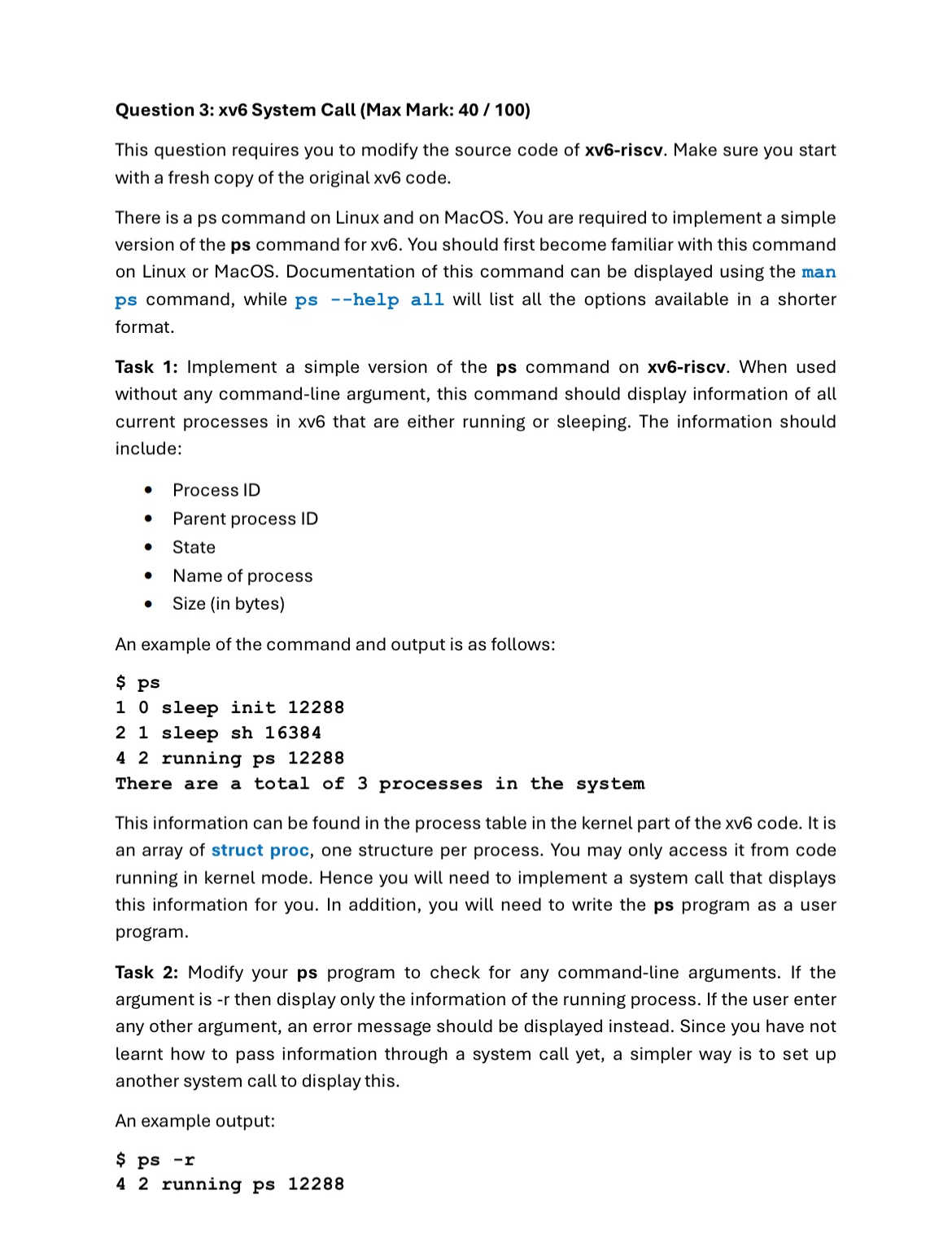
Task : Implement a simple version of the ps command on xvriscv. When used without any commandline argument, this command should display information of all current processes in xv that are either running or sleeping. The information should include:
Process ID
Parent process ID
State
Name of process
Size in bytes
An example of the command and output is as follows:This information can be found in the process table in the kernel part of the xv code. It is an array of struct proc, one structure per process. You may only access it from code running in kernel mode. Hence you will need to implement a system call that displays this information for you. In addition, you will need to write the ps program as a user program.
Task : Modify your ps program to check for any commandline arguments. If the argument is then display only the information of the running process. If the user enter any other argument, an error message should be displayed instead. Since you have not learnt how to pass information through a system call yet, a simpler way is to set up another system call to display this.
An example output:
$ ps r
running ps
Step by Step Solution
There are 3 Steps involved in it
1 Expert Approved Answer
Step: 1 Unlock

Question Has Been Solved by an Expert!
Get step-by-step solutions from verified subject matter experts
Step: 2 Unlock
Step: 3 Unlock
 Study Help