







Question: Question 4 Few changes have been made to the SSMS requirements since the last meeting. After being registered by the System Administrator, Principal should firstly
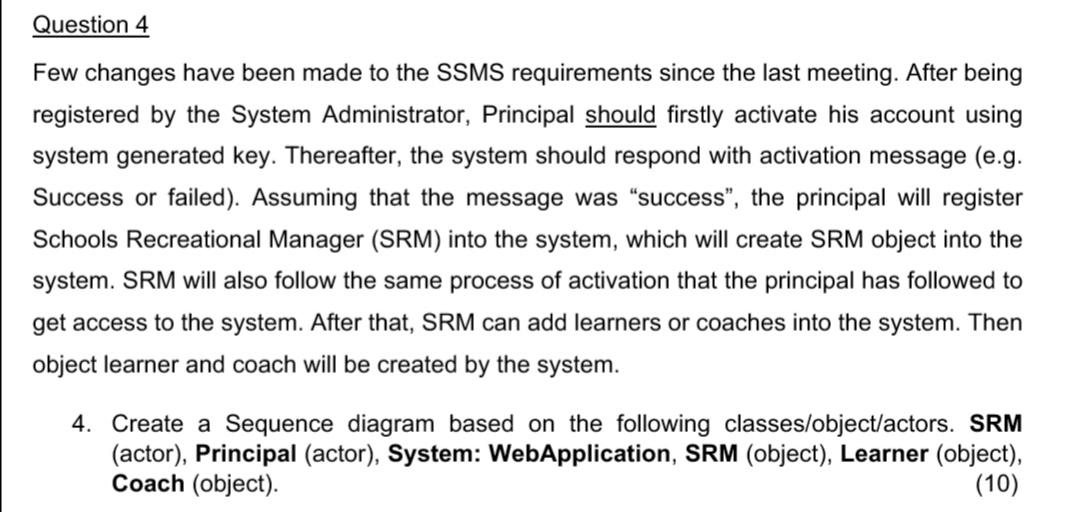
Question 4 Few changes have been made to the SSMS requirements since the last meeting. After being registered by the System Administrator, Principal should firstly activate his account using system generated key. Thereafter, the system should respond with activation message (e.g. Success or failed). Assuming that the message was "success", the principal will register Schools Recreational Manager (SRM) into the system, which will create SRM object into the system. SRM will also follow the same process of activation that the principal has followed to get access to the system. After that, SRM can add learners or coaches into the system. Then object learner and coach will be created by the system. 4. Create a Sequence diagram based on the following classes/object/actors. SRM (actor), Principal (actor), System: WebApplication, SRM (object), Learner (object), Coach (object)
Step by Step Solution
There are 3 Steps involved in it

Get step-by-step solutions from verified subject matter experts
 Study Help