







Question: Question 4 View Policies Current Attempt in Progress Modules & Accessing Content Click on the Courses option in your left navigation menu and select you.
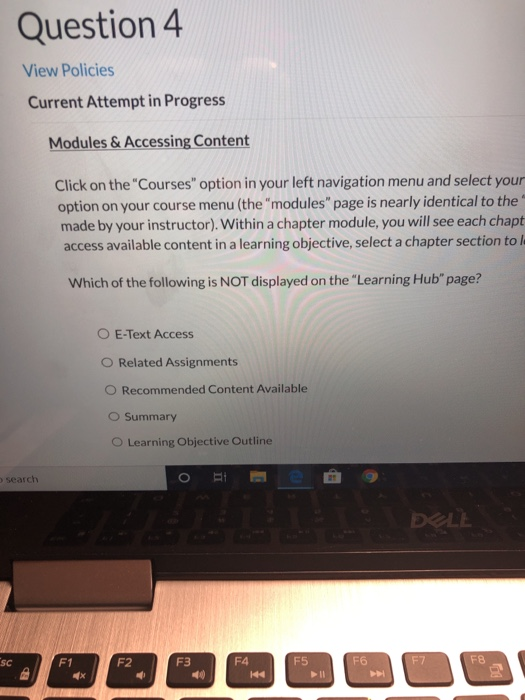
Question 4 View Policies Current Attempt in Progress Modules & Accessing Content Click on the "Courses" option in your left navigation menu and select you. option on your course menu (the "modules" page is nearly identical to the made by your instructor). Within a chapter module, you will see each chapt access available content in a learning objective, select a chapter section to Which of the following is NOT displayed on the "Learning Hub" page? O E-Text Access O Related Assignments O Recommended Content Available O Summary O Learning Objective Outline search DOLE Question 4 View Policies Current Attempt in Progress Modules & Accessing Content Click on the "Courses" option in your left navigation menu and select you. option on your course menu (the "modules" page is nearly identical to the made by your instructor). Within a chapter module, you will see each chapt access available content in a learning objective, select a chapter section to Which of the following is NOT displayed on the "Learning Hub" page? O E-Text Access O Related Assignments O Recommended Content Available O Summary O Learning Objective Outline search DOLE
Step by Step Solution
There are 3 Steps involved in it

Get step-by-step solutions from verified subject matter experts
 Study Help