







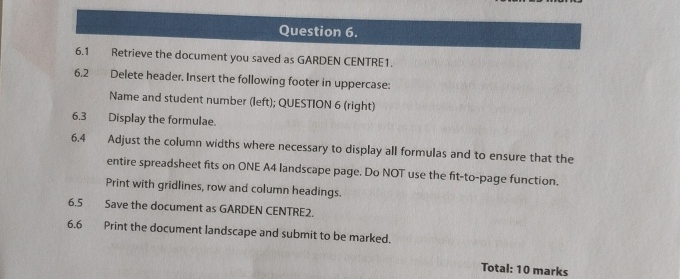
Question: Question 6 . 6 . 1 Retrieve the document you saved as GARDEN CENTRE 1 . 6 . 2 Delete header. Insert the following footer
Question
Retrieve the document you saved as GARDEN CENTRE
Delete header. Insert the following footer in uppercase:
Name and student number left; QUESTION right
Display the formulae.
Adjust the column widths where necessary to display all formulas and to ensure that the
entire spreadsheet fits on ONE A landscape page. DO NOT use the fittopage function.
Print with gridlines, row and column headings.
Save the document as GARDEN CENTRE
Print the document landscape and submit to be marked.
Total: marks
Step by Step Solution
There are 3 Steps involved in it
1 Expert Approved Answer
Step: 1 Unlock

Question Has Been Solved by an Expert!
Get step-by-step solutions from verified subject matter experts
Step: 2 Unlock
Step: 3 Unlock
 Study Help