







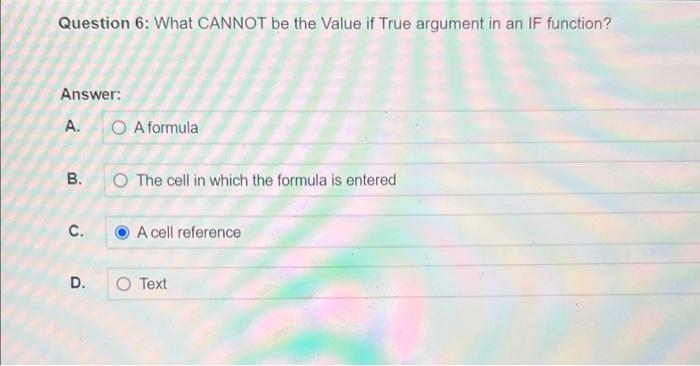
Question: Question 6 : What CANNOT be the Value if True argument in an IF function? Answer: A . A formula B . The cell in
Question : What CANNOT be the Value if True argument in an IF function?
Answer:
A A formula
B The cell in which the formula is entered
C A cell reference
D Text
Question : Which formula contains a nested function?
Answer:
AIFA IFB
BSUMB:BSUMC:C
CAVERAGEA:C B
DMAXA:AMINB:B
Which cell shown here displays an absolute cell reference?
Answer:
A F
B $F$
C $F
D F$
Question : What would be the result in cell F if the formula were copied to cell F
Answer:
AE$
BD$
CE$
DC$
Question : What would be the result in cell A if the formula were copied to cell A
Answer:
A$C$D
B$C$D
C$C$D
D$C$D
Question : Match each reference or formula to its best description.
$A$ABSOLUTE CELL REFERENCES
$B Mixed cell reference
SUMAVERAGEA: B Nested function
CRELATIVE FUNCTION
Question : Which argument is optional for the HLOOKUP function?
Answer:
A Lookup value
B Table array
C Column index number
D Range lookup
Question : What displays when the range lookup in a lookup function is False and an exact match is not located in the table array?
Answer:
A
B#DIV
C#NA
D A blank space
Question : What is a valid range lookup entry for a VLOOKUP function?
Answer:
A
B A
CB
D False
Question : Which of these best describes the purpose of a lookup function?
Answer:
A To combine multiple entries in other cells of the worksheet
B To retrieve a piece of data from a table
C To modify a formula in an adjacent cell
D To correct a previously incomplete formula in the worksheet
Question : What is NOT allowed in a defined name?
Answer:
A Text
B Number
C Underscore
D Space
Question : What is NOT a standard approach to improving worksheet readability?
Answer:
A Using a single underline below data for which a calculation is being performed
B Using a double underline below data representing the final figure in a column
C Using highlighting, underlining, and different font types, sizes, and colors
D Using formatting such as bold or italic to set headers apart from other content
Step by Step Solution
There are 3 Steps involved in it
1 Expert Approved Answer
Step: 1 Unlock

Question Has Been Solved by an Expert!
Get step-by-step solutions from verified subject matter experts
Step: 2 Unlock
Step: 3 Unlock
 Study Help