







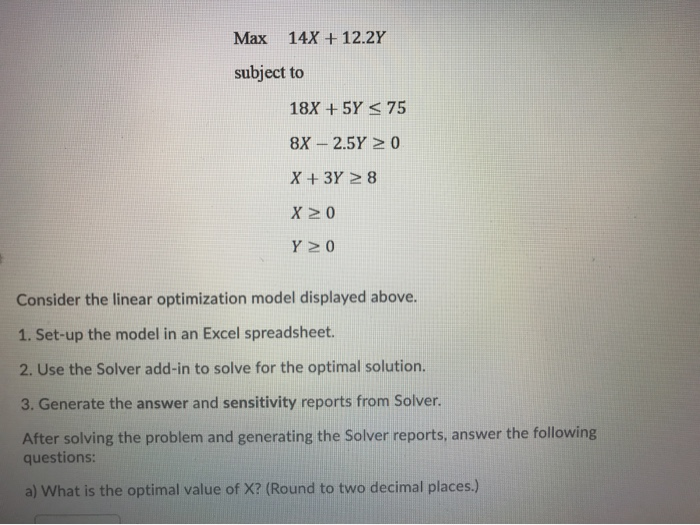
Question: Question 9 options: Consider the linear optimization model displayed above. 1. Set-up the model in an Excel spreadsheet. 2. Use the Solver add-in to solve
Question 9 options:
Consider the linear optimization model displayed above.
1. Set-up the model in an Excel spreadsheet.
2. Use the Solver add-in to solve for the optimal solution.
3. Generate the answer and sensitivity reports from Solver.
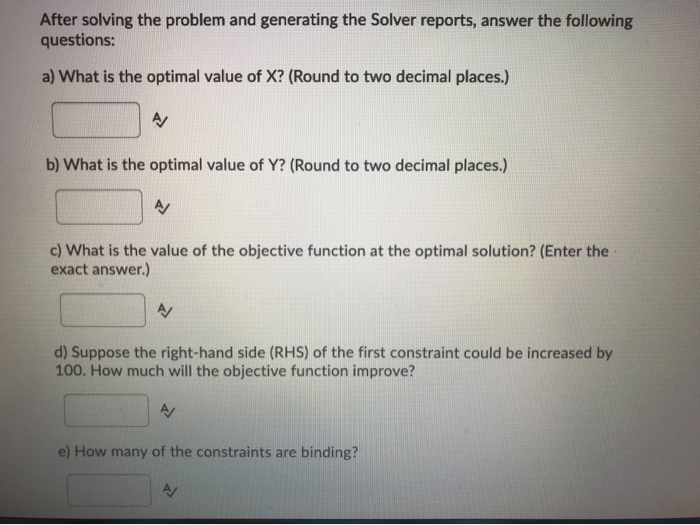
After solving the problem and generating the Solver reports, answer the following questions:
a) What is the optimal value of X? (Round to two decimal places.)
b) What is the optimal value of Y? (Round to two decimal places.)
c) What is the value of the objective function at the optimal solution? (Enter the exact answer.)
d) Suppose the right-hand side (RHS) of the first constraint could be increased by 100. How much will the objective function improve?
e) How many of the constraints are binding?
Step by Step Solution
There are 3 Steps involved in it

Get step-by-step solutions from verified subject matter experts
 Study Help