



Question: QUESTION 9 When setting up a spreadsheet to calculate depreciation in Excel you should type in the cost of asset O multiple times since you
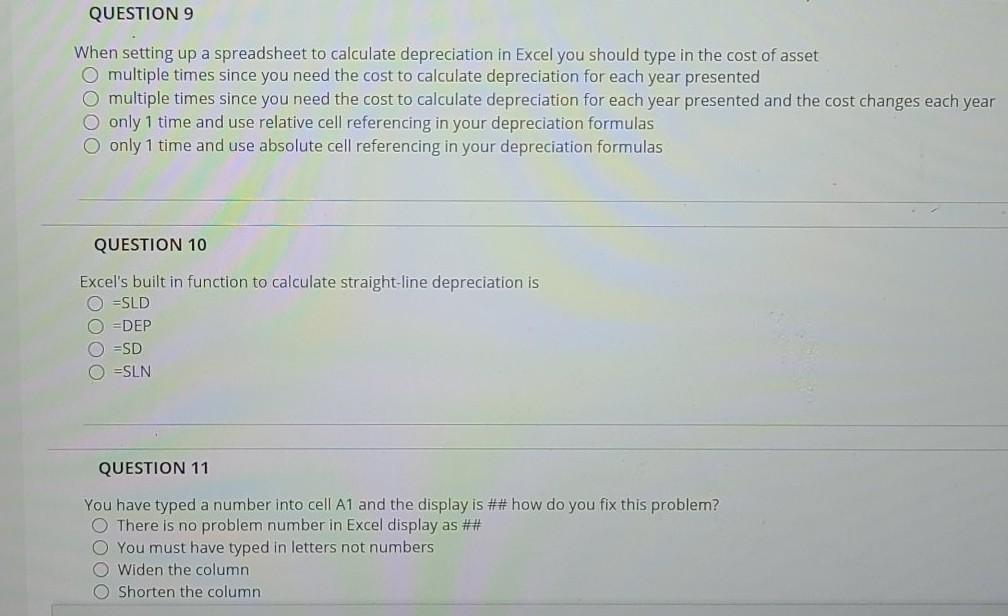
QUESTION 9 When setting up a spreadsheet to calculate depreciation in Excel you should type in the cost of asset O multiple times since you need the cost to calculate depreciation for each year presented O multiple times since you need the cost to calculate depreciation for each year presented and the cost changes each year O only 1 time and use relative cell referencing in your depreciation formulas O only 1 time and use absolute cell referencing in your depreciation formulas QUESTION 10 Excel's built in function to calculate straight-line depreciation is =SLD O =DEP O ESD =SLN QUESTION 11 You have typed a number into cell A1 and the display is ## how do you fix this problem? There is no problem number in Excel display as ## O You must have typed in letters not numbers O Widen the column O Shorten the column
Step by Step Solution
There are 3 Steps involved in it

Get step-by-step solutions from verified subject matter experts