





Question: Question below In this exercise, you will create a script called flle ops.sh that uses the various file operators The file_ops.sh script will Use one

Question below
Question below In this exercise, you will create a script called flle

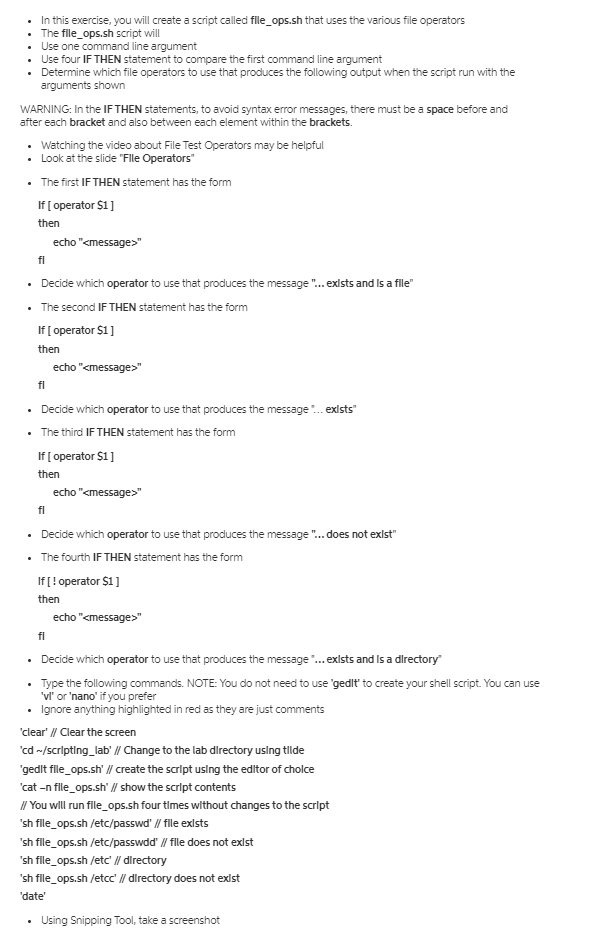
In this exercise, you will create a script called flle ops.sh that uses the various file operators The file_ops.sh script will Use one command line argument Use four IF THEN statement to compare the first command line argument Determine which file operators to use that produces the following output when the script run with the arguments shown WARNING: In the IF THEN statements, to avoid syntax error messages, there must be a space before and after each bracket and also between each element within the brackets. Watching the video about File Test Operators may be helpful Look at the slide "File Operators The first IF THEN statement has the form If [operator $1] then echo "" Decide which operator to use that produces the message.... exists and is a directory Type the following commands. NOTE: You do not need to use 'gedit' to create your shell script. You can use 'vl' or 'nano' if you prefer Ignore anything highlighted in red as they are just comments 'clear' // Clear the screen 'cd /scripting_lab' // Change to the lab directory using tilde gedit file_ops.sh' // create the script using the editor of choice 'cat -n file_ops.sh' // show the script contents // You will run flle ops.sh four times without changes to the script 'sh file_ops.sh /etc/passwd' // file exists 'sh file_ops.sh /etc/passwdd' // file does not exist sh file_ops.sh /etc' // directory 'sh file_ops.sh /etcc' // directory does not exist 'date' Using Snipping Tool, take a screenshot

Step by Step Solution

There are 3 Steps involved in it

1 Expert Approved Answer
Step: 1 Unlock blur-text-image
Question Has Been Solved by an Expert!

Get step-by-step solutions from verified subject matter experts

Step: 2 Unlock
Step: 3 Unlock

Students Have Also Explored These Related Databases Questions!