







Question: QUESTION: CREATE THE SEQUENCE DIAGRAM FROM THE USE CASE 7.2 Manage Account 7.2.1 Brief Description This use case is initiated by the customer. The Manage
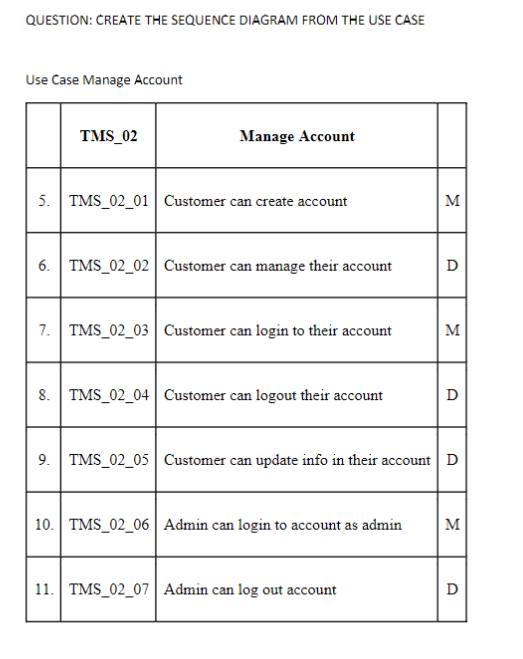
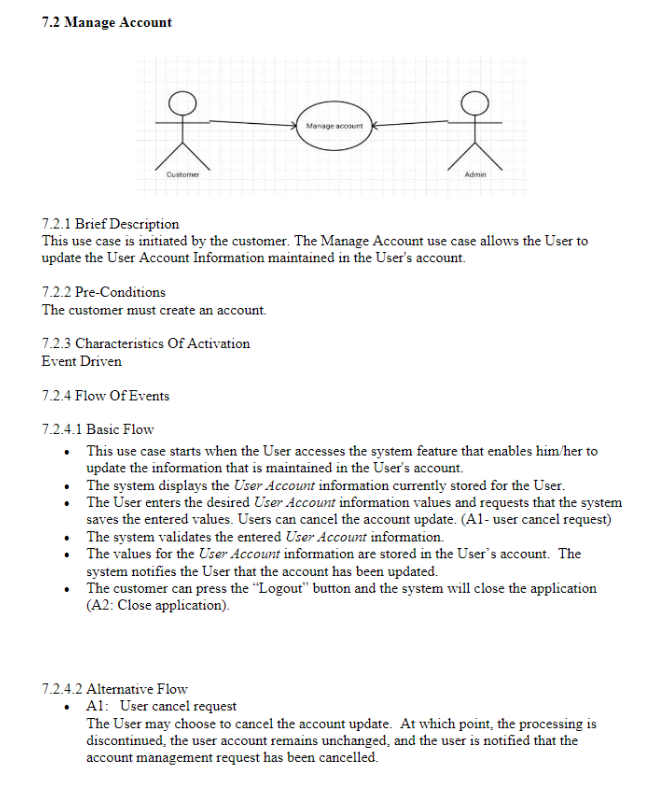
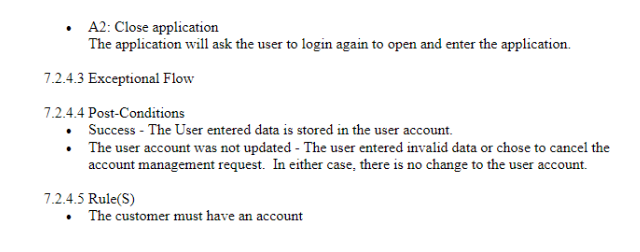
QUESTION: CREATE THE SEQUENCE DIAGRAM FROM THE USE CASE 7.2 Manage Account 7.2.1 Brief Description This use case is initiated by the customer. The Manage Account use case allows the User to update the User Account Information maintained in the User's account. 7.2.2 Pre-Conditions The customer must create an account. 7.2.3 Characteristics Of Activation Event Driven 7.2.4 Flow Of Events 7.2.4.1 Basic Flow - This use case starts when the User accesses the system feature that enables him/her to update the information that is maintained in the User's account. - The system displays the User Account information currently stored for the User. - The User enters the desired User Account information values and requests that the system saves the entered values. Users can cancel the account update. (A1- user cancel request) - The system validates the entered User Account information. - The values for the User Account information are stored in the User's account. The system notifies the User that the account has been updated. - The customer can press the "Logout" button and the system will close the application (A2: Close application). 7.2.4.2 Alternative Flow - A1: User cancel request The User may choose to cancel the account update. At which point, the processing is discontinued, the user account remains unchanged, and the user is notified that the account management request has been cancelled. - A2: Close application The application will ask the user to login again to open and enter the application. 7.2.4.3 Exceptional Flow 7.2.4.4 Post-Conditions - Success - The User entered data is stored in the user account. - The user account was not updated - The user entered invalid data or chose to cancel the account management request. In either case, there is no change to the user account. 7.2.4.5 Rule(S) - The customer must have an account
Step by Step Solution
There are 3 Steps involved in it

Get step-by-step solutions from verified subject matter experts
 Study Help