Question: Question: Draw a use case model diagram for USE CASE - Employee Profile Creation Summary: As the coordinator, I want to create a profile for
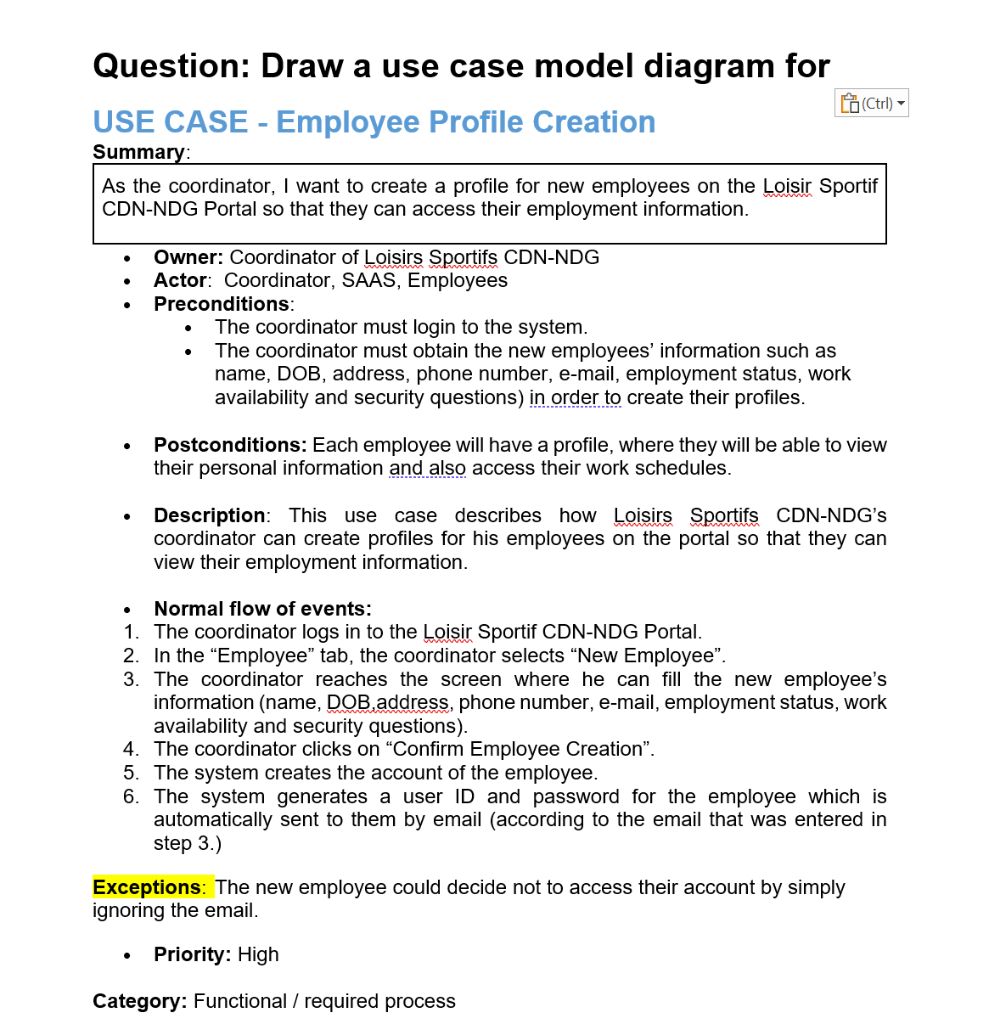
Question: Draw a use case model diagram for USE CASE - Employee Profile Creation Summary: As the coordinator, I want to create a profile for new employees on the Loisir Sportif CDN-NDG Portal so that they can access their employment information. - Owner: Coordinator of Loisirs Sportifs CDN-NDG - Actor: Coordinator, SAAS, Employees - Preconditions: - The coordinator must login to the system. - The coordinator must obtain the new employees' information such as name, DOB, address, phone number, e-mail, employment status, work availability and security questions) in order to create their profiles. - Postconditions: Each employee will have a profile, where they will be able to view their personal information and also access their work schedules. - Description: This use case describes how Loisirs Sportifs CDN-NDG's coordinator can create profiles for his employees on the portal so that they can view their employment information. - Normal flow of events: 1. The coordinator logs in to the Loisir Sportif CDN-NDG Portal. 2. In the "Employee" tab, the coordinator selects "New Employee". 3. The coordinator reaches the screen where he can fill the new employee's information (name, DOB, address, phone number, e-mail, employment status, work availability and security questions). 4. The coordinator clicks on "Confirm Employee Creation". 5. The system creates the account of the employee. 6. The system generates a user ID and password for the employee which is automatically sent to them by email (according to the email that was entered in step 3.) Exceptions: The new employee could decide not to access their account by simply gnoring the email. - Priority: High Category: Functional / required process Question: Draw a use case model diagram for USE CASE - Employee Profile Creation Summary: As the coordinator, I want to create a profile for new employees on the Loisir Sportif CDN-NDG Portal so that they can access their employment information. - Owner: Coordinator of Loisirs Sportifs CDN-NDG - Actor: Coordinator, SAAS, Employees - Preconditions: - The coordinator must login to the system. - The coordinator must obtain the new employees' information such as name, DOB, address, phone number, e-mail, employment status, work availability and security questions) in order to create their profiles. - Postconditions: Each employee will have a profile, where they will be able to view their personal information and also access their work schedules. - Description: This use case describes how Loisirs Sportifs CDN-NDG's coordinator can create profiles for his employees on the portal so that they can view their employment information. - Normal flow of events: 1. The coordinator logs in to the Loisir Sportif CDN-NDG Portal. 2. In the "Employee" tab, the coordinator selects "New Employee". 3. The coordinator reaches the screen where he can fill the new employee's information (name, DOB, address, phone number, e-mail, employment status, work availability and security questions). 4. The coordinator clicks on "Confirm Employee Creation". 5. The system creates the account of the employee. 6. The system generates a user ID and password for the employee which is automatically sent to them by email (according to the email that was entered in step 3.) Exceptions: The new employee could decide not to access their account by simply gnoring the email. - Priority: High Category: Functional / required process









 Study Help