







Question: Question1) C++, Splashkit and Visual Studio Fix this code justifying the criteria below (No IOSTREAM FORMANT PLEASE) 1 'include 2 include -player, h splashkit.h 5
Question1) C++, Splashkit and Visual Studio
Fix this code justifying the criteria below (No IOSTREAM FORMANT PLEASE)
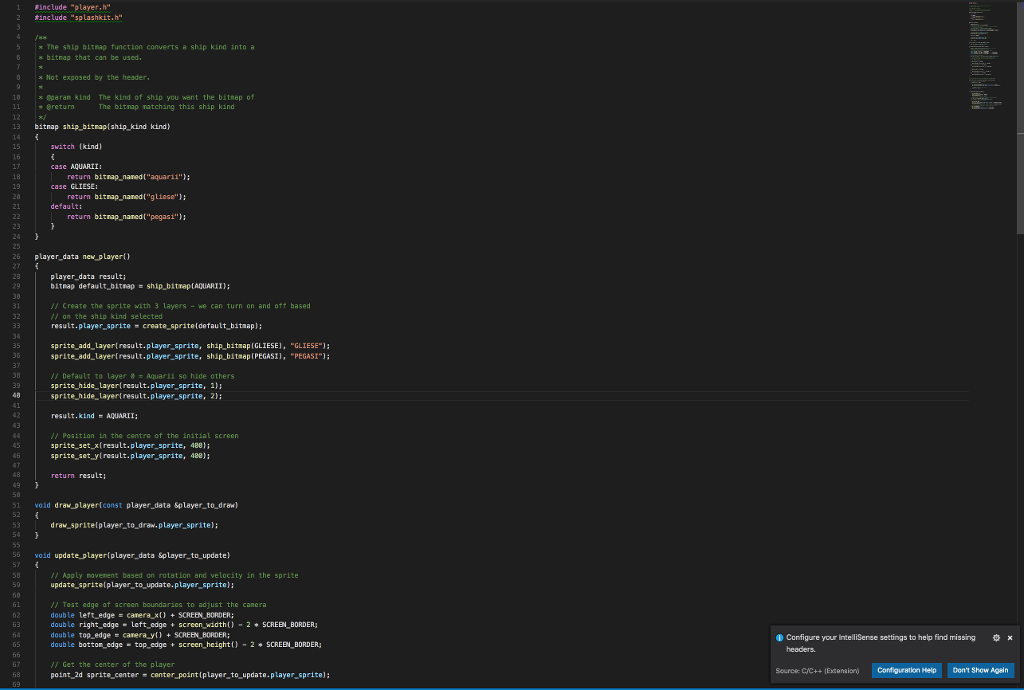
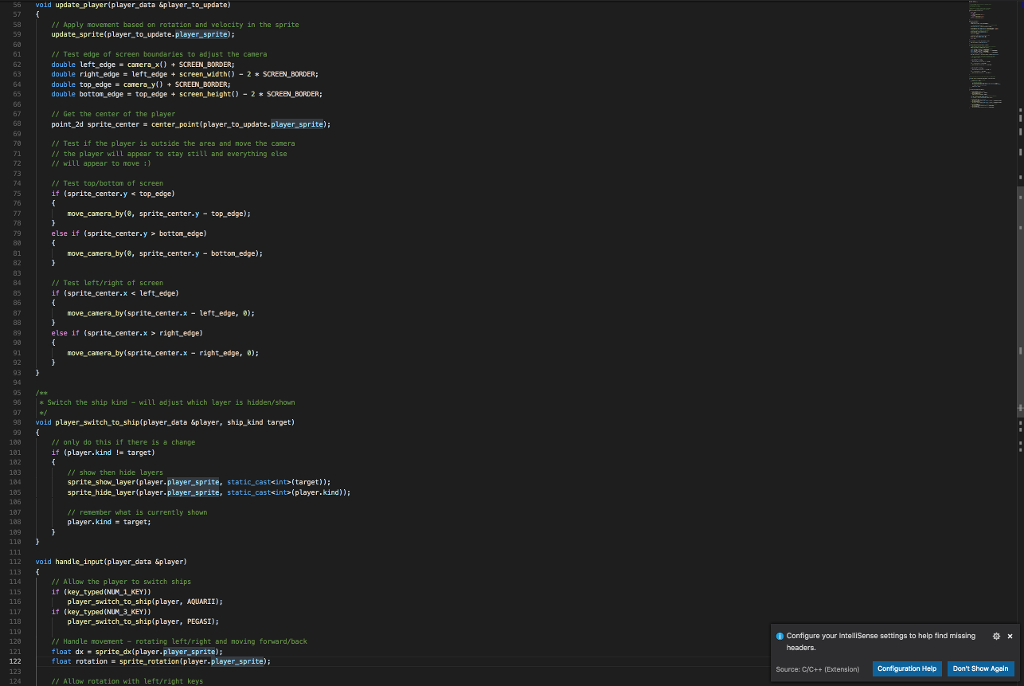
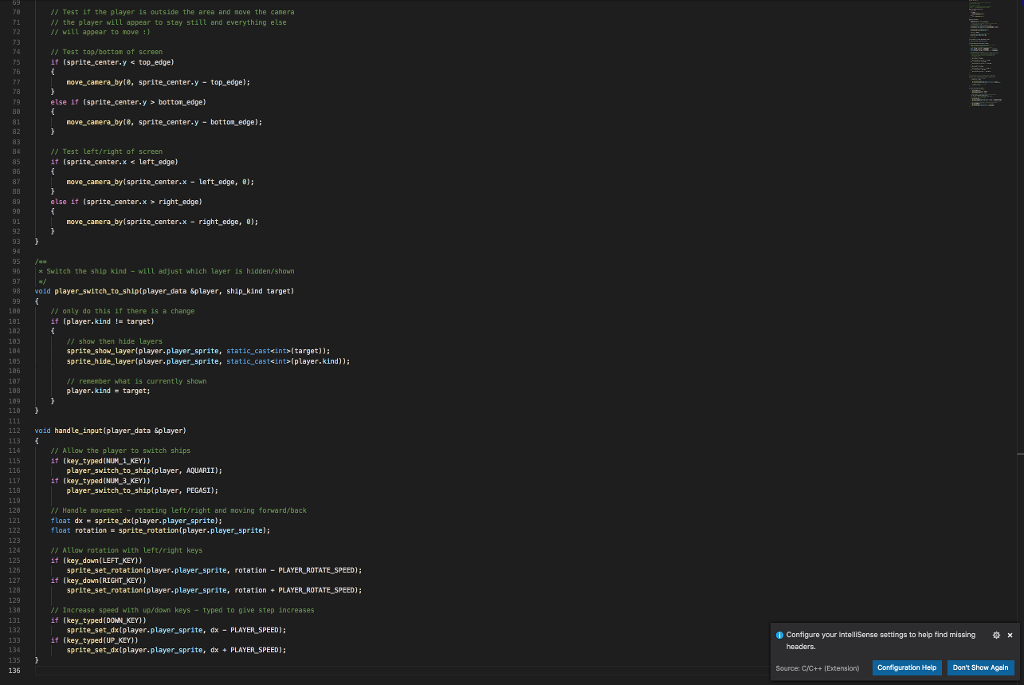
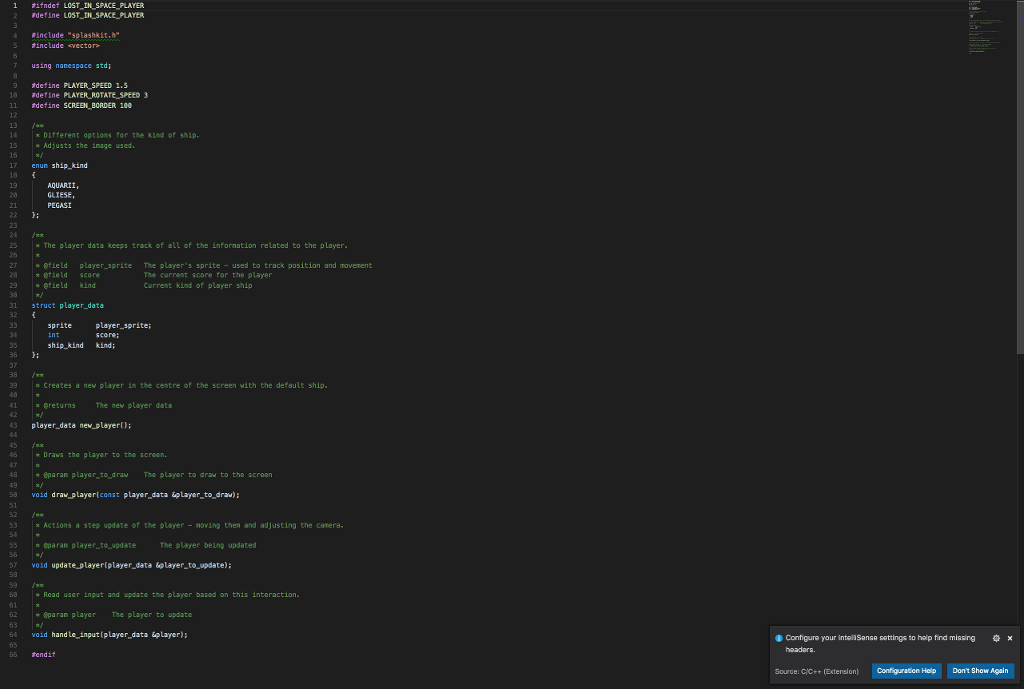
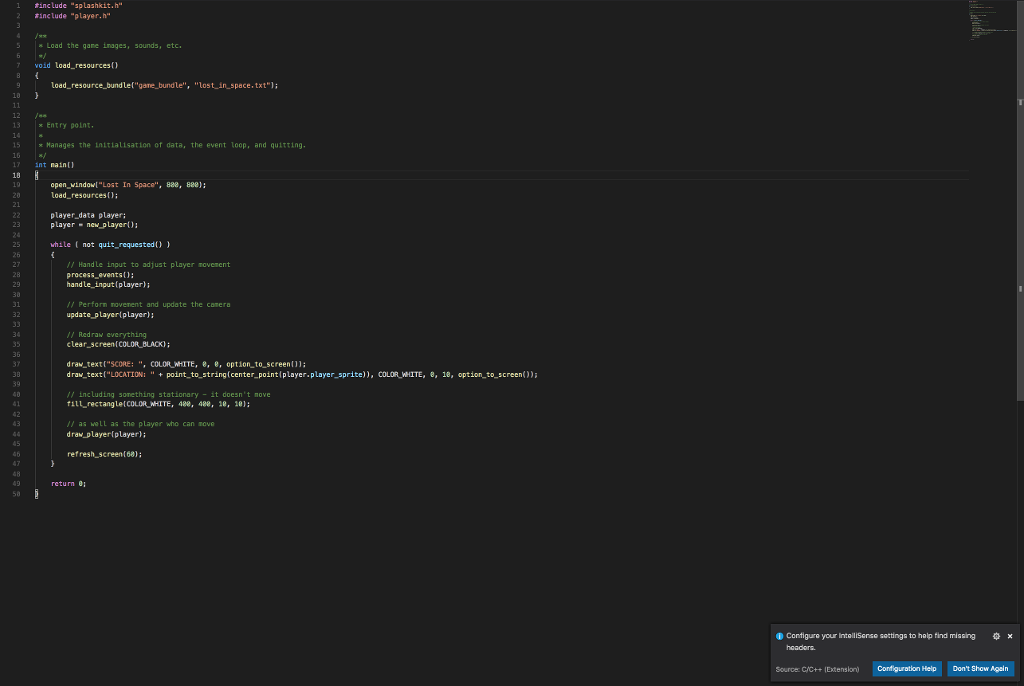
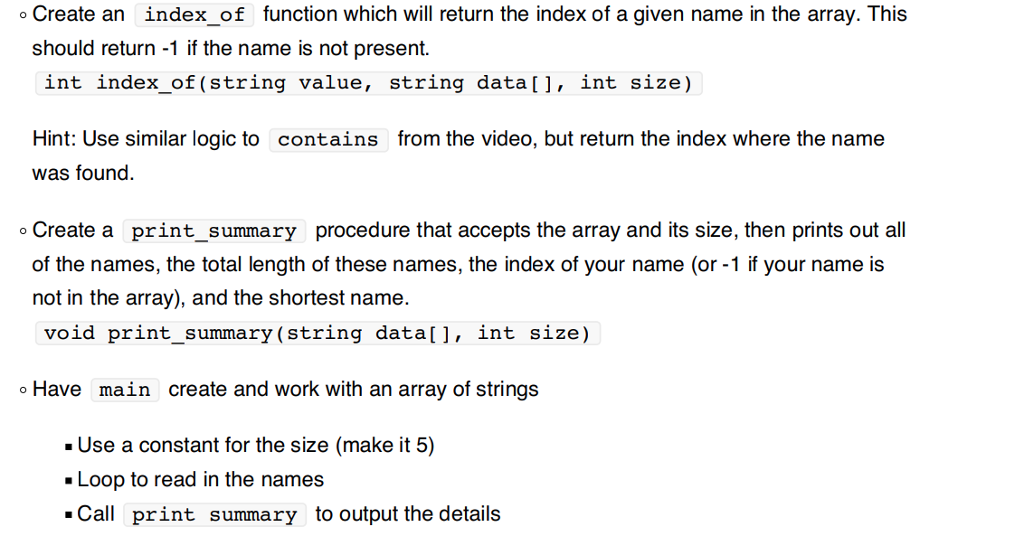
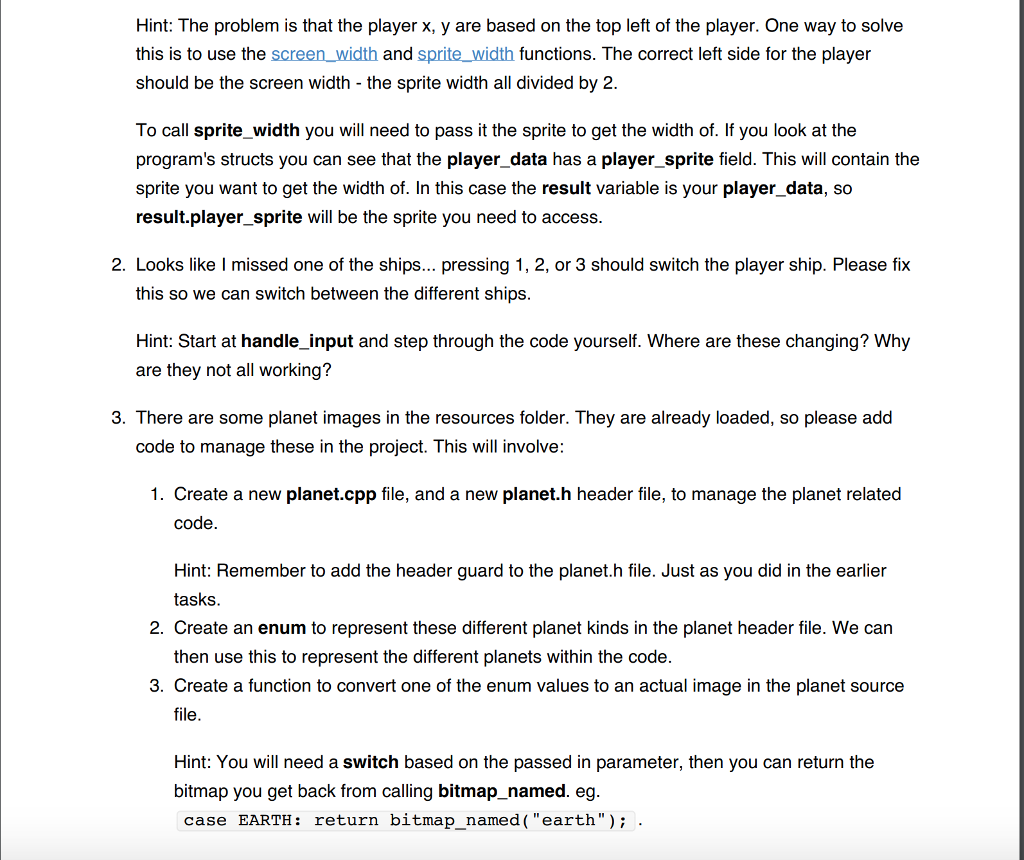
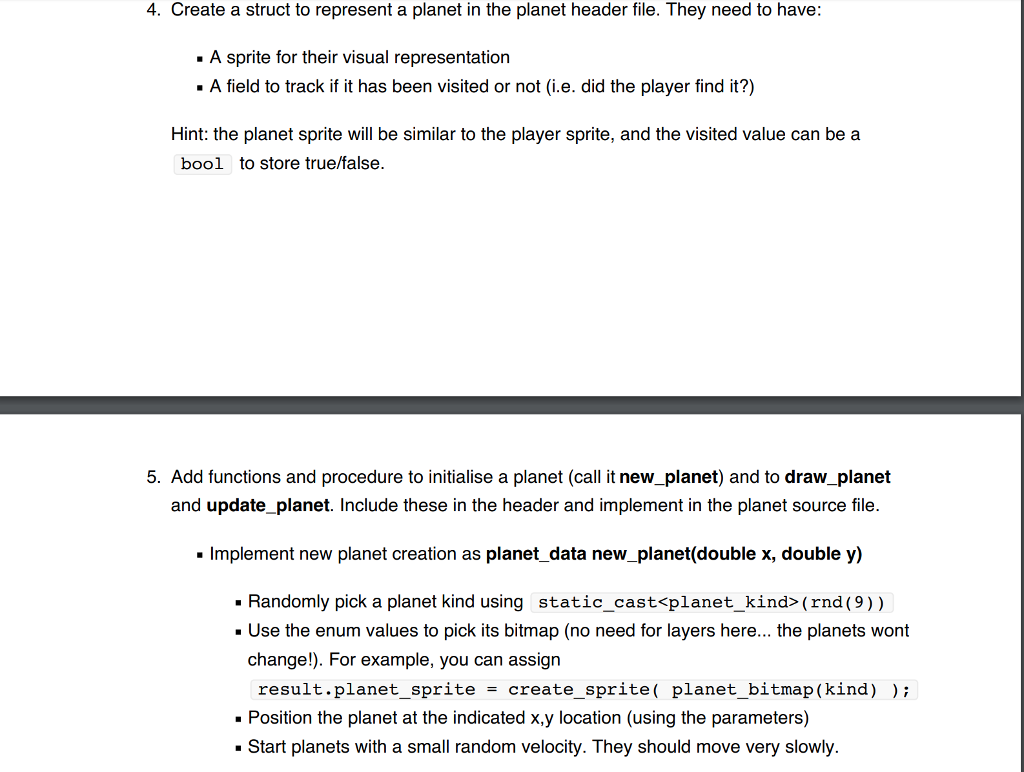
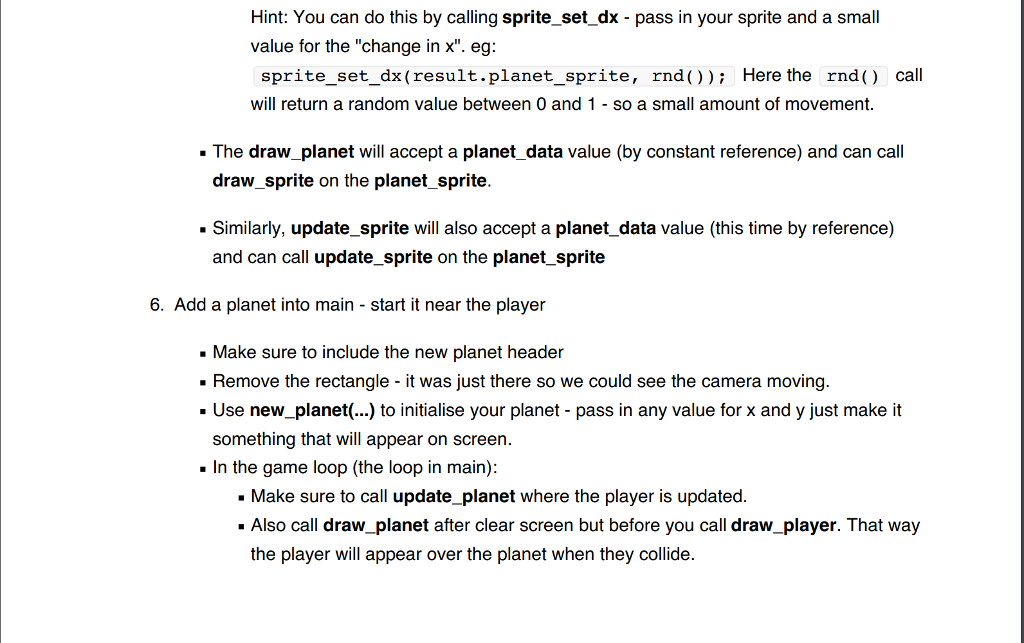
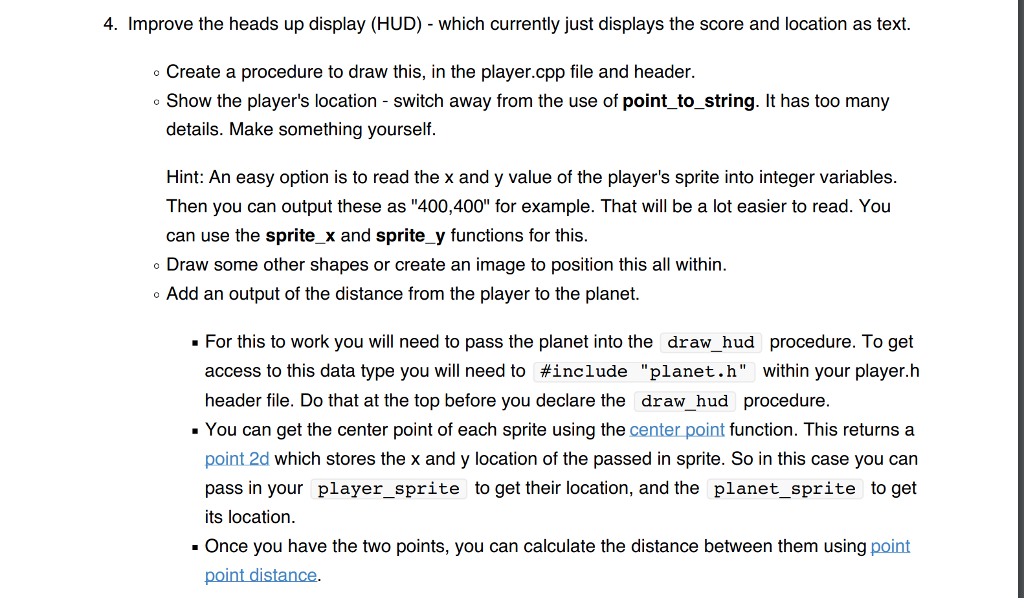
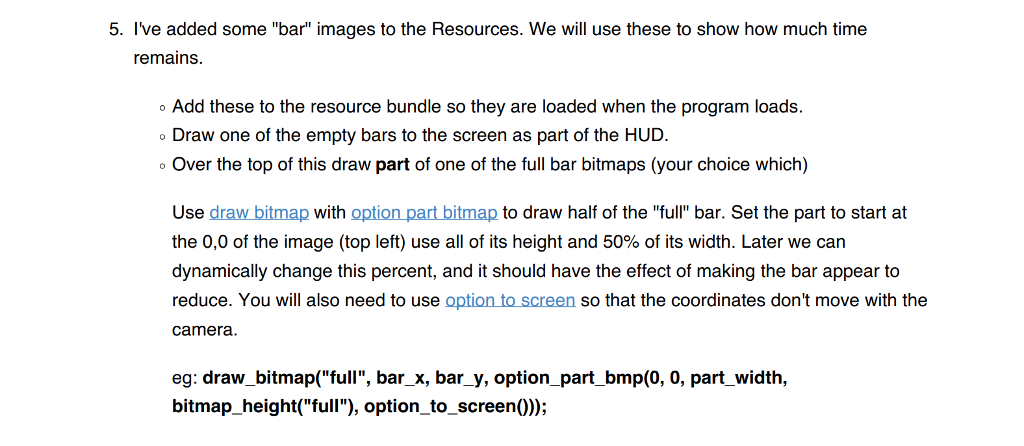
1 'include 2 include -player, h" "splashkit.h" 5 |x The sh1p bitnap function converts a shap kind into a x bitmap that can be used. Not exposed by the header 10 x Eparan kind The kind of ship you want the bitmap of 11 return 12 / 13 bitnap ship bitraplahip kind kind The bitnap ratching this ship kind switch (kind) return bitnap naned("aquaril'): return bitnap naned( "g Liese"): return bitnap nanedl"pegasi" 19 case GLIESE: default: 24 25 26 player_data new player) 27 player_data resulti bitmap default bitnap ship bitrapAQUARI): Create the sprite with 3 Layers -we can turn on and oft based // on the ship kind selected resuit.player_sprite create, sprite(default bitmapl: 32 sprite add layertresuLt.player_sprite, ship bitmap(GLIESE), GLIESE" 1: sprite-add-Layer(result.player-sprite, ship-bitsap 1 PEGAS), "PEGASI"); 37 30 Default to layerAquarii so hide others sprite hide layerlresult.player sprite, ) sprite hide layertresult.player_sprite, 2): result.kind AQUARII: 43 Position in the centre of the initial screen sprite set x(result.player sprite, 48e) sprite set ytreault.player sprite, 428): 51 void drav player[const player data Splayer to draw) 52 53 draw spritelplayer to draw.player spritel: 55 void update player player_data Splayer_to update) Apply movenent based on rotation and velocity in the sprite update spritelplayer to update.player_spritel: Test edge of screen boundaries to adjust the canera double left edge - canera x0 +sCREEN BORDER; double right edge-Left_edgescreen width0 -2 sCREEN BORDER double top edge canera ySCREEN BORDER; double botton edge top_edgescreen height) -2SCREEN BORDER Configure your IntelliSense settings to help find missingx // Get the center of the player point 2d sprite. center center point (player to update.player_sprite): 67 Source C/C++ (Extenaion) Configuration Help Don't Show Agein 1 'include 2 include -player, h" "splashkit.h" 5 |x The sh1p bitnap function converts a shap kind into a x bitmap that can be used. Not exposed by the header 10 x Eparan kind The kind of ship you want the bitmap of 11 return 12 / 13 bitnap ship bitraplahip kind kind The bitnap ratching this ship kind switch (kind) return bitnap naned("aquaril'): return bitnap naned( "g Liese"): return bitnap nanedl"pegasi" 19 case GLIESE: default: 24 25 26 player_data new player) 27 player_data resulti bitmap default bitnap ship bitrapAQUARI): Create the sprite with 3 Layers -we can turn on and oft based // on the ship kind selected resuit.player_sprite create, sprite(default bitmapl: 32 sprite add layertresuLt.player_sprite, ship bitmap(GLIESE), GLIESE" 1: sprite-add-Layer(result.player-sprite, ship-bitsap 1 PEGAS), "PEGASI"); 37 30 Default to layerAquarii so hide others sprite hide layerlresult.player sprite, ) sprite hide layertresult.player_sprite, 2): result.kind AQUARII: 43 Position in the centre of the initial screen sprite set x(result.player sprite, 48e) sprite set ytreault.player sprite, 428): 51 void drav player[const player data Splayer to draw) 52 53 draw spritelplayer to draw.player spritel: 55 void update player player_data Splayer_to update) Apply movenent based on rotation and velocity in the sprite update spritelplayer to update.player_spritel: Test edge of screen boundaries to adjust the canera double left edge - canera x0 +sCREEN BORDER; double right edge-Left_edgescreen width0 -2 sCREEN BORDER double top edge canera ySCREEN BORDER; double botton edge top_edgescreen height) -2SCREEN BORDER Configure your IntelliSense settings to help find missingx // Get the center of the player point 2d sprite. center center point (player to update.player_sprite): 67 Source C/C++ (Extenaion) Configuration Help Don't Show Agein
Step by Step Solution
There are 3 Steps involved in it

Get step-by-step solutions from verified subject matter experts
 Study Help