







Question: Question2: What is the output on Server side? Question3: What is the output on the Client side? Exercise-3.2: Basic Client-Server Communication Create and save python
Question2: What is the output on Server side?
Question3: What is the output on the Client side?
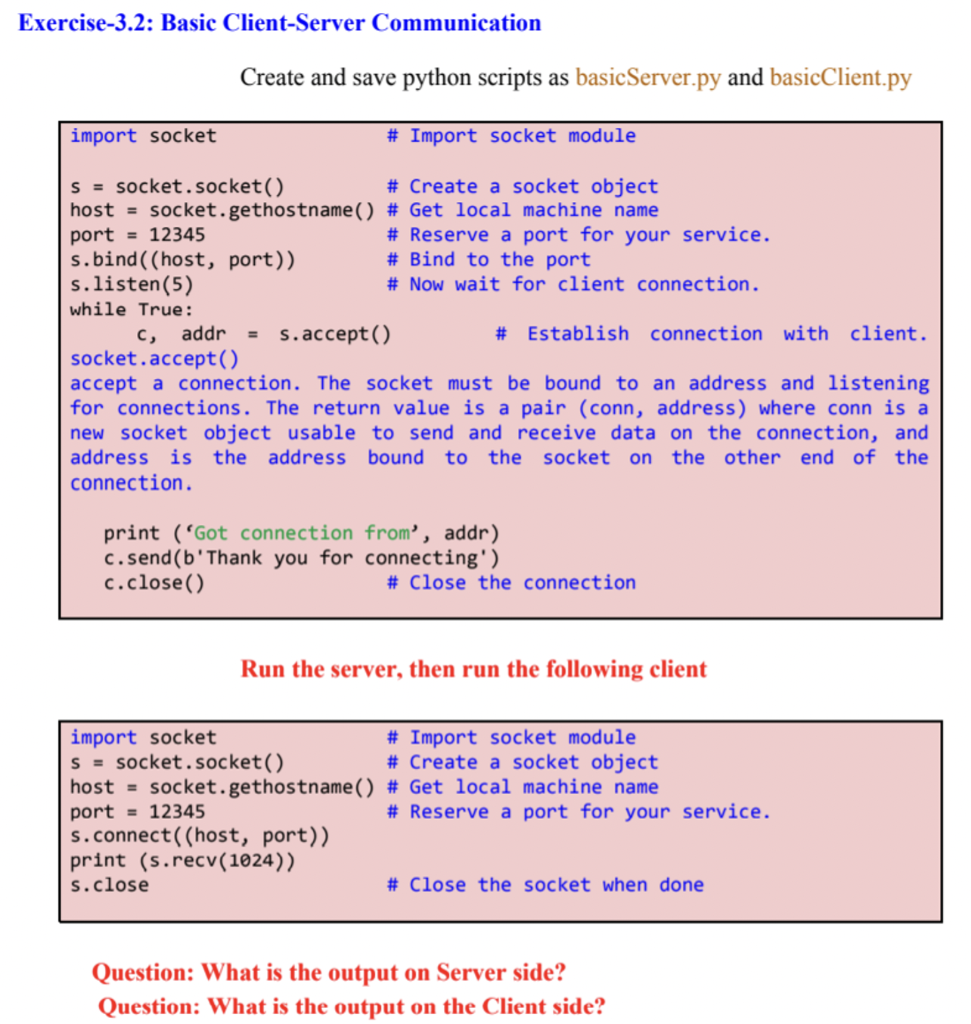
Exercise-3.2: Basic Client-Server Communication Create and save python scripts as basicServer.py and basicClient.py import socket # Import socket module S = socket.socket() # Create a socket object host = socket.gethostname() # Get local machine name port = 12345 # Reserve a port for your service. s.bind((host, port)) # Bind to the port s.listen(5) # Now wait for client connection. while True: C, addr = s.accept() # Establish connection with client. socket.accept() accept a connection. The socket must be bound to an address and listening for connections. The return value is a pair (conn, address) where conn is a new socket object usable to send and receive data on the connection, and address is the address bound to the socket on the other end of the connection. print (Got connection from', addr) c.send(b'Thank you for connecting') c.close() # Close the connection Run the server, then run the following client import socket # Import socket module s = socket.socket() # Create a socket object host = socket.gethostname() # Get local machine name port = 12345 # Reserve a port for your service. s.connect((host, port)) print (s.recv(1024)) s.close # Close the socket when done Question: What is the output on Server side? Question: What is the output on the Client side
Step by Step Solution
There are 3 Steps involved in it

Get step-by-step solutions from verified subject matter experts
 Study Help