





Question: questions 1-4 including all letters please! Assignment 6 for the Cloud Problem 1: Numerous Web sites are available that will test your Internet data communications

questions 1-4 including all letters please!
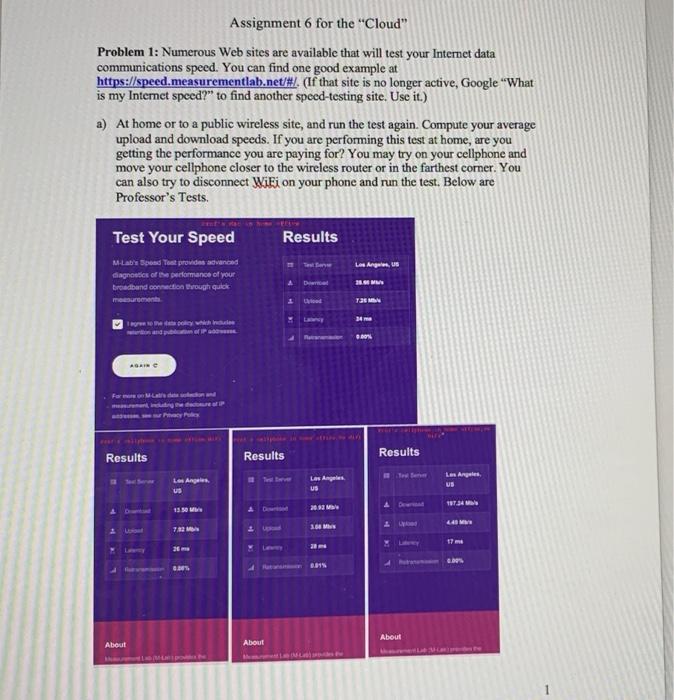
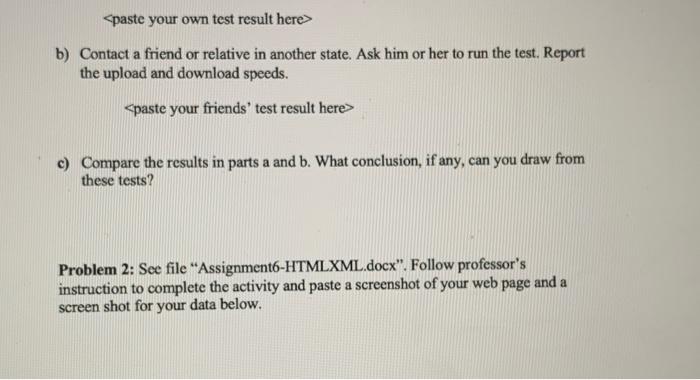
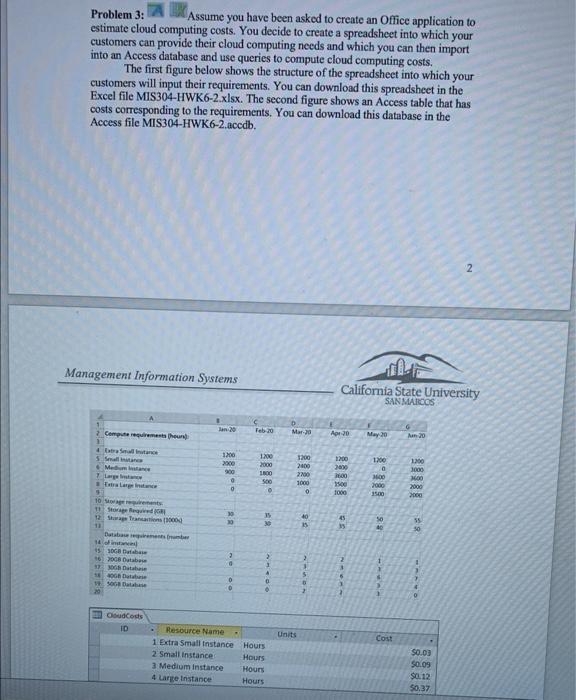
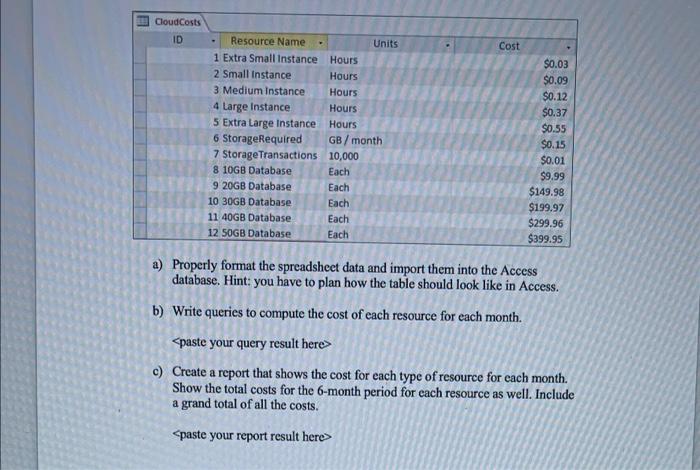
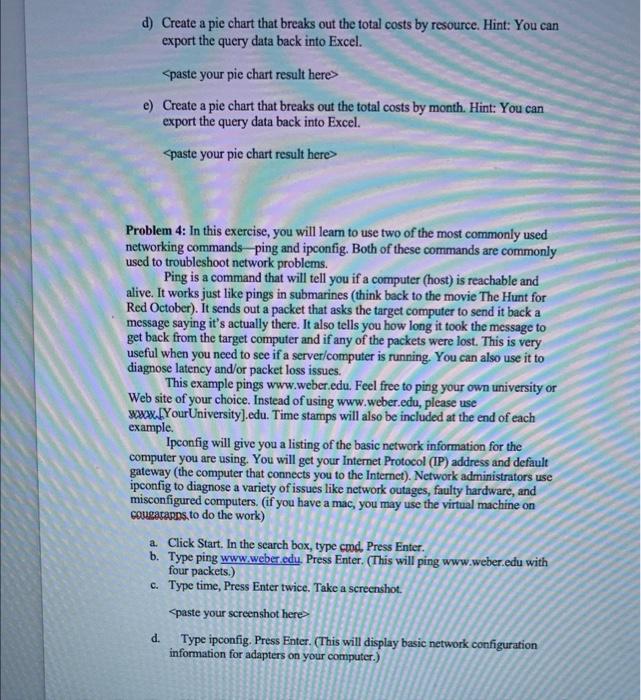

Assignment 6 for the "Cloud" Problem 1: Numerous Web sites are available that will test your Internet data communications speed. You can find one good example at https://speed.measurementlab.net/#/. (If that site is no longer active, Google "What is my Internet speed?" to find another speed-testing site. Use it.) a) At home or to a public wireless site, and run the test again. Compute your average upload and download speeds. If you are performing this test at home, are you getting the performance you are paying for? You may try on your cellphone and move your cellphone closer to the wireless router or in the farthest corner. You can also try to disconnect Wiki on your phone and run the test. Below are Professor's Tests. her speed testing inc. Use Test Your Speed Results Los Angeles, M-Lab's Spend Tout provides avanced diagnostics of the performance of your broadband connection through quick mer Die 21.00 lo 725 MM 24 which Results Results Results Los Angeles Los Angeles US Los Angeles US 18734 13 20.92 MB 30 M 72 448 17 m 2 20 G. 3.815 . About About About b) Contact a friend or relative in another state. Ask him or her to run the test. Report the upload and download speeds. c) Compare the results in parts a and b. What conclusion, if any, can you draw from these tests? Problem 2: See file "Assignment6-HTMLXML.docx. Follow professor's instruction to complete the activity and paste a screenshot of your web page and a screen shot for your data below. Problem 3: Assume you have been asked to create an Office application to estimate cloud computing costs. You decide to create a spreadsheet into which your customers can provide their cloud computing needs and which you can then import into an Access database and use queries to compute cloud computing costs. The first figure below shows the structure of the spreadsheet into which your customers will input their requirements. You can download this spreadsheet in the Excel file MIS304-HWK6-2.xlsx. The second figure shows an Access table that has costs corresponding to the requirements. You can download this database in the Access file MIS304-HWK6-2.accdb. Management Information Systems California State University SAN MARCOS Comprequirements the Mar 30 Apr 20 May 20 Man 20 trance 5S Mange Large 100 2000 900 12 1200 2000 1600 500 1300 1000 1200 2400 2700 1000 0 1200 2000 1600 1500 1000 a MO 2000 15.00 0 2000 2000 10 g 11 Storage 12 wage Trancasions 1000 19 30 20 40 15 45 35 929 55 Databasement n! 5 SG Baba 2008 Dube 2 > 2 1 5 08 Dette 500 0 2 sudcasts ID Units Cost Resource Name 1 Extra Small Instance Hours 2 Small instance Hours 3 Medium Instance Hours 4 Large Instance Hours $0.00 $0.09 $0.12 $0.37 Cloud Costs ID Cost Resource Name Units 1 Extra Small Instance Hours 2 Small Instance Hours 3. Medium Instance Hours 4 Large Instance Hours 5 Extra Large Instance Hours 6 StorageRequired GB/month 7 Storage Transactions 10,000 8 10GB Database Each 9 20GB Database Each 10 30GB Database Each 11 40GB Database Each 12 SOGB Database Each $0.03 $0.09 $0.12 $0.37 $0.55 $0.15 $0.01 $9.99 $149.98 $199.97 $299.96 $399.95 a) Properly format the spreadsheet data and import them into the Access database. Hint: you have to plan how the table should look like in Access. b) Write queries to compute the cost of each resource for each month. c) Create a report that shows the cost for each type of resource for each month. Show the total costs for the 6-month period for each resource as well. Include a grand total of all the costs. e) Create a pie chart that breaks out the total costs by month. Hint: You can export the query data back into Excel. Spaste your pic chart result here> Problem 4: In this exercise, you will learn to use two of the most commonly used networking commandsping and ipconfig. Both of these commands are commonly used to troubleshoot network problems. Ping is a command that will tell you if a computer (host) is reachable and alive. It works just like pings in submarines (think back to the movie The Hunt for Red October). It sends out a packet that asks the target computer to send it back a message saying it's actually there. It also tells you how long it took the message to get back from the target computer and if any of the packets were lost. This is very useful when you need to see if a server/computer is running. You can also use it to diagnose latency and/or packet loss issues. This example pings www.weber.edu. Feel free to ping your own university or Web site of your choice. Instead of using www.weber.edu, please use www.YourUniversity).edu. Time stamps will also be included at the end of each example. Ipconfig will give you a listing of the basic network information for the computer you are using. You will get your Internet Protocol (IP) address and default gateway (the computer that connects you to the Internet). Network administrators use ipconfig to diagnose a variety of issues like network outages, faulty hardware, and misconfigured computers. (if you have a mac, you may use the virtual machine on cougatans to do the work) a. Click Start. In the search box, type cmd. Press Enter. b. Type ping www.weber.edu. Press Enter. (This will ping www.weber.edu with four packets.) c. Type time, Press Enter twice. Take a screenshot b) Contact a friend or relative in another state. Ask him or her to run the test. Report the upload and download speeds. c) Compare the results in parts a and b. What conclusion, if any, can you draw from these tests? Problem 2: See file "Assignment6-HTMLXML.docx. Follow professor's instruction to complete the activity and paste a screenshot of your web page and a screen shot for your data below. Problem 3: Assume you have been asked to create an Office application to estimate cloud computing costs. You decide to create a spreadsheet into which your customers can provide their cloud computing needs and which you can then import into an Access database and use queries to compute cloud computing costs. The first figure below shows the structure of the spreadsheet into which your customers will input their requirements. You can download this spreadsheet in the Excel file MIS304-HWK6-2.xlsx. The second figure shows an Access table that has costs corresponding to the requirements. You can download this database in the Access file MIS304-HWK6-2.accdb. Management Information Systems California State University SAN MARCOS Comprequirements the Mar 30 Apr 20 May 20 Man 20 trance 5S Mange Large 100 2000 900 12 1200 2000 1600 500 1300 1000 1200 2400 2700 1000 0 1200 2000 1600 1500 1000 a MO 2000 15.00 0 2000 2000 10 g 11 Storage 12 wage Trancasions 1000 19 30 20 40 15 45 35 929 55 Databasement n! 5 SG Baba 2008 Dube 2 > 2 1 5 08 Dette 500 0 2 sudcasts ID Units Cost Resource Name 1 Extra Small Instance Hours 2 Small instance Hours 3 Medium Instance Hours 4 Large Instance Hours $0.00 $0.09 $0.12 $0.37 Cloud Costs ID Cost Resource Name Units 1 Extra Small Instance Hours 2 Small Instance Hours 3. Medium Instance Hours 4 Large Instance Hours 5 Extra Large Instance Hours 6 StorageRequired GB/month 7 Storage Transactions 10,000 8 10GB Database Each 9 20GB Database Each 10 30GB Database Each 11 40GB Database Each 12 SOGB Database Each $0.03 $0.09 $0.12 $0.37 $0.55 $0.15 $0.01 $9.99 $149.98 $199.97 $299.96 $399.95 a) Properly format the spreadsheet data and import them into the Access database. Hint: you have to plan how the table should look like in Access. b) Write queries to compute the cost of each resource for each month. c) Create a report that shows the cost for each type of resource for each month. Show the total costs for the 6-month period for each resource as well. Include a grand total of all the costs. e) Create a pie chart that breaks out the total costs by month. Hint: You can export the query data back into Excel. Spaste your pic chart result here> Problem 4: In this exercise, you will learn to use two of the most commonly used networking commandsping and ipconfig. Both of these commands are commonly used to troubleshoot network problems. Ping is a command that will tell you if a computer (host) is reachable and alive. It works just like pings in submarines (think back to the movie The Hunt for Red October). It sends out a packet that asks the target computer to send it back a message saying it's actually there. It also tells you how long it took the message to get back from the target computer and if any of the packets were lost. This is very useful when you need to see if a server/computer is running. You can also use it to diagnose latency and/or packet loss issues. This example pings www.weber.edu. Feel free to ping your own university or Web site of your choice. Instead of using www.weber.edu, please use www.YourUniversity).edu. Time stamps will also be included at the end of each example. Ipconfig will give you a listing of the basic network information for the computer you are using. You will get your Internet Protocol (IP) address and default gateway (the computer that connects you to the Internet). Network administrators use ipconfig to diagnose a variety of issues like network outages, faulty hardware, and misconfigured computers. (if you have a mac, you may use the virtual machine on cougatans to do the work) a. Click Start. In the search box, type cmd. Press Enter. b. Type ping www.weber.edu. Press Enter. (This will ping www.weber.edu with four packets.) c. Type time, Press Enter twice. Take a screenshot

Step by Step Solution

There are 3 Steps involved in it

1 Expert Approved Answer
Step: 1 Unlock blur-text-image

Question Has Been Solved by an Expert!

Get step-by-step solutions from verified subject matter experts

Step: 2 Unlock
Step: 3 Unlock

Students Have Also Explored These Related General Management Questions!