



Question: Questions can also be found in the link: https://www2.southeastern.edu/Academics/Faculty/rallain/plab193/page1/page5/page6/page6.html Put screenshot on the excel. Excel 1) Declare your constants: There will be several numbers that
Questions can also be found in the link: https://www2.southeastern.edu/Academics/Faculty/rallain/plab193/page1/page5/page6/page6.html
Put screenshot on the excel.
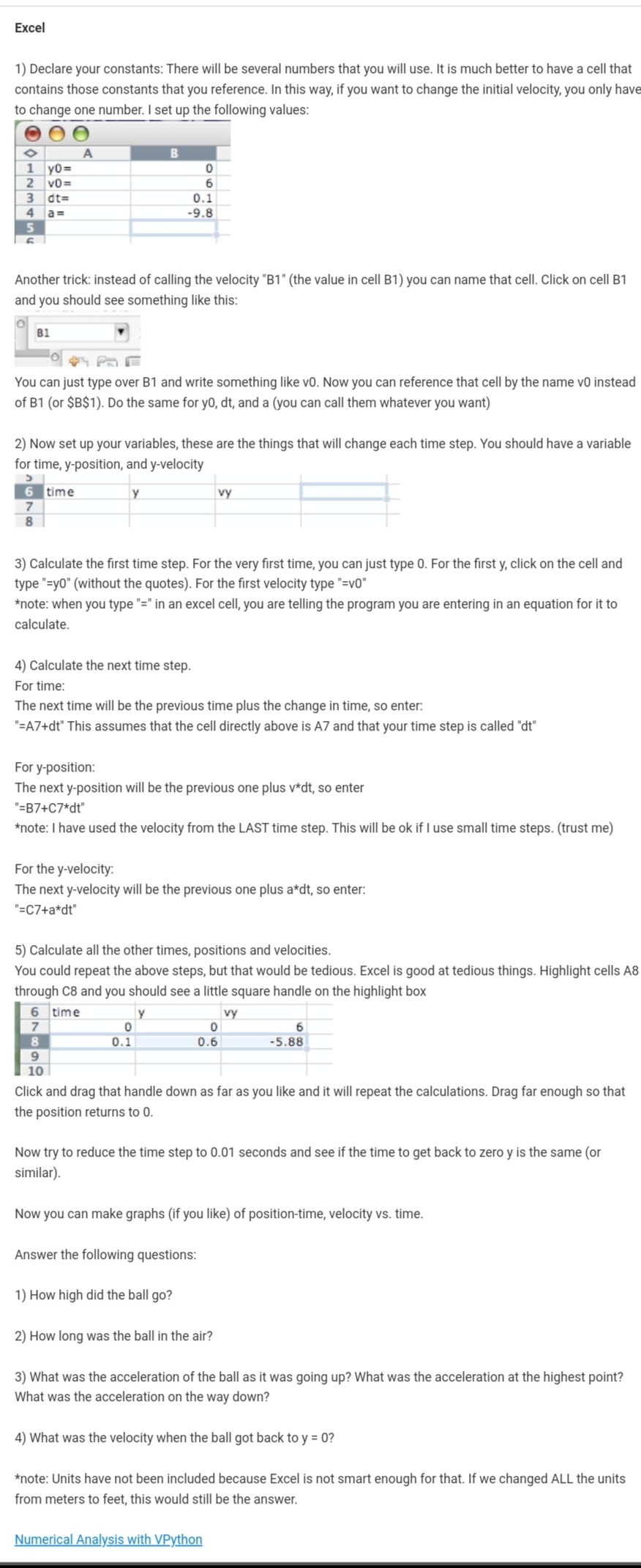
Excel 1) Declare your constants: There will be several numbers that you will use. It is much better to have a cell that contains those constants that you reference. in this way, if you want to change the initial velocity. you only have to change one number. I set up the following values: Another trick: instead of calling the velocity '31 ' (the value in cell B1) you can name that cell. Click on cell Bt and you should see something like this: 21;:1 " #HPnE You can just type over 31 and write something like vl}. Now you can reference that cell by the name v0 instead of Bl (or 3381) Do the same for yD. tit, and a (you can call them whatever you want) 2) Now set up your variables, these are the things that will change each time step You should have a variable for time. yposition. and y-velocity 3 time y try 7 I 3) Calculate the rst time step. For the very rst time, you can just type D. For the rst y. click on the cell and type '=y0" (without the quotes). For the first velocity type '=v0" *note: when you type "=" in an excel cell. you are telling the program you are entering in an equation for it to calculate. 4) Calculate the next time step. For time: The next time will be the previous time plus the change in time. so enter. '=A7+dt' This assumes that the cell directly above is A? and that your time step is called 'dt' For yposition: The next yposition will be the previous one plus v'dt, so emer '=B7+C7*dt' *note: I have used the velocity from the LAST time step. This will be ok if I use small time steps. (trust me) For the y-velocity: The next y-velocity will be the previous one plus a*dt, so enter: '=c7+a*dt' 5) Calculate all the other times, positions and velocities. You could repeat the above steps. but that would be tedious. Excel is good at tedious things. Highlight cells AB through 08 and you should see a little square handle on the highlight box [El time v W n o o a a 0.1 0.6 -s.as I] to Click and drag that handle down as far as you like and it will repeat the calculations. Drag far enough so that the position returns to 0. Now try to reduce the time step to 0.01 seconds and see if the time to get back to zero y is the same (or similar). Now you can make graphs (if you like) of position-time, velocity vs. time. Answer the following questions: 1) How high did the ball 90? 2) How long was the ball in the air? 3) What was the acceleration of the ball as it was going up? What was the acceleration at the highest point? What was the acceleration on the way down? 4) What was the velocity when the ball got back to y = 0? *note: Units have not been included because Excel is not smart enough for that. If we changed ALL the units from meters to feet, this would still be the answer. WYWYIM
Step by Step Solution
There are 3 Steps involved in it

Get step-by-step solutions from verified subject matter experts