







Question: Questions: Query 3 Create an update query that updates the database and approves a student as a permanent resident when he or she has lived
Questions:
Query 3
Create an update query that updates the database and approves a student as a permanent resident when he or she has lived at the home for at least 30 days. The query changes the Approved field to "Yes" in the table that contains room assignments once a student has lived in a room for 30 days. Save the query as Approvals. Run the query to make sure it works properly and then confirm the results by viewing the data in the Room Assignments table (or whatever you called the table).
Query 4
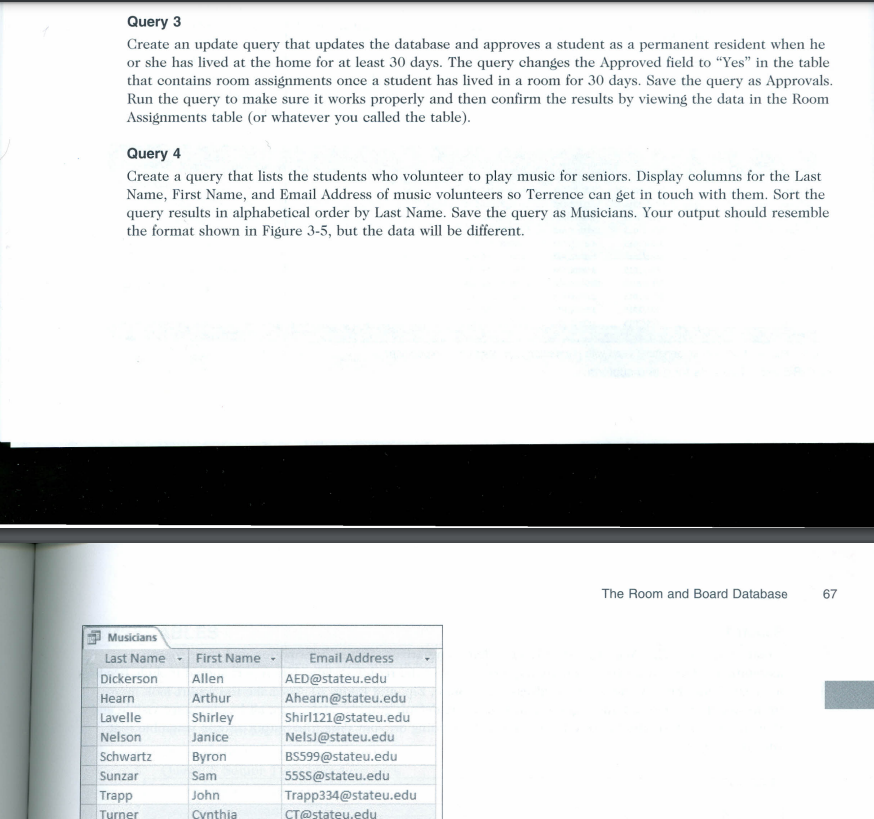
Create a query that lists the students who volunteer to play music for seniors. Display columns for the Last Name, First Name, and Email Address of music volunteers so Terrence can get in touch with them. Sort the query results in alphabetical order by Last Name. Save the query as Musicians. Your output should resemble the format shown in Figure 3-5, but the data will be different.
Create an update query that updates the database and approves a student as a permanent resident when he or she has lived at the home for at least 30 days. The query changes the Approved field to "Yes" in the table that contains room assignments once a student has lived in a room for 30 days. Save the query as Approvals. Run the query to make sure it works properly and then confirm the results by viewing the data in the Room Assignments table (or whatever you called the table). Query 4 Create a query that lists the students who volunteer to play music for seniors. Display columns for the Last Name, First Name, and Email Address of music volunteers so Terrence can get in touch with them. Sort the query results in alphabetical order by Last Name. Save the query as Musicians. Your output should resemble the format shown in Figure 3-5, but the data will be different. The Room and Board Database 67
Step by Step Solution
There are 3 Steps involved in it

Get step-by-step solutions from verified subject matter experts
 Study Help