


Question: Quick books . Restore the Pots & Plants Ltd. (Portable) file. a. This file is located at: Blackboard, Quizzes/ Practical Quiz 2/ Quiz 2 starter

Quick books
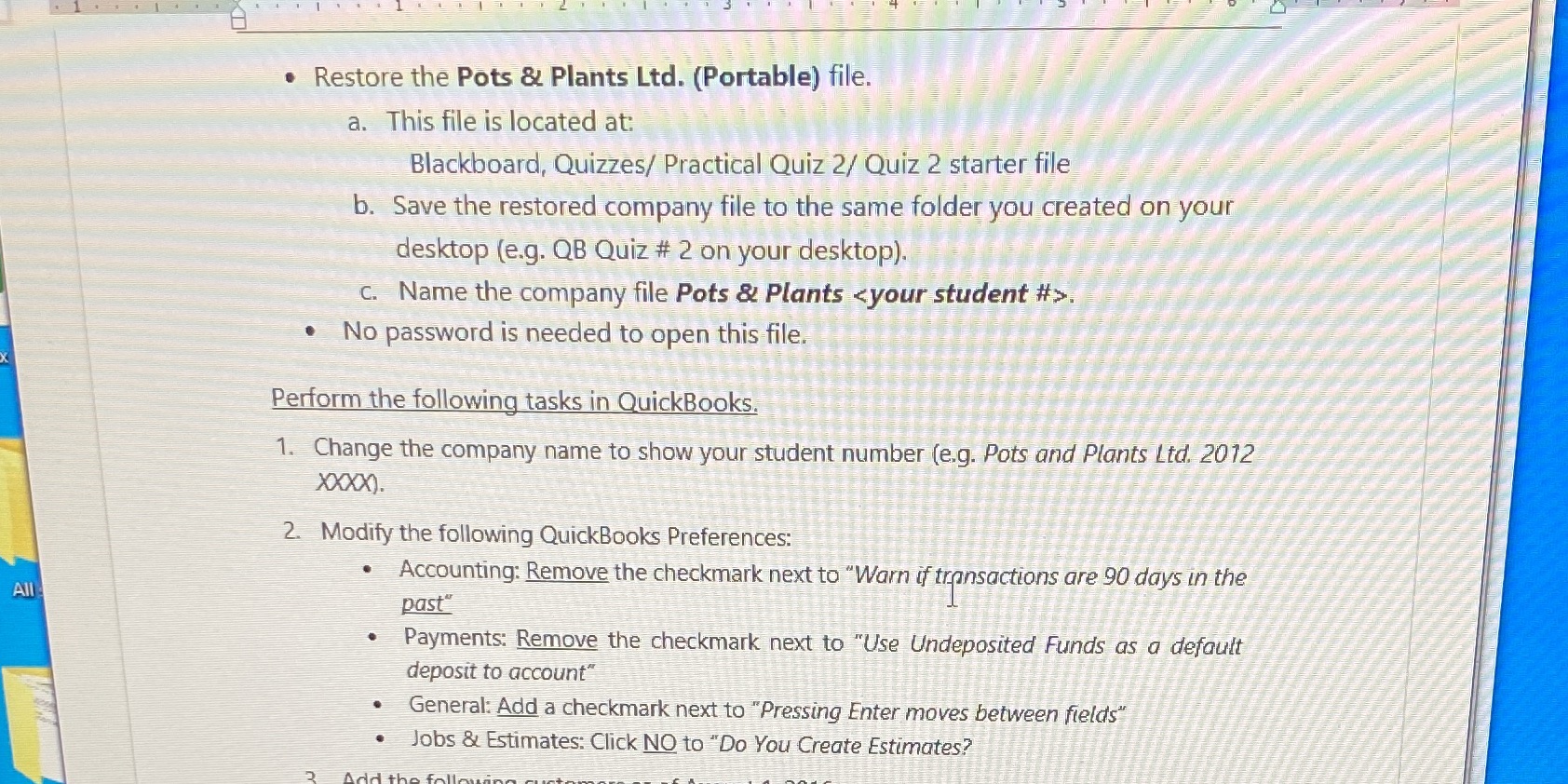
Quick books . Restore the Pots & Plants Ltd. (Portable) file. a.

. Restore the Pots & Plants Ltd. (Portable) file. a. This file is located at: Blackboard, Quizzes/ Practical Quiz 2/ Quiz 2 starter file b. Save the restored company file to the same folder you created on your desktop (e.g. QB Quiz # 2 on your desktop). C. Name the company file Pots & Plants . . No password is needed to open this file. Perform the following tasks in QuickBooks, 1. Change the company name to show your student number (e.g. Pots and Plants Ltd. 2012 XXXX). 2. Modify the following QuickBooks Preferences: . Accounting: Remove the checkmark next to "Warn if transactions are 90 days in the All past" . Payments: Remove the checkmark next to "Use Undeposited Funds as a default deposit to account" . General: Add a checkmark next to "Pressing Enter moves between fields" . Jobs & Estimates: Click NO to "Do You Create Estimates

Step by Step Solution

There are 3 Steps involved in it

1 Expert Approved Answer
Step: 1 Unlock blur-text-image
Question Has Been Solved by an Expert!

Get step-by-step solutions from verified subject matter experts

Step: 2 Unlock
Step: 3 Unlock

Students Have Also Explored These Related Mathematics Questions!