







Question: //----------------------------------Rational------------------------------------------------------------// public class Rational { protected int numerator; protected int denominator; public Rational(int numerator, int denominator) { this.numerator = numerator; this.denominator = denominator; } public

![String[] nums = fraction.split("/"); this.numerator = Integer.parseInt(nums[0]); this.denominator = Integer.parseInt(nums[1]); } public](https://dsd5zvtm8ll6.cloudfront.net/si.experts.images/questions/2024/09/66f3d736b0973_37466f3d73628783.jpg)
//----------------------------------Rational------------------------------------------------------------//
public class Rational {
protected int numerator; protected int denominator;
public Rational(int numerator, int denominator) { this.numerator = numerator; this.denominator = denominator; }
public Rational(int numerator) { this(numerator, 1); }
public Rational(String fraction) { String[] nums = fraction.split("/"); this.numerator = Integer.parseInt(nums[0]); this.denominator = Integer.parseInt(nums[1]); }
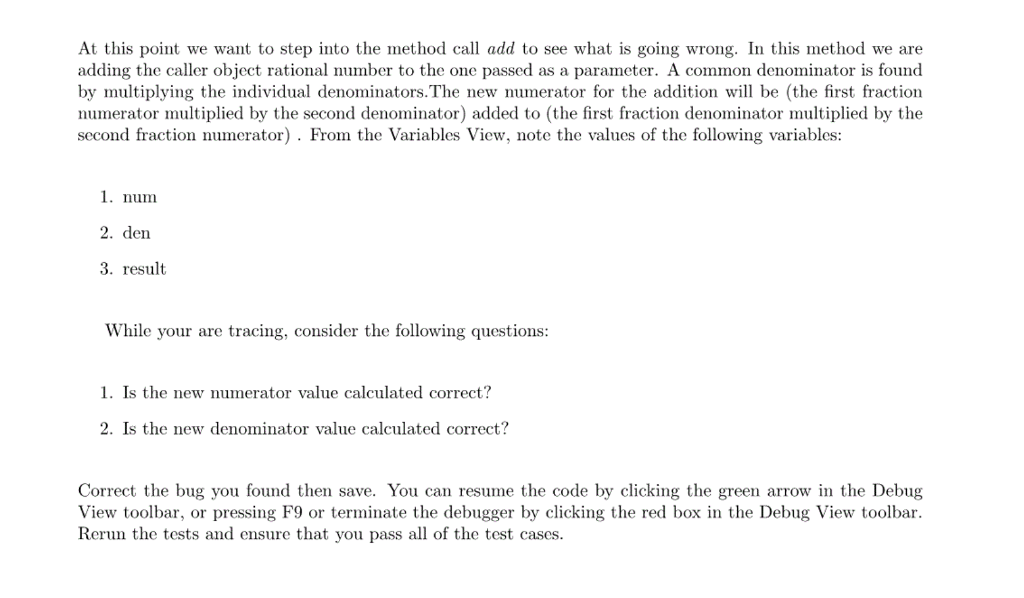
public double add(Rational that) { int num = (this.numerator * that.numerator) + (this.denominator * that.numerator); int den = this.denominator * that.denominator;
double result = num / (den*1.0); return result; }
public String toString() { return "" + (numerator / denominator); }
}
//----------------------------------Rational Tester------------------------------------------------------------//
import static org.junit.Assert.*;
import org.junit.*;
public class RationalTester {
Rational a; Rational b;
@Before public void setUp() { a = new Rational("2/10"); b = new Rational("5/100");
}
@After public void tearDown() { a = null; b = null;
}
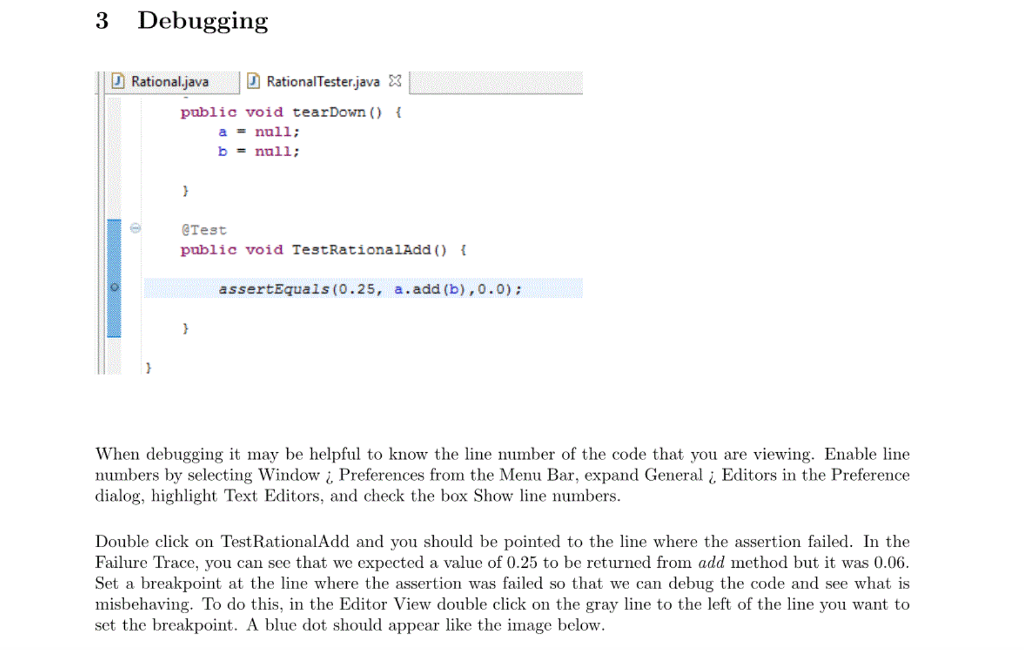
@Test public void TestRationalAdd() {
assertEquals(0.25, a.add(b),0.0);
}
}
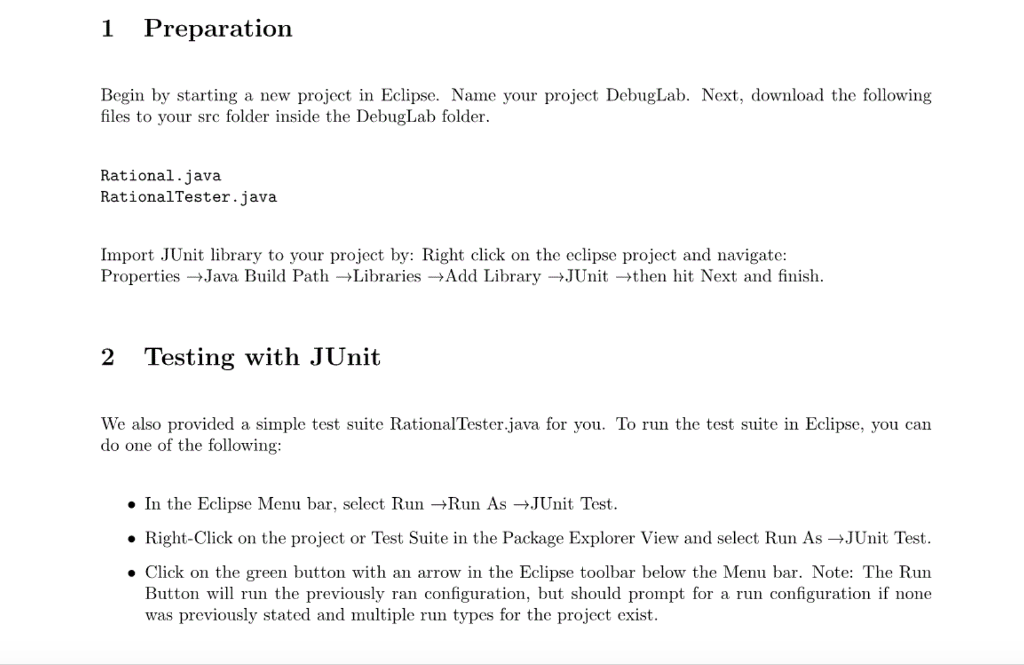
Preparation Begin by starting a new project in Eclipse. Name your project DebugLab. Next, download the following files to your src folder inside the DebugLab folder Rational. java Rational Tester java. Import JUnit library to your project by: Right click on the eclipse project and navigate: Properties Java Build Path Libraries Add Library JUnit then hit Next and finish 2 Testing with JUnit We also provided a simple test suite RationalTester.java for you. To run the test suite in Eclipse, you can do one of the following: In the Eclipse Menu bar, select Run -Run As +JUnit Test. Right-Click on the project or Test Suite in the Package Explorer View and select Run As-JUnit Test. Click on the green button with an arrow in the Eclipse toolbar below the Menu bar. Note: The Run Button will run the previously ran configuration, but should prompt for a run configuration if none was previously stated and multiple run types for the project exist
Step by Step Solution
There are 3 Steps involved in it

Get step-by-step solutions from verified subject matter experts
 Study Help