







Question: REACTNATIVE LANGUAGE Develop a small application that implements a semi-automatic counter. There should be two anchor texts that allow the counter in three different ways.
 REACTNATIVE LANGUAGE
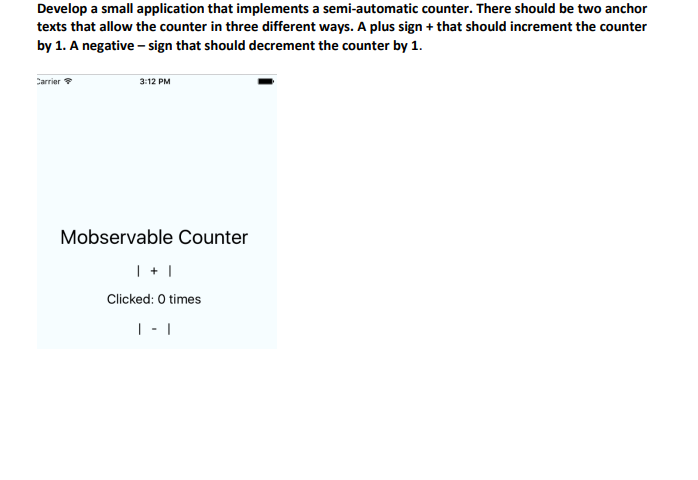
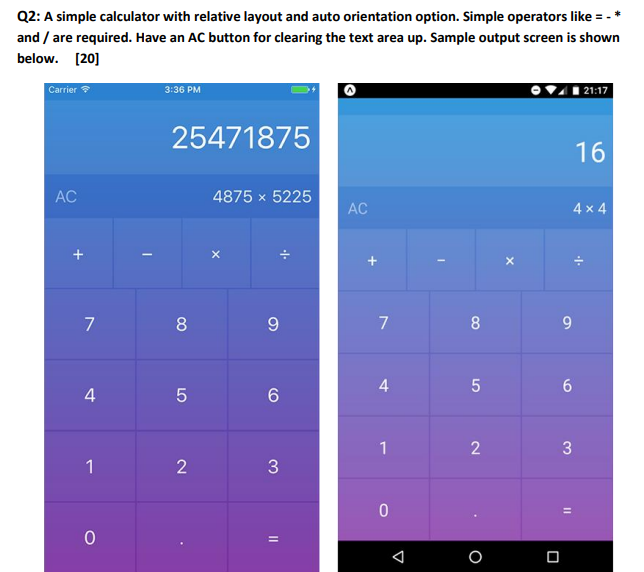
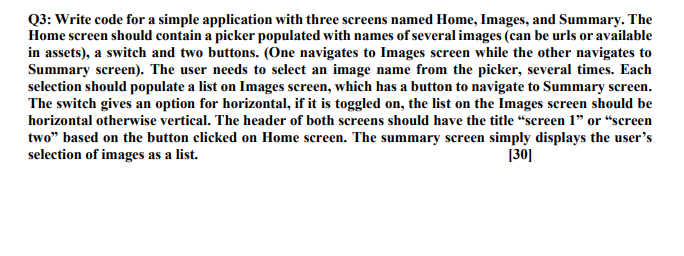
Develop a small application that implements a semi-automatic counter. There should be two anchor texts that allow the counter in three different ways. A plus sign + that should increment the counter by 1. A negative - sign that should decrement the counter by 1. Carrier 3:12 PM Mobservable Counter | + | Clicked: 0 times | -1 Q2: A simple calculator with relative layout and auto orientation option. Simple operators like =-* and / are required. Have an AC button for clearing the text area up. Sample output screen is shown below. [20] Carrier 3:36 PM 21:17 25471875 16 AC 4875 x 5225 AC 4 x 4 - : X : 7 8 9 7 CO 8 9 4 5 6 4 01 5 6 1 2 3 1 N 3 0 11 0 II Q3: Write code for a simple application with three screens named Home, Images, and Summary. The Home screen should contain a picker populated with names of several images (can be urls or available in assets), a switch and two buttons. (One navigates to Images screen while the other navigates to Summary screen). The user needs to select an image name from the picker, several times. Each selection should populate a list on Images screen, which has a button to navigate to Summary screen. The switch gives an option for horizontal, if it is toggled on, the list on the Images screen should be horizontal otherwise vertical. The header of both screens should have the title "screen 1" or "screen two based on the button clicked on Home screen. The summary screen simply displays the user's selection of images as a list. [30]
Step by Step Solution
There are 3 Steps involved in it

Get step-by-step solutions from verified subject matter experts
 Study Help