







Question: Read Spreadsheet Byte Stream.vi Write a program that uses the icons Open / Create / Replace File, Read from Text File, and Close File to
Read Spreadsheet Byte
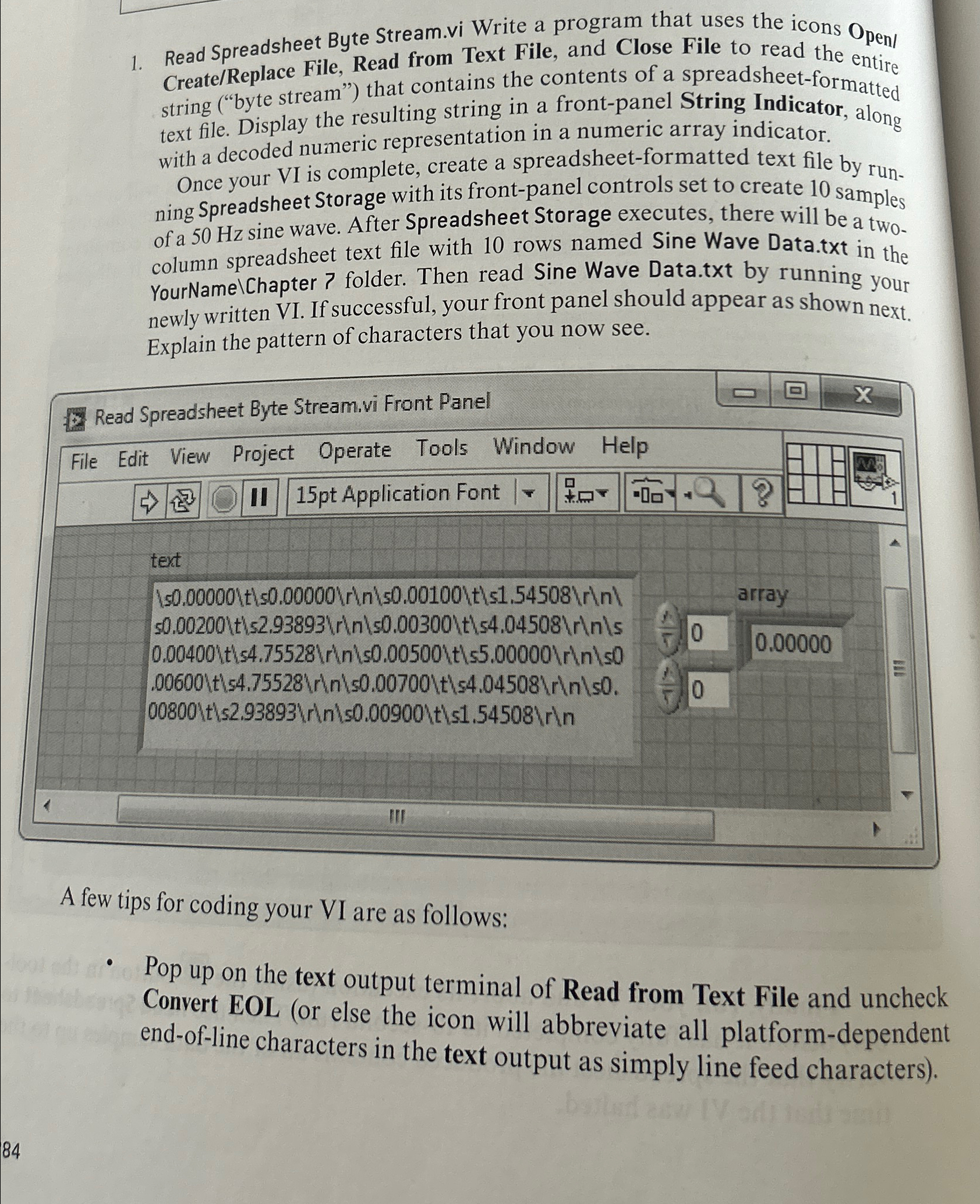
Stream.vi Write a program that uses the icons Open CreateReplace File, Read from Text File, and Close File to read the entire string byte stream" that contains the contents of a spreadsheetformatted text file. Display the resulting string in a frontpanel String Indicator, along with a decoded numeric representation in a numeric array indicator.
Once your VI is complete, create a spreadsheetformatted text file by running Spreadsheet Storage with its frontpanel controls set to create samples of a sine wave. After Spreadsheet Storage executes, there will be a two. column spreadsheet text file with rows named Sine Wave Data.txt in the YourNamelChapter folder. Then read Sine Wave Data.txt by running your newly written VI If successful, your front panel should appear as shown next. Explain the pattern of characters that you now see.
Read Spreadsheet Byte
Stream.vi Front Panel
A few tips for coding your VI are as follows:
Pop up on the text output terminal of Read from Text File and uncheck Convert EOL or else the icon will abbreviate all platformdependent endofline characters in the text output as simply line feed characters
Step by Step Solution
There are 3 Steps involved in it
1 Expert Approved Answer
Step: 1 Unlock

Question Has Been Solved by an Expert!
Get step-by-step solutions from verified subject matter experts
Step: 2 Unlock
Step: 3 Unlock
 Study Help