







Question: Recreate the two Excel documents from the screenshot below. Write a Python script that creates and opens a new excel document called Results.xlsx that creates
Recreate the two Excel documents from the screenshot below. Write a Python script that creates and opens a new excel document called "Results.xlsx" that creates the table shown below. It displays both experimental and accepted values with the difference and percent error calculations as well. If the color is the same, display "same" for difference. If not, display "color error." Display "N/A" for color % error. Please comment your code to help explain the solution.
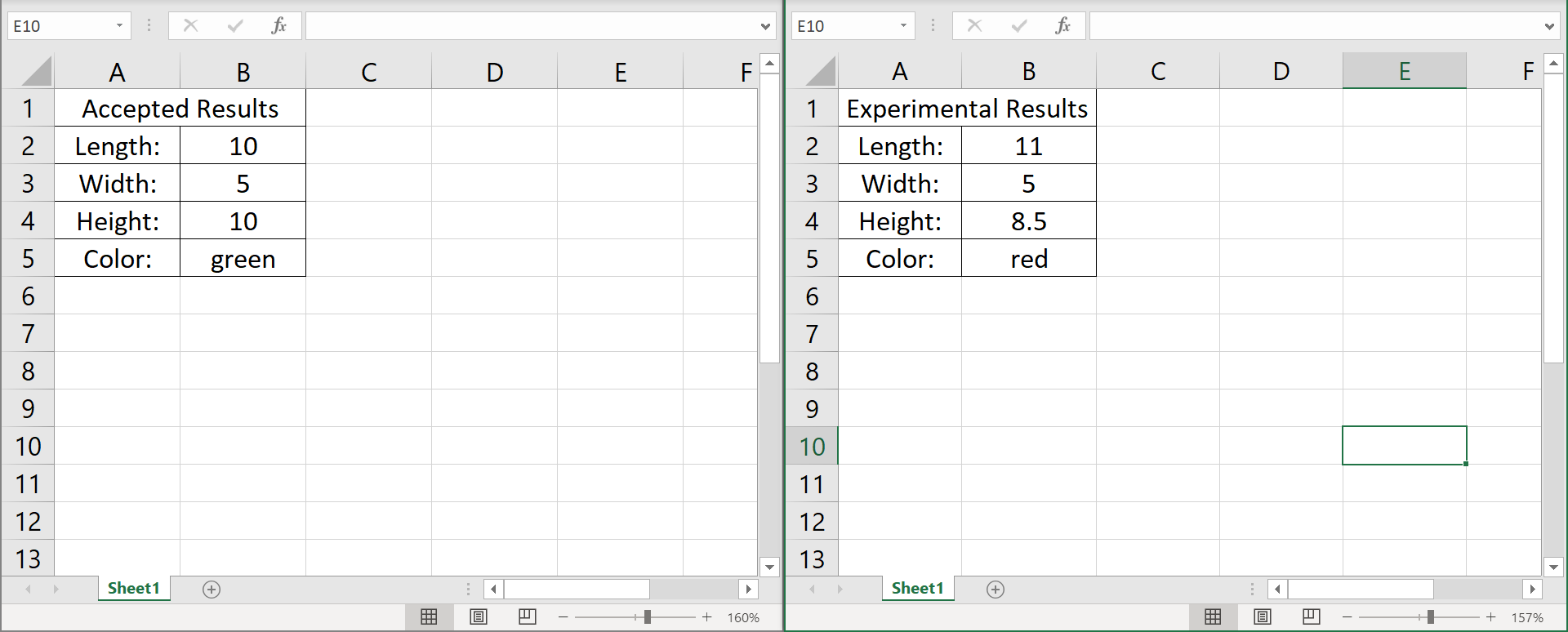
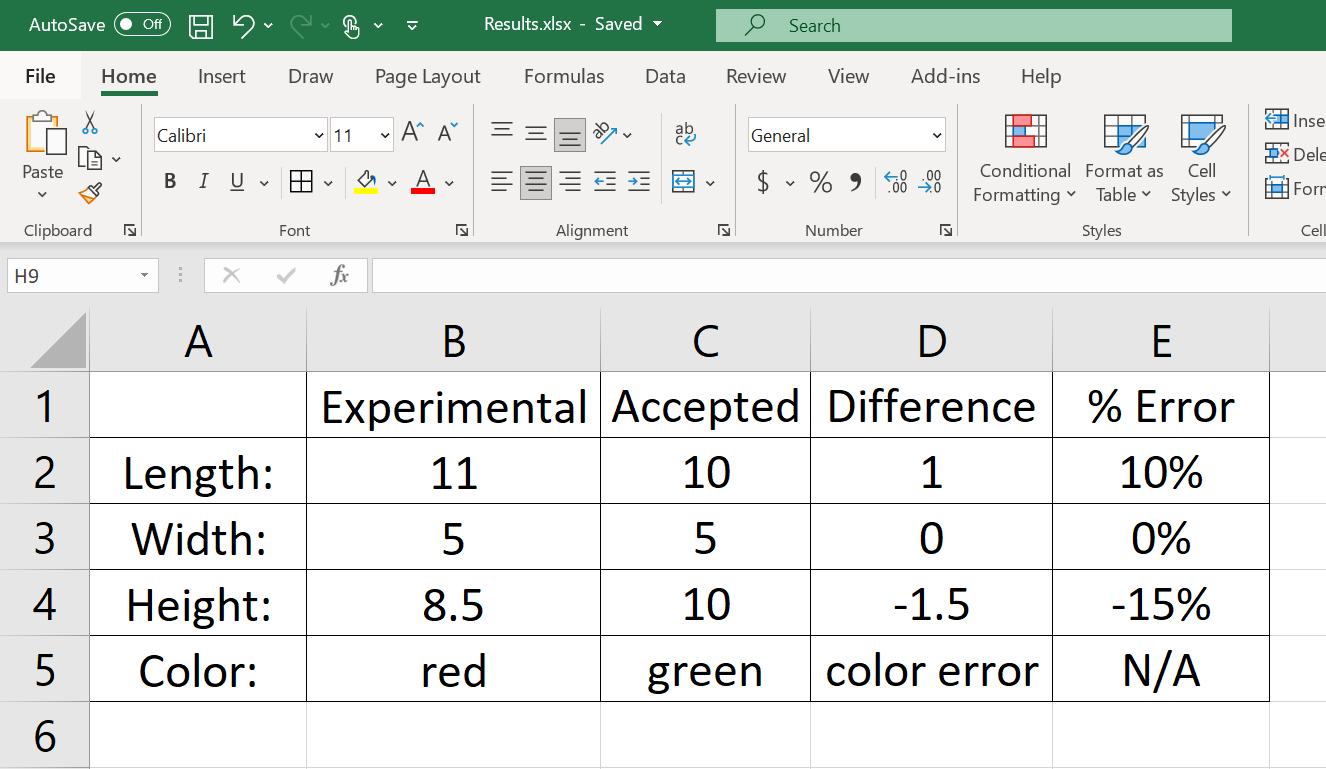
E10 X fic E10 fi D E F C D E F 1 2 3 A B Accepted Results Length: 10 Width: 5 Height: 10 Color: green A B 1 Experimental Results 2 Length: 11 3 Width: 5 4 Height: 8.5 5 Color: red 6 7 4 5 6 7 8 9 10 8 9 10 11 12 13 11 12 13 Sheet1 Sheet1 + + 160% + 157% AutoSave Off H5 Results.xlsx - Saved Search File Home Home Insert Draw Page Layout Formulas Data Review View Add-ins Help X Inse Calibri 11 ~AI = General DX Dele Paste BI U Hv $ v % 9 Conditional Format as Cell Formatting Table Styles Forr Clipboard IN Font Alignment Number Styles Cell H9 X A B D E 1 Experimental Accepted Difference % Error 2 11 10 1 10% Length: Width: 3 5 5 0 0% 4 10 -1.5 -15% Height: Color: 8.5 red 5 green color error N/A 6
Step by Step Solution
There are 3 Steps involved in it

Get step-by-step solutions from verified subject matter experts
 Study Help