







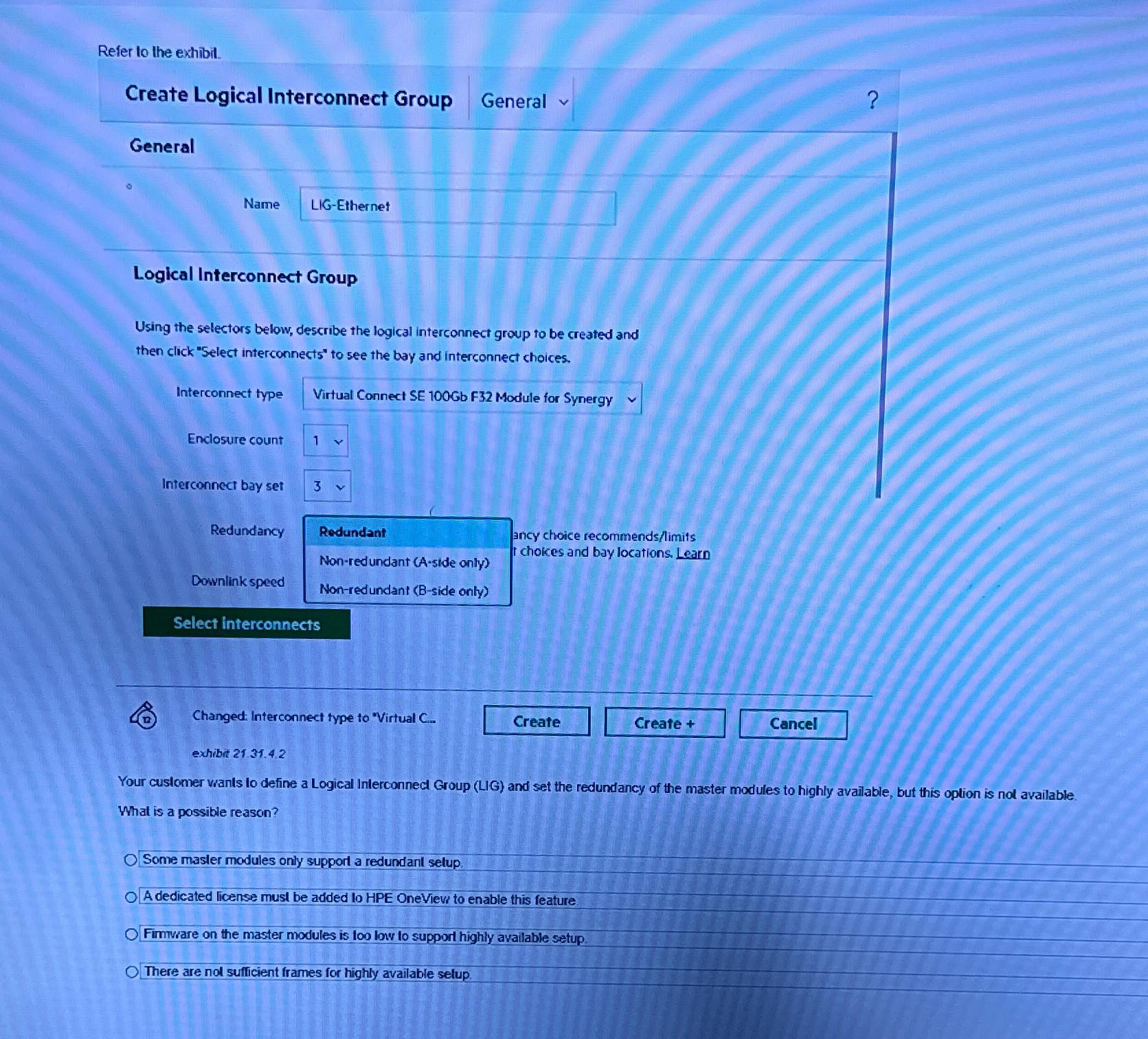
Question: Refer to the extibil. Create Logical Interconnect Group General ? General a Name LIG - Ethernet Logical Interconnect Group Using the selectors below, describe the
Refer to the extibil.
Create Logical Interconnect Group
General
General
a
Name
LIGEthernet
Logical Interconnect Group
Using the selectors below, describe the logical interconnect group to be created and then click "Select interconnects" to see the bay and interconnect choices.
Interconnect type
Virtual Connect SE Gb F Module for Synergy
Enclasure count
Interconnect bay set
Redundancy
Rodundant
ancy choice recommendslimits
Nonredundant Aside only
r chokes and bay locations. Learn
Downlink speed
Nonredundant Bside only
Select interconnects
D Changed: Interconnect type to "Virtual C
exhibit
Your customer vants lo define a Logical Inlerconnect Group LIG and set the redundancy of the master modules to highly available, but this oplion is nol available
What is a possible reason?
Some masler modules only supporl a redundanl selup.
A dedicated license musi be added lo HPE OneViev to enable this feature.
Fimware on the master modules is loo low lo support highly available setup.
There are nol sufficient frames for highly available selup.
Step by Step Solution
There are 3 Steps involved in it
1 Expert Approved Answer
Step: 1 Unlock

Question Has Been Solved by an Expert!
Get step-by-step solutions from verified subject matter experts
Step: 2 Unlock
Step: 3 Unlock
 Study Help