







Question: Reference: JBL Lab 3 ( i.e., Hardening Security with User Account Management and Security Controls) please number your answers for each question thank you Complete
Reference: JBL Lab 3 ( i.e., Hardening Security with User Account Management and Security Controls)
please number your answers for each question thank you
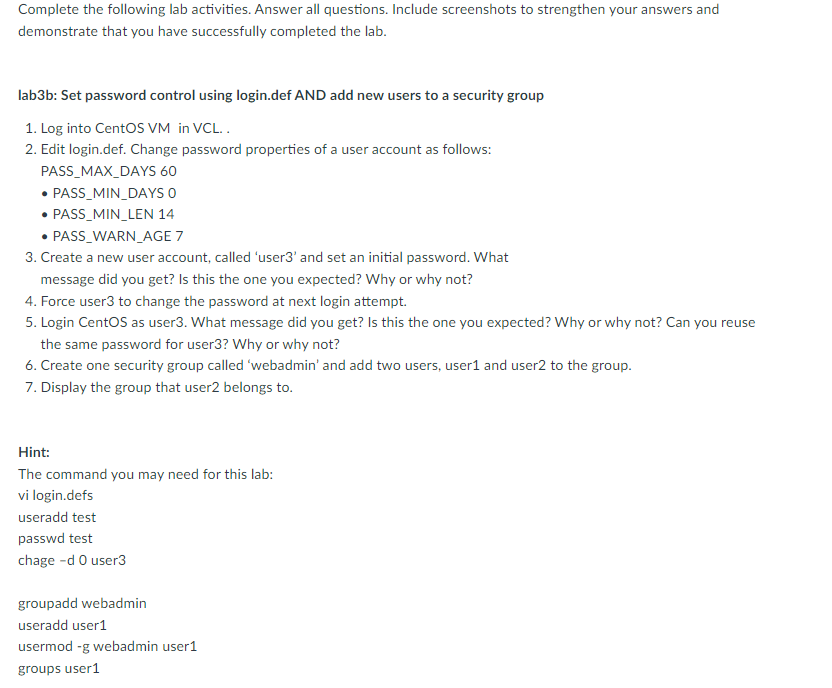
Complete the following lab activities. Answer all questions. Include screenshots to strengthen your answers and demonstrate that you have successfully completed the lab. lab3b: Set password control using login.def AND add new users to a security group 1. Log into CentOS VM in VCL.. 2. Edit login.def. Change password properties of a user account as follows: PASS_MAX_DAYS 60 - PASS_MIN_DAYS 0 - PASS_MIN_LEN 14 - PASS_WARN_AGE 7 3. Create a new user account, called 'user3' and set an initial password. What message did you get? Is this the one you expected? Why or why not? 4. Force user3 to change the password at next login attempt. 5. Login CentOS as user3. What message did you get? Is this the one you expected? Why or why not? Can you reuse the same password for user3? Why or why not? 6. Create one security group called 'webadmin' and add two users, user1 and user2 to the group. 7. Display the group that user 2 belongs to
Step by Step Solution
There are 3 Steps involved in it

Get step-by-step solutions from verified subject matter experts
 Study Help