







Question: Reference: - Oracle VM VirtualBox User Manual (https://www.virtualbox.org/manual/UserManual.html ) Section A. Setting Project Development Platform A.1 Projects in Engineering Curriculum The course covers the organization
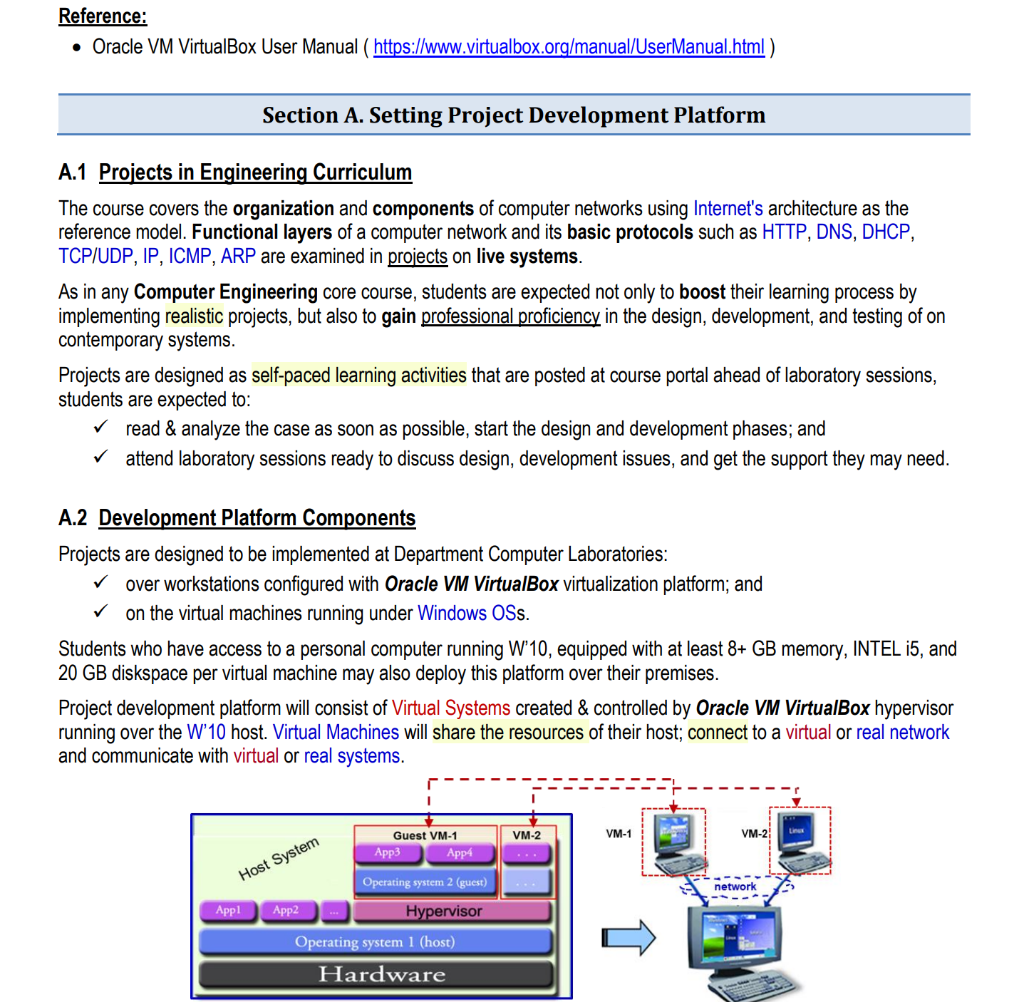
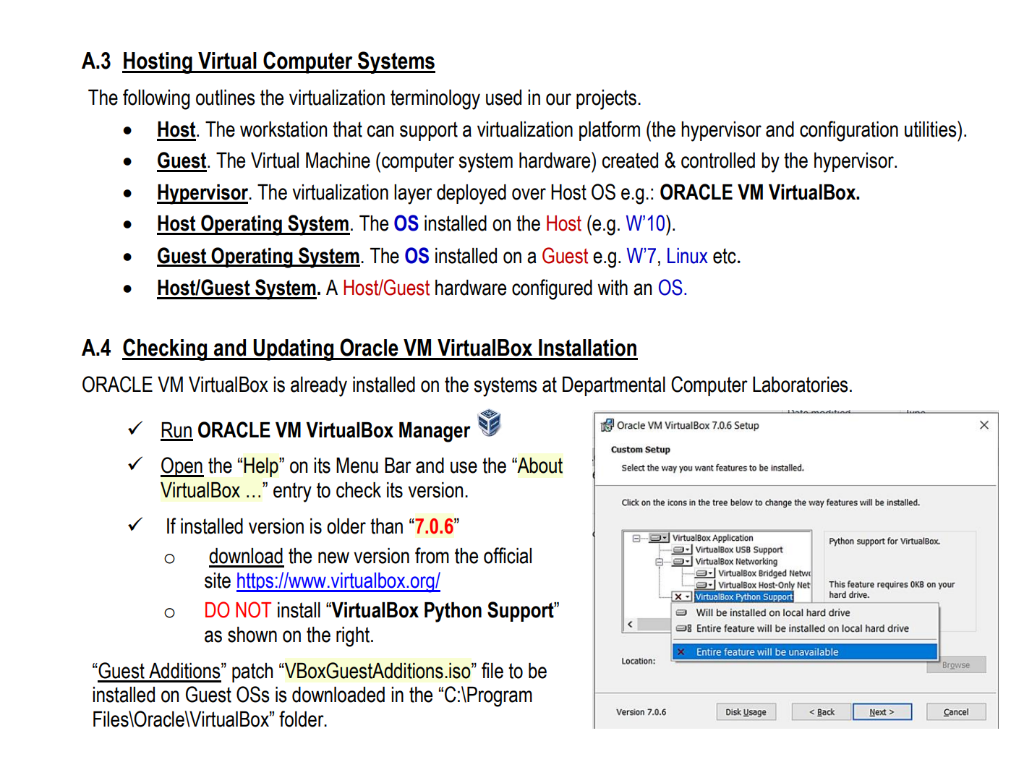
Reference: - Oracle VM VirtualBox User Manual (https://www.virtualbox.org/manual/UserManual.html ) Section A. Setting Project Development Platform A.1 Projects in Engineering Curriculum The course covers the organization and components of computer networks using Internet's architecture as the reference model. Functional layers of a computer network and its basic protocols such as HTTP, DNS, DHCP, TCP/UDP, IP, ICMP, ARP are examined in projects on live systems. As in any Computer Engineering core course, students are expected not only to boost their learning process by implementing realistic projects, but also to gain professional proficiency in the design, development, and testing of on contemporary systems. Projects are designed as self-paced learning activities that are posted at course portal ahead of laboratory sessions, students are expected to: read \& analyze the case as soon as possible, start the design and development phases; and attend laboratory sessions ready to discuss design, development issues, and get the support they may need. A.2 Development Platform Components Projects are designed to be implemented at Department Computer Laboratories: over workstations configured with Oracle VM VirtualBox virtualization platform; and on the virtual machines running under Windows OSs. Students who have access to a personal computer running W'10, equipped with at least 8+ GB memory, INTEL i5, and 20 GB diskspace per virtual machine may also deploy this platform over their premises. Project development platform will consist of Virtual Systems created \& controlled by Oracle VM VirtualBox hypervisor running over the W'10 host. Virtual Machines will share the resources of their host; connect to a virtual or real network and communicate with virtual or real systems. A.3 Hosting Virtual Computer Systems The following outlines the virtualization terminology used in our projects. - Host. The workstation that can support a virtualization platform (the hypervisor and configuration utilities). - Guest. The Virtual Machine (computer system hardware) created \& controlled by the hypervisor. - Hypervisor. The virtualization layer deployed over Host OS e.g.: ORACLE VM VirtualBox. - Host Operating System. The OS installed on the Host (e.g. W'10). - Guest Operating System. The OS installed on a Guest e.g. W'7, Linux etc. - Host/Guest System. A Host/Guest hardware configured with an OS. A.4 Checking and Updating Oracle VM VirtualBox Installation ORACLE VM VirtualBox is already installed on the systems at Departmental Computer Laboratories. Run ORACLE VM VirtualBox Manager Open the "Help" on its Menu Bar and use the "About VirtualBox ..." entry to check its version. If installed version is older than "7.0.6" - download the new version from the official site hittps://www.virtualbox.org/ DO NOT install "VirtualBox Python Support" as shown on the right. "Guest Additions" patch "VBoxGuestAdditions.iso" file to be installed on Guest OSs is downloaded in the "C:IProgram FilesiOracleIVirtualBox" folder. |
Step by Step Solution
There are 3 Steps involved in it

Get step-by-step solutions from verified subject matter experts
 Study Help