







Question: Relational database(SQL) 2. Create a procedure called spBalanceCount which accepts two optional parameters @Balance Min and @BalanceMax of type smallmoney with default values of NULL.
Relational database(SQL)
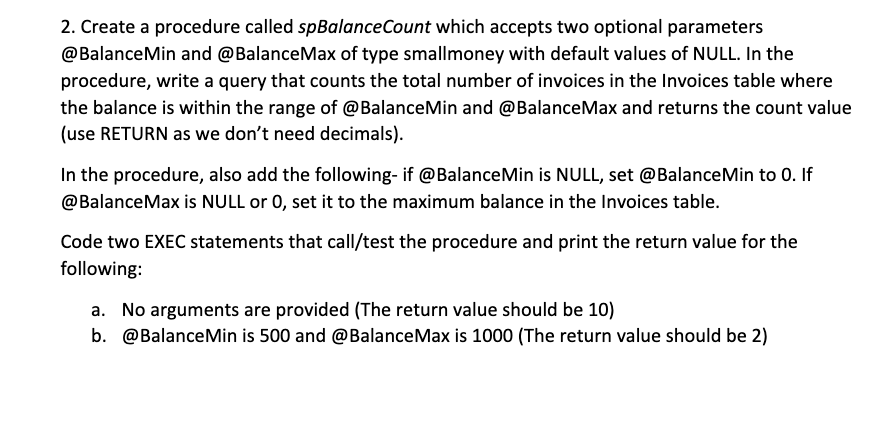
2. Create a procedure called spBalanceCount which accepts two optional parameters @Balance Min and @BalanceMax of type smallmoney with default values of NULL. In the procedure, write a query that counts the total number of invoices in the Invoices table where the balance is within the range of @BalanceMin and @BalanceMax and returns the count value (use RETURN as we don't need decimals). In the procedure, also add the following-if @Balance Min is NULL, set @ Balance Min to 0. If @BalanceMax is NULL or 0, set it to the maximum balance in the Invoices table. Code two EXEC statements that call/test the procedure and print the return value for the following: a. No arguments are provided (The return value should be 10) b. @BalanceMin is 500 and @BalanceMax is 1000 (The return value should be 2) 2. Create a procedure called spBalanceCount which accepts two optional parameters @Balance Min and @BalanceMax of type smallmoney with default values of NULL. In the procedure, write a query that counts the total number of invoices in the Invoices table where the balance is within the range of @BalanceMin and @BalanceMax and returns the count value (use RETURN as we don't need decimals). In the procedure, also add the following-if @Balance Min is NULL, set @ Balance Min to 0. If @BalanceMax is NULL or 0, set it to the maximum balance in the Invoices table. Code two EXEC statements that call/test the procedure and print the return value for the following: a. No arguments are provided (The return value should be 10) b. @BalanceMin is 500 and @BalanceMax is 1000 (The return value should be 2)
Step by Step Solution
There are 3 Steps involved in it

Get step-by-step solutions from verified subject matter experts
 Study Help