







Question: Remember to enter your actual time in your module docstring. Are you getting better at estimating? Is this exercise too big? Will it take
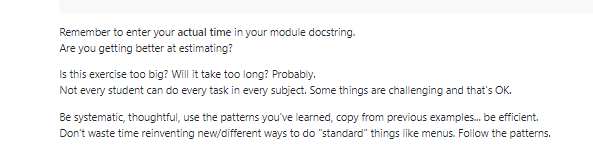
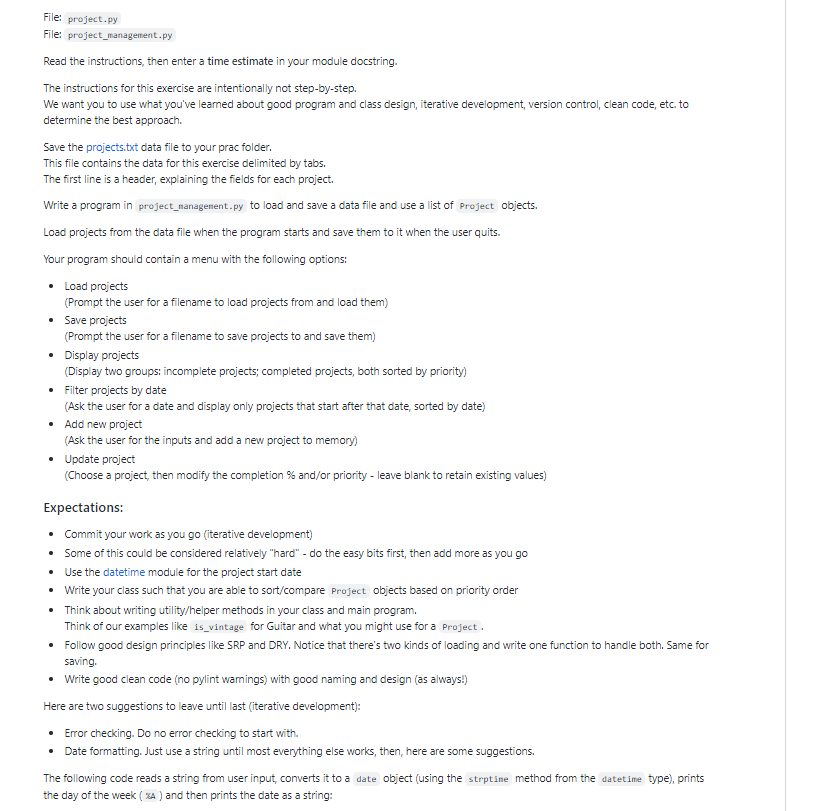
Remember to enter your actual time in your module docstring. Are you getting better at estimating? Is this exercise too big? Will it take too long? Probably. Not every student can do every task in every subject. Some things are challenging and that's OK. Be systematic, thoughtful, use the patterns you've learned, copy from previous examples.... be efficient. Don't waste time reinventing new/different ways to do "standard" things like menus. Follow the patterns. File: project.py File: project management.py Read the instructions, then enter a time estimate in your module docstring. The instructions for this exercise are intentionally not step-by-step. We want you to use what you've learned about good program and class design, iterative development, version control, clean code, etc. to determine the best approach. Save the projects.txt data file to your prac folder. This file contains the data for this exercise delimited by tabs. The first line is a header, explaining the fields for each project. Write a program in project management.py to load and save a data file and use a list of project objects. Load projects from the data file when the program starts and save them to it when the user quits. Your program should contain a menu with the following options: Load projects (Prompt the user for a filename to load projects from and load them) Save projects (Prompt the user for a filename to save projects to and save them) Display projects (Display two groups: incomplete projects; completed projects, both sorted by priority) Filter projects by date (Ask the user for a date and display only projects that start after that date, sorted by date) Add new project (Ask the user for the inputs and add a new project to memory) Update project (Choose a project, then modify the completion% and/or priority - leave blank to retain existing values) Expectations: Commit your work as you go (iterative development) Some of this could be considered relatively "hard" - do the easy bits first, then add more as you go Use the datetime module for the project start date Write your class such that you are able to sort/compare Project objects based on priority order Think about writing utility/helper methods in your class and main program. Think of our examples like is_vintage for Guitar and what you might use for a Project. Follow good design principles like SRP and DRY. Notice that there's two kinds of loading and write one function to handle both. Same for saving. Write good clean code (no pylint warnings) with good naming and design (as always!) Here are two suggestions to leave until last (iterative development): Error checking. Do no error checking to start with. Date formatting. Just use a string until most everything else works, then, here are some suggestions. The following code reads a string from user input, converts it to a date object (using the strptine method from the datetime type), prints the day of the week (XA) and then prints the date as a string:
Step by Step Solution
3.43 Rating (143 Votes )
There are 3 Steps involved in it
This project seems wellstructured and offers a good opportunity to practice various programming concepts such as file handling class design menu imple... View full answer

Get step-by-step solutions from verified subject matter experts
 Study Help