







Question: Reply in PYTHON only. # This program gets a numeric test score from the # user and displays the corresponding letter grade. # Variables to
Reply in PYTHON only.
# This program gets a numeric test score from the # user and displays the corresponding letter grade.
# Variables to represent the grade thresholds A_score = 90 B_score = 80 C_score = 70 D_score = 60
# Get a test score from the user. score = (input('Enter your test score: ')) # Determine the grade. if score >= A_score print('Your grade is A.') else: if score >= B_score: print('Your grade is B.') else: if score >= C_score: print('Your grade is C.') else: if score >= D_score: print('Your grade is D.') else: print('Your grade is F.')
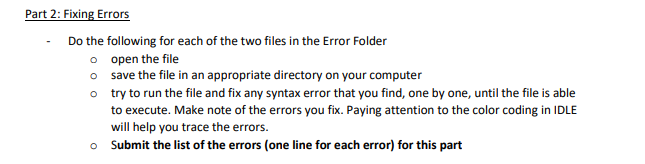
Part 2: Fixing Errors Do the following for each of the two files in the Error Folder o open the file o save the file in an appropriate directory on your computer o try to run the file and fix any syntax error that you find, one by one, until the file is able to execute. Make note of the errors you fix. Paying attention to the color coding in IDLE will help you trace the errors. o Submit the list of the errors (one line for each error) for this part
Step by Step Solution
There are 3 Steps involved in it

Get step-by-step solutions from verified subject matter experts
 Study Help