



Question: Req'd: Try to use Packet Tracer with those devices above to build up the simple network below. KPU KWANTLEN POLYTECHNIC UNIVERSITY 1212 Homework-1 Host &
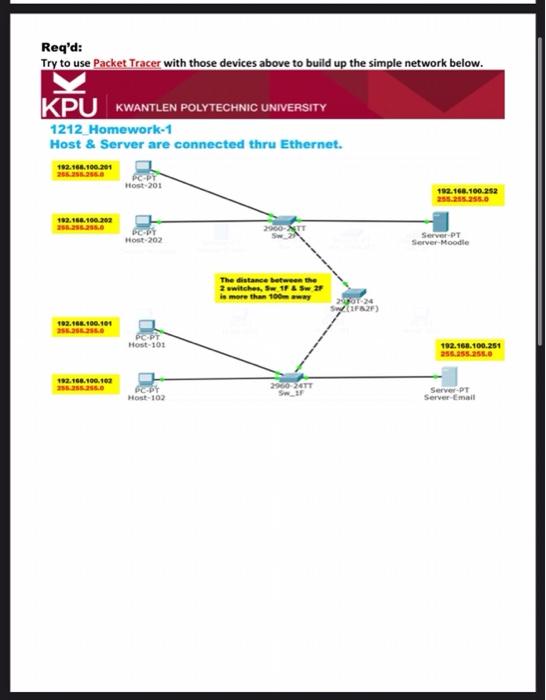
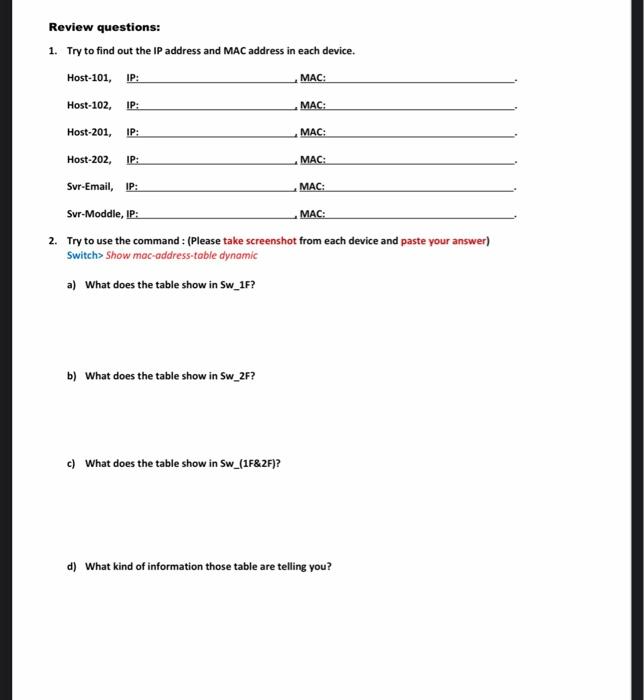
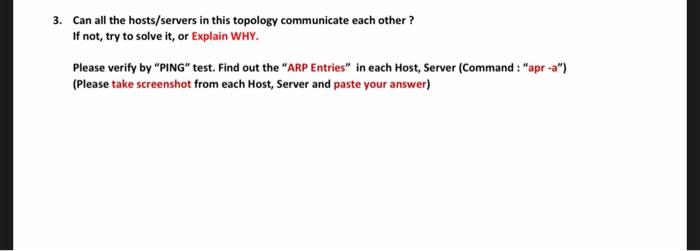
Req'd: Try to use Packet Tracer with those devices above to build up the simple network below. KPU KWANTLEN POLYTECHNIC UNIVERSITY 1212 Homework-1 Host & Server are connected thru Ethernet. 192.168.106.201 266250 Host-201 192.160.100.252 255.255.255.0 13.180.100.202 255.255.255.0 OST PCBT Host 202 Server PT Server-Moodle The distance between the 2 wwitches, Sw 1F & Sw 2F is more than 100 TOT 24 IFA) 192.16.100.101 255.25 POPY Host-101 192.168.100.251 2:56.255.255.0 192.168.100.102 ETT PEDY Host-102 Server PT Server Email Review questions: 1. Try to find out the IP address and MAC address in each device. Host-101, IP: MAC: Host-102, IP: MACH Host-201, IP: MAC: MAC: Host-202, IP: Svr-Email, IP: MAC: Svr-Moddle, IP: MAC: 2. Try to use the command : (Please take screenshot from each device and paste your answer) Switch> Show mac-address-table dynamic a) What does the table show in Sw_1F? b) What does the table show in Sw_2F? c) What does the table show in Sw_(1F&2F)? d) What kind of information those table are telling you? 3. Can all the hosts/servers in this topology communicate each other? If not, try to solve it, or Explain WHY. Please verify by "PING" test. Find out the "ARP Entries" in each Host, Server (Command: "apr-a") (Please take screenshot from each Host, Server and paste your answer)
Step by Step Solution
There are 3 Steps involved in it

Get step-by-step solutions from verified subject matter experts