







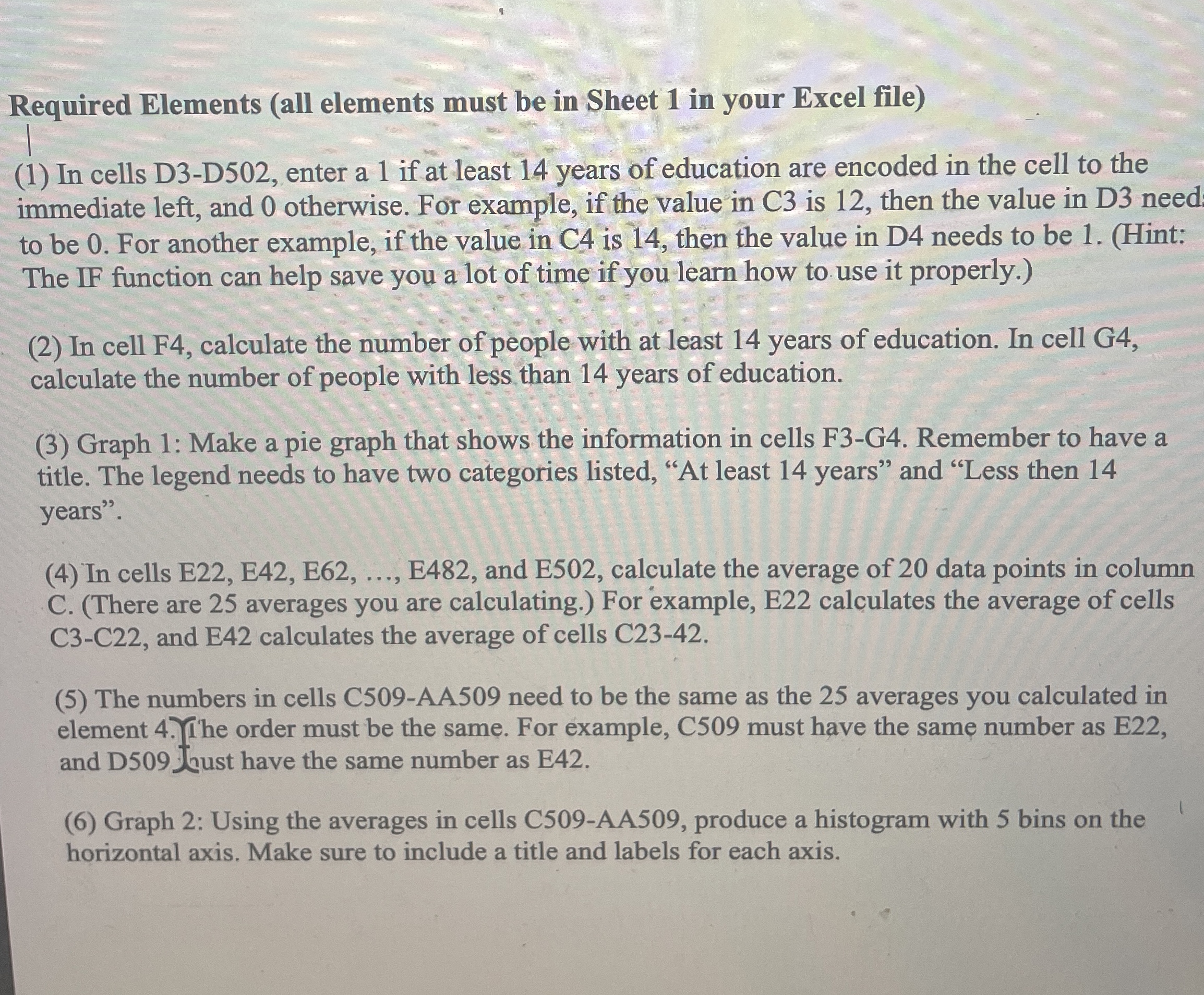
Question: Required Elements ( all elements must be in Sheet 1 in your Excel file ) ( 1 ) In cells D 3 - D 5
Required Elements all elements must be in Sheet in your Excel file
In cells DD enter a if at least years of education are encoded in the cell to the immediate left, and otherwise. For example, if the value in C is then the value in D need to be For another example, if the value in C is then the value in D needs to be Hint: The IF function can help save you a lot of time if you learn how to use it properly.
In cell F calculate the number of people with at least years of education. In cell G calculate the number of people with less than years of education.
Graph : Make a pie graph that shows the information in cells FG Remember to have a title. The legend needs to have two categories listed, At least years" and "Less then years".
In cells E E E E and E calculate the average of data points in column CThere are averages you are calculating. For example, E calculates the average of cells CC and E calculates the average of cells C
The numbers in cells CAA need to be the same as the averages you calculated in element The order must be the same. For example, C must have the same number as E and D Kust have the same number as E
Graph : Using the averages in cells CAA produce a histogram with bins on the horizontal axis. Make sure to include a title and labels for each axis.
Step by Step Solution
There are 3 Steps involved in it
1 Expert Approved Answer
Step: 1 Unlock

Question Has Been Solved by an Expert!
Get step-by-step solutions from verified subject matter experts
Step: 2 Unlock
Step: 3 Unlock
 Study Help