







Question: ! Required information a. Open the file in Excel. b. Sort the file based on risk score and remove those observations (the complete row
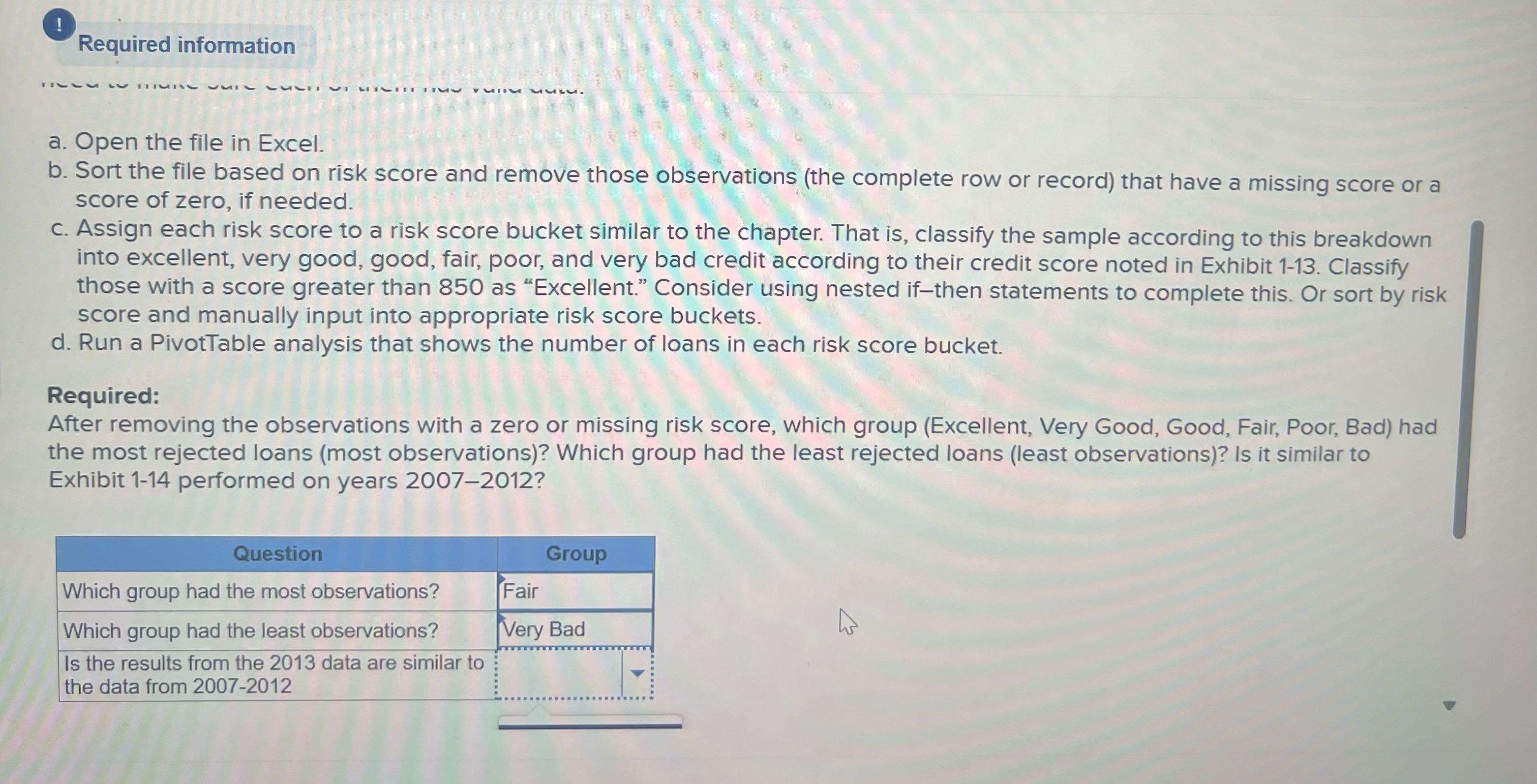
! Required information a. Open the file in Excel. b. Sort the file based on risk score and remove those observations (the complete row or record) that have a missing score or a score of zero, if needed. c. Assign each risk score to a risk score bucket similar to the chapter. That is, classify the sample according to this breakdown into excellent, very good, good, fair, poor, and very bad credit according to their credit score noted in Exhibit 1-13. Classify those with a score greater than 850 as "Excellent." Consider using nested if-then statements to complete this. Or sort by risk score and manually input into appropriate risk score buckets. d. Run a PivotTable analysis that shows the number of loans in each risk score bucket. Required: After removing the observations with a zero or missing risk score, which group (Excellent, Very Good, Good, Fair, Poor, Bad) had the most rejected loans (most observations)? Which group had the least rejected loans (least observations)? Is it similar to Exhibit 1-14 performed on years 2007-2012? Question Which group had the most observations? Which group had the least observations? Is the results from the 2013 data are similar to the data from 2007-2012 Group Fair Very Bad
Step by Step Solution
3.41 Rating (160 Votes )
There are 3 Steps involved in it
Here is the pivot table by DebttoIncome DTI ... View full answer

Get step-by-step solutions from verified subject matter experts
 Study Help