







Question: Required information Chapter 13: Applying Excel The Chapter 13 Form worksheet is to be used to create your own worksheet version of Example E and
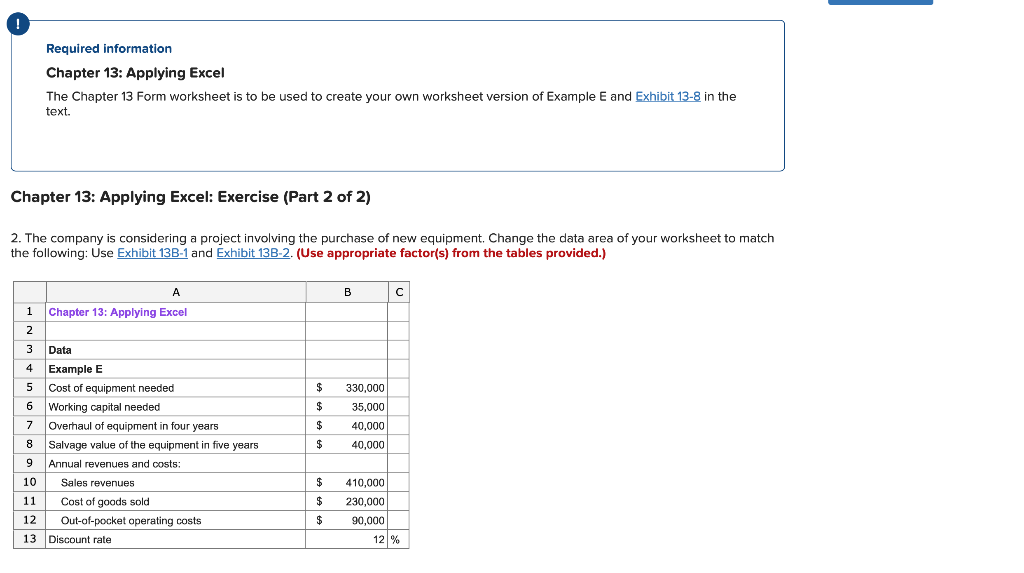
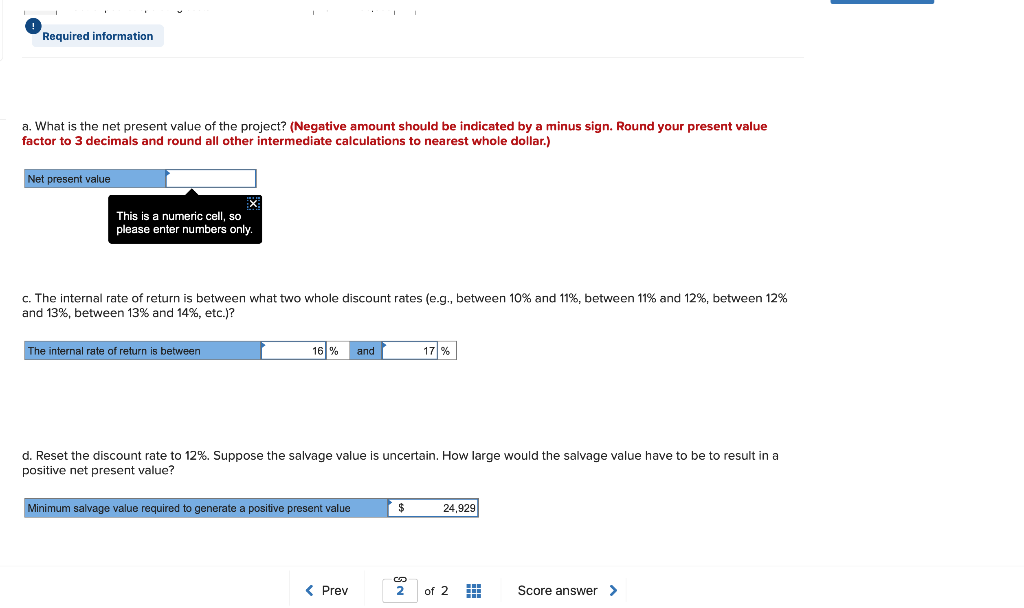
Required information Chapter 13: Applying Excel The Chapter 13 Form worksheet is to be used to create your own worksheet version of Example E and Exhibit 13-8 in the text. Chapter 13: Applying Excel: Exercise (Part 2 of 2) 2. The company is considering a project involving the purchase of new equipment. Change the data area of your worksheet to match the following: Use Exhibit 13B-1 and Exhibit 13B-2. (Use appropriate factor(s) from the tables provided.) A B Chapter 13: Applying Excel Data Example E 4 Cost of equipment needed 330,000 Working capital needed Overhaul of equipment in four years 35,000 40,000 8. Salvage value of the equipment in five years 40,000 Annual revenues and costs: 10 Sales revenues 410,000 Cost of goods sold 11 230,000 12 Out-of-pocket operating costs 90,000 13 Discount rate 12 % Required information a. What is the net present value of the project? (Negative amount should be indicated by a minus sign. Round your present value factor to 3 decimals and round all other intermediate calculations to nearest whole dollar.) Net present value This is a numeric cell, so please enter numbers only. c. The internal rate of return is between what two whole discount rates (e.g., between 10% and 11%, between 11% and 12%, between 12% and 13%, between 13% and 14%, etc.)? 16 % and 17 % The internal rate of return is between d. Reset the discount rate to 12%. Suppose the salvage value is uncertain. How large would the salvage value have to be to result in a positive net present value? 24,929 $. Minimum salvage value required to generate a positive present value 2
Step by Step Solution
There are 3 Steps involved in it

Get step-by-step solutions from verified subject matter experts
 Study Help