







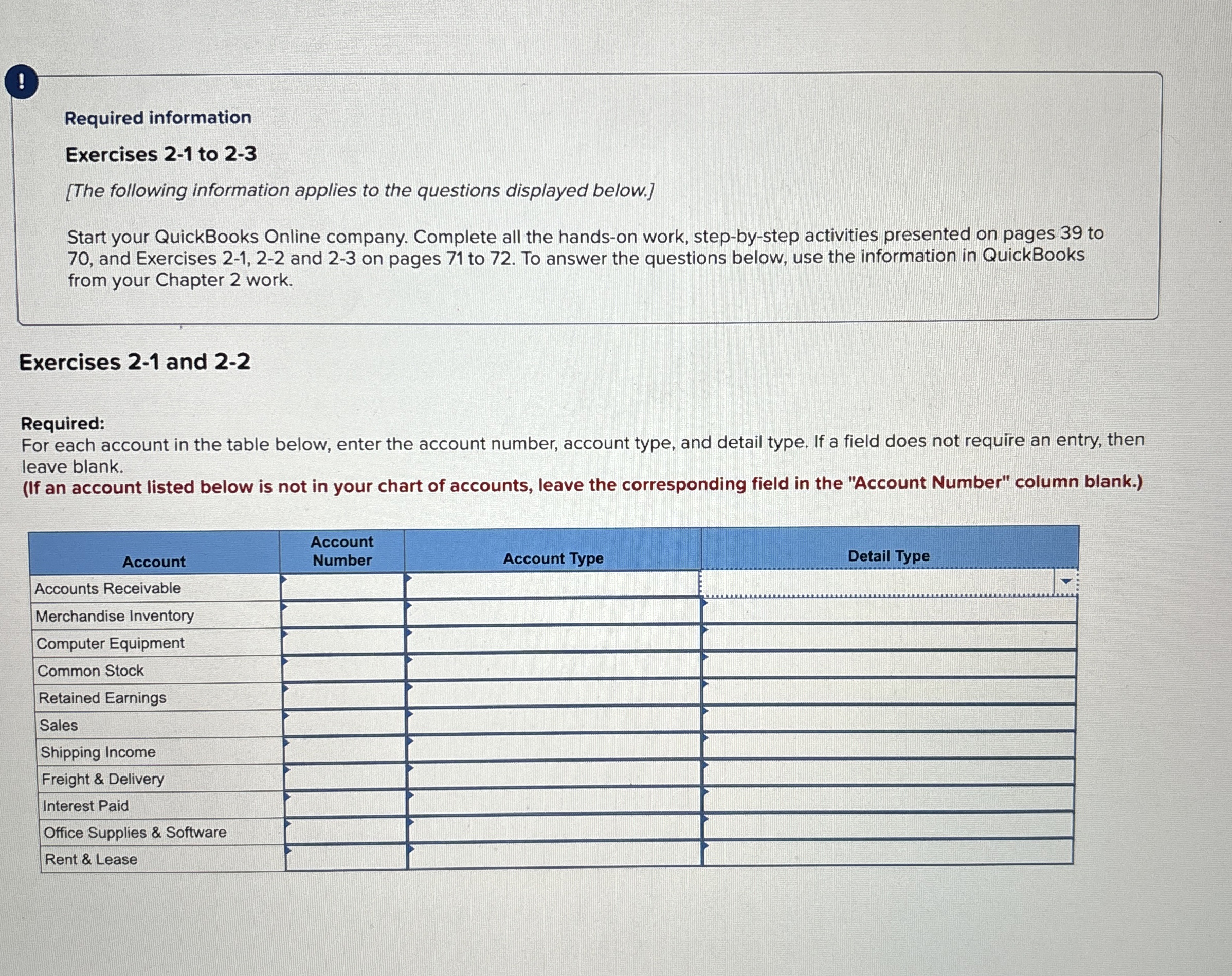
Question: ! Required information Exercises 2 - 1 to 2 - 3 [ The following information applies to the questions displayed below. ] Start your QuickBooks
Required information
Exercises to
The following information applies to the questions displayed below.
Start your QuickBooks Online company. Complete all the handson work, stepbystep activities presented on pages to and Exercises and on pages to To answer the questions below, use the information in QuickBooks from your Chapter work.
Exercises and
Required:
For each account in the table below, enter the account number, account type, and detail type. If a field does not require an entry, then leave blank.
If an account listed below is not in your chart of accounts, leave the corresponding field in the "Account Number" column blank.
tableAccounttableAccountNumberAccounts Receivable,,,Merchandise Inventory,,,Computer Equipment,,,Common Stock,,,Retained Earnings,,,SalesShipping Income,,,Freight & Delivery,,,Interest Paid,,,Office Supplies & Software,,,Rent & Lease,,,
Step by Step Solution
There are 3 Steps involved in it
1 Expert Approved Answer
Step: 1 Unlock

Question Has Been Solved by an Expert!
Get step-by-step solutions from verified subject matter experts
Step: 2 Unlock
Step: 3 Unlock
 Study Help