







Question: Requirement Specification for the tutorial application: Requirement # 1 System should have a Login Screen, from where user can provide the credentials to logon to
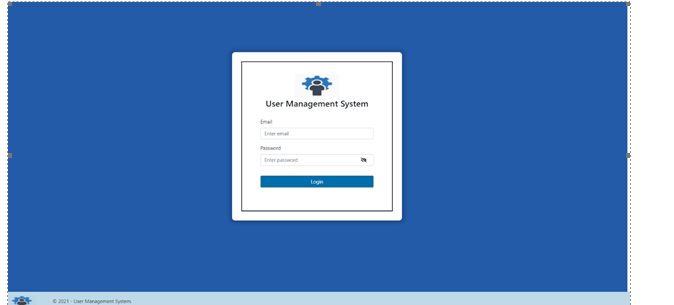 Requirement Specification for the tutorial application: Requirement # 1 System should have a Login Screen, from where user can provide the credentials to logon to the system. See Figure # 1 below. Sub Requirements: 1. The Login Screen should contain two text fields to take input from the user. a. Email (Mandatory) b. Password (Mandatory) 2. The Login Screen should contain a button. a. Login 3. The Password field should be of encrypted type. 4. The password field should have an eye icon. Clicking on this icon will let the user to see the entered password in plain text. By default, the eye icon is closed. 5. User should not be able to logon to the system unless valid email and Password is entered and Login button is clicked. 6. On providing correct/valid credentials, user should proceed to the next screen which is a dash board. 7. Clicking on Login button without entering login details should display an error message underneath the fields that it is a required field. 8. Clicking on Login button after entering invalid login details should display an error message that Invalid Login Id/Password.
User Management System Login
Step by Step Solution
There are 3 Steps involved in it

Get step-by-step solutions from verified subject matter experts
 Study Help