







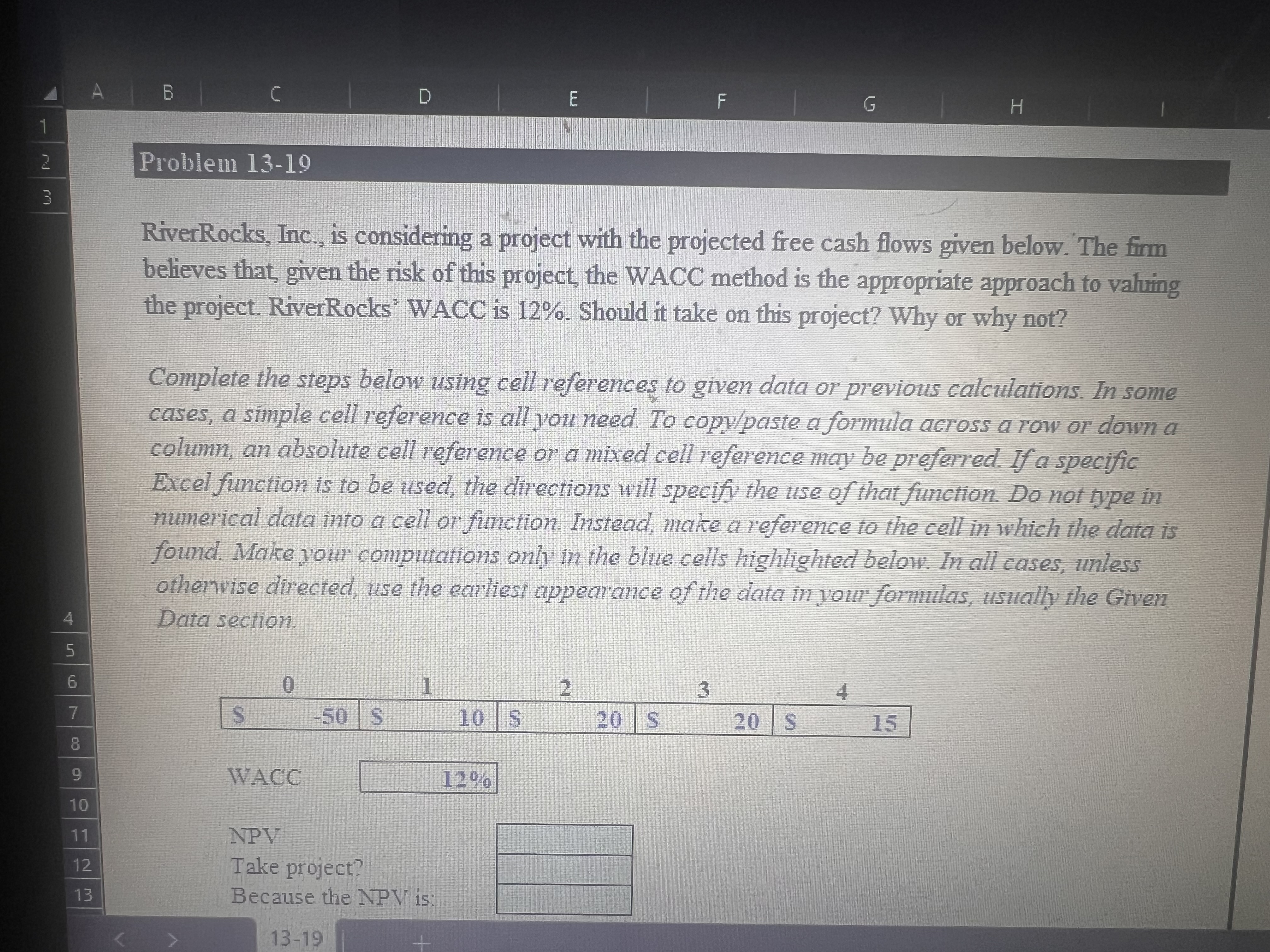
Question: Requirements 1 In cell E 1 1 , by using the NPV function and cell references, calculate the net present value of the cash flows
Requirements
In cell E by using the NPV function and cell references, calculate the net present value of the cash flows pt
In cell E type either Yes or No depending on whether you would take on the project pt
In cell E type either Positive, Negative or Zero depending on the sign of the projects net present value ptProblem
RiverRocks, Inc., is considering a project with the projected free cash flows given below. The firm
behieves that, given the risk of this project, the WACC method is the appropriate approach to valuing
the project. RiverRocks' WACC is Should it take on this project? Why or why not?
Complete the steps below using cell references to given data or previous calculations. In some
cases, a simple cell reference is all you need. To copypaste a formula across a row or down a
column, an absolute cell reference or a mixed cell reference may be preferred. If a specific
Excel function is to be used, the directions will specify the use of that function. Do not type in
numerical data into a cell or function. Instead, make a reference to the cell in which the data is
found. Make your computations only in the blue cells highlighted below. In all cases, unless
othervise directed, use the earliest appearance of the data in your formulas, usually the Given
Data section.
WACC
NPV
Take project?
Because the NPY is:
Step by Step Solution
There are 3 Steps involved in it
1 Expert Approved Answer
Step: 1 Unlock

Question Has Been Solved by an Expert!
Get step-by-step solutions from verified subject matter experts
Step: 2 Unlock
Step: 3 Unlock
 Study Help