







Question: Requirements: For following tasks, please create a module in VBA and build macros to finish these tasks. You must code it manually ( i .
Requirements: For following tasks, please create a module in VBA and build macros to finish these tasks. You must code it manually ie recording is not allowed in this part
Please insert a comment to include your names at the beginning of the module.
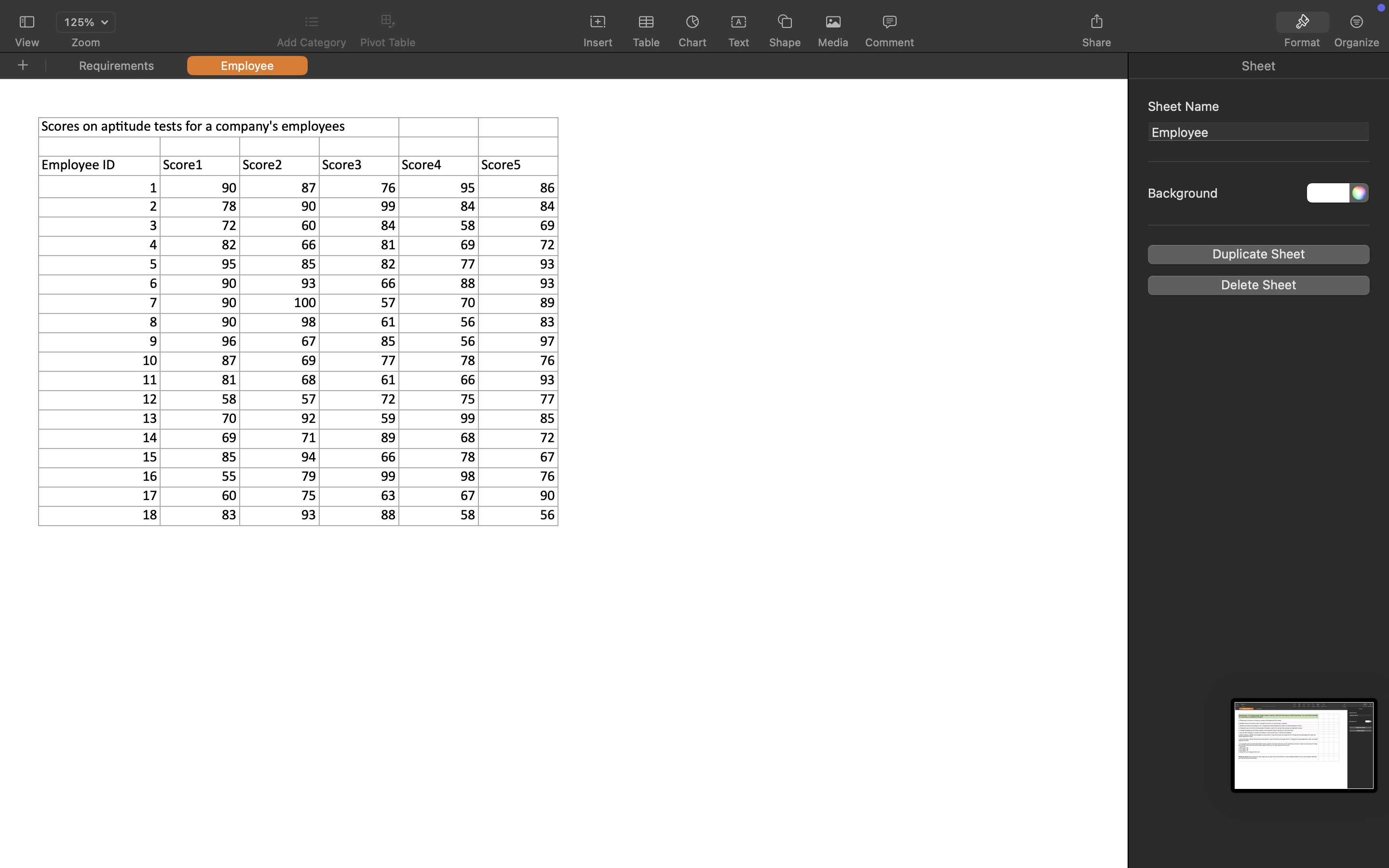
Boldface the font of the label in cell A change its font size to and font type to "Georgia".
Boldface and italicize the headings in row change their horizontal alignment to center, and vertical alignment to center.
Change the color of the font for the Employee ID numbers in column A to red any color you like and alignment to center.
Change the background the Interior property of the range with scores to light gray or any similar color
Enter the label "Averages" in cell A and boldface it; enter the label "Sum" in cell A and boldface it
Enter a formula in cell B that averages the scores above it Copy this formula to the range C: Change the horizontal alignment to right, and vertical alignment to center
Enter a formula in cell B that sums the scores above it Copy this formula to the range C: Change the horizontal alignment to right, and vertical alignment to center
i In a separate module insertcreate another module based on the value of the score, use IF construction and loop to create a sub procedure to change the font color of the score one color for each range of the score You may use any colors you like:
score
score
score
score
below do not change the font color.
Please be noted: when you save your work, make sure you save it as the xism format ie macroenabled workbook This is very important, otherwise you may lose all the macroscodes
Step by Step Solution
There are 3 Steps involved in it
1 Expert Approved Answer
Step: 1 Unlock

Question Has Been Solved by an Expert!
Get step-by-step solutions from verified subject matter experts
Step: 2 Unlock
Step: 3 Unlock
 Study Help