







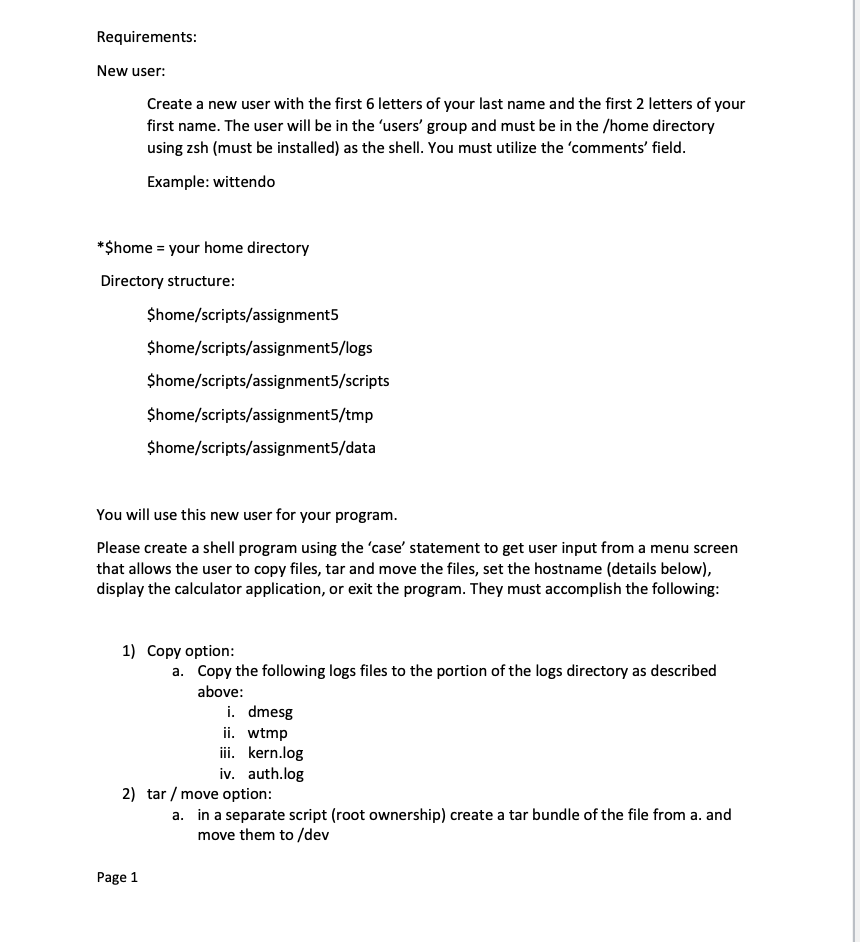
Question: Requirements: New user: Create a new user with the first 6 letters of your last name and the first 2 letters of your first name.
Requirements:
New user:
Create a new user with the first letters of your last name and the first letters of your first name. The user will be in the 'users' group and must be in the home directory using zsh must be installed as the shell. You must utilize the 'comments' field.
Example: wittendo
$home your home directory
Directory structure:
$homescriptsassignment
$homescriptsassignmentlogs
$homescriptsassignmentscripts
$homescriptsassignmenttmp
$homescriptsassignmentdata
You will use this new user for your program.
Please create a shell program using the 'case' statement to get user input from a menu screen that allows the user to copy files, tar and move the files, set the hostname details below display the calculator application, or exit the program. They must accomplish the following:
Copy option:
a Copy the following logs files to the portion of the logs directory as described above:
i dmesg
ii wtmp
iii. kern.log
iv auth.log
tar move option:
a in a separate script root ownership create a tar bundle of the file from a and move them to mathrmdev
Page note: you will need to pass the commands to another script owned by root to complete the process
Set hostname option:
a Modify the hostname name to name specified in the requirements section.
b Please provide a snapshot of your program running with the new hostname.
Calculator program
a Run the 'xcalc' program
Note: you must capture the PID as you will use it once you select the 'exit' portion.
Exit
a Please close the xcalc application
b Please move the tar file in dev to the data directory listed in the requirements section
c Please remove any file in the tmp directory listed in the requirements section.
Please provide all the code, snapshots of your code running, and proof that your hostname was changed.
Step by Step Solution
There are 3 Steps involved in it
1 Expert Approved Answer
Step: 1 Unlock

Question Has Been Solved by an Expert!
Get step-by-step solutions from verified subject matter experts
Step: 2 Unlock
Step: 3 Unlock
 Study Help