Question: resize.c: sort.c: 1. In sort.c we have implemented a basic version of insertion sort. Compile and run the code to make sure it works. Now,
 resize.c: sort.c: 1. In sort.c we have implemented a basic version
resize.c:

of insertion sort. Compile and run the code to make sure it

sort.c:

works. Now, replace all array index access in the entire program by

using pointer addition instead. Also, implement array creation using malloc. Make sure

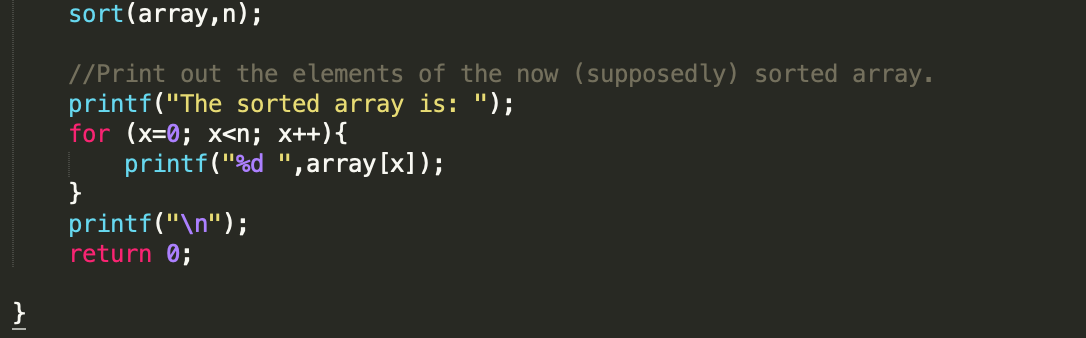
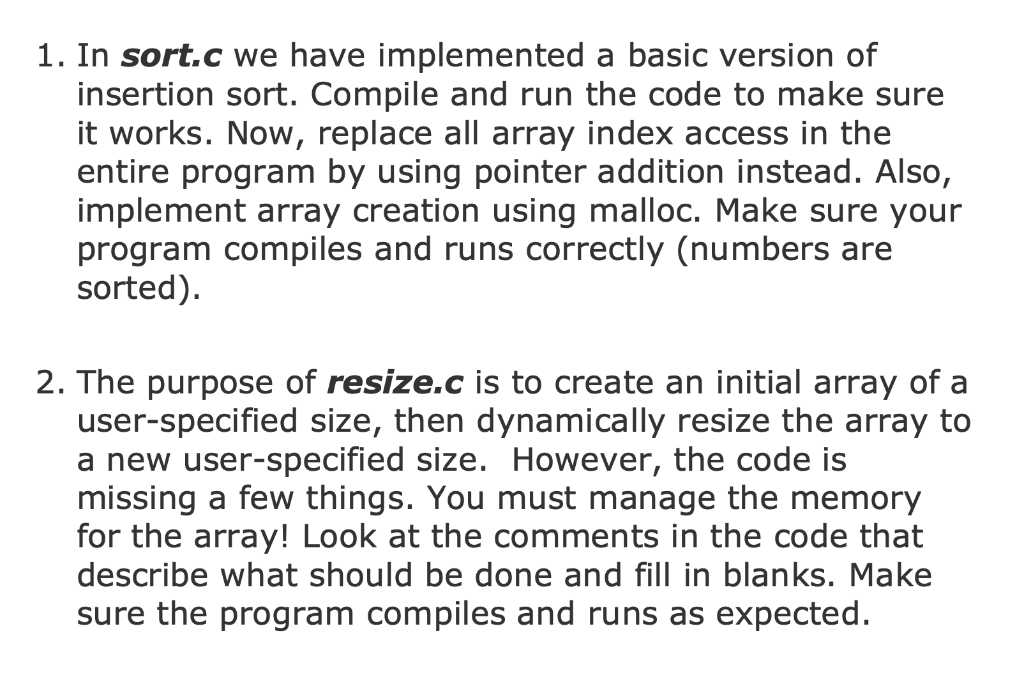
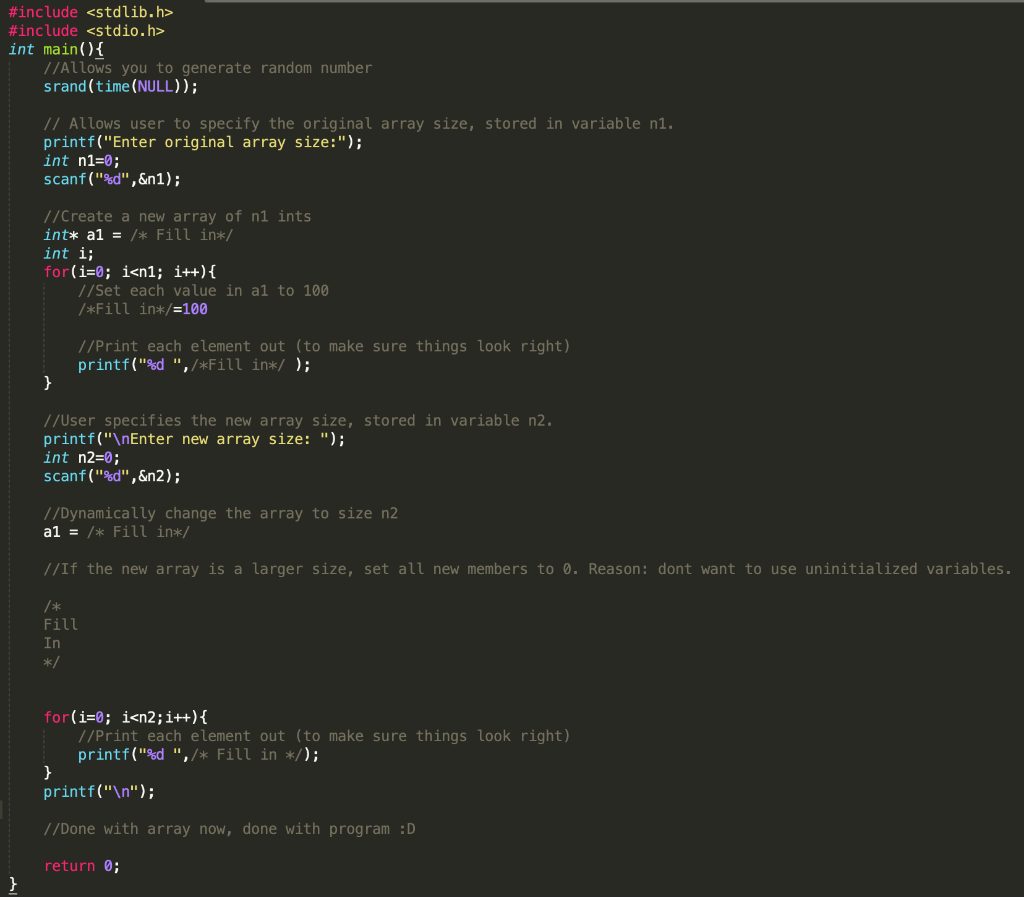
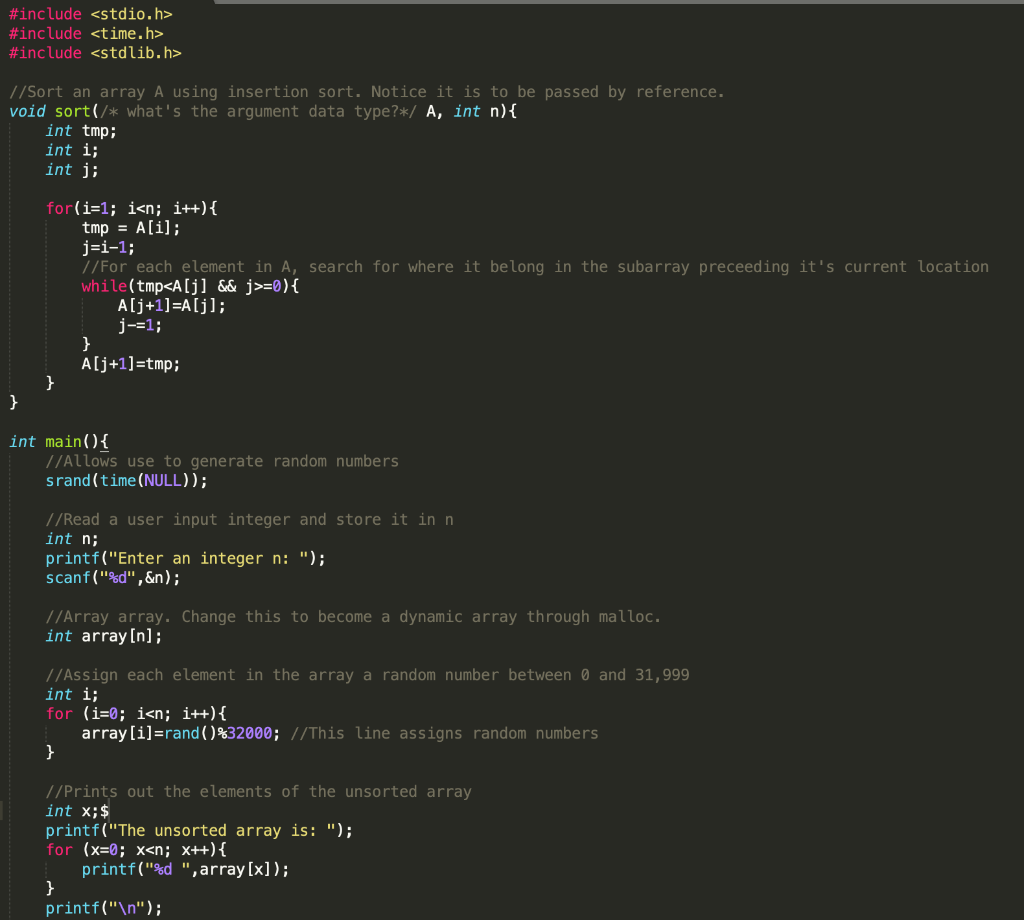
1. In sort.c we have implemented a basic version of insertion sort. Compile and run the code to make sure it works. Now, replace all array index access in the entire program by using pointer addition instead. Also, implement array creation using malloc. Make sure your program compiles and runs correctly (numbers are sorted). 2. The purpose of resize.c is to create an initial array of a user-specified size, then dynamically resize the array to a new user-specified size. However, the code is missing a few things. You must manage the memory for the array! Look at the comments in the code that describe what should be done and fill in blanks. Make sure the program compiles and runs as expected. #include #include int main(){ //Allows you to generate random number srand(time(NULL)); // Allows user to specify the original array size, stored in variable ni. printf("Enter original array size:"); int n1=0; scanf("%d",&n1); //Create a new array of ni ints int* a1 = /* Fill in*/ int i; for(i=0; i #include #include 1/Sort an array A using insertion sort. Notice it is to be passed by reference. void sort(/* what's the argument data type?*/ A, int n){ int tmp; int i; int i; for(i=1; i=0){ A[j+1)=A[j]; j-=1; } A[j+1]=tmp; } int main(){ //Allows use to generate random numbers srand(time(NULL)); //Read a user input integer and store it in n int n; printf("Enter an integer n: "); scanf("%d",&n); //Array array. Change this to become a dynamic array through malloc. int array[n]; //Assign each element in the array a random number between 0 and 31,999 int i; for (i=0; i

Step by Step Solution

There are 3 Steps involved in it

1 Expert Approved Answer
Step: 1 Unlock blur-text-image
Question Has Been Solved by an Expert!

Get step-by-step solutions from verified subject matter experts

Step: 2 Unlock
Step: 3 Unlock

Students Have Also Explored These Related Databases Questions!