







Question: Retrieving Data for Computation, Analysis, and te Form Outputs Reference Chopter 5 sheet should include the following outputs (for each The Estimate Thr pro, five
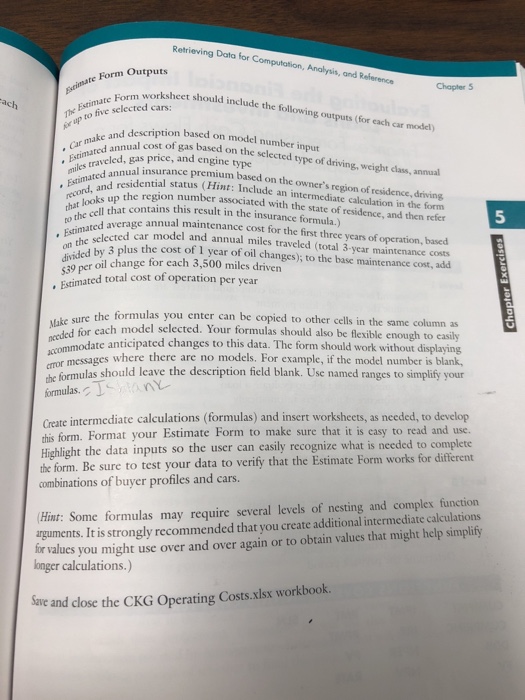
Retrieving Data for Computation, Analysis, and te Form Outputs Reference Chopter 5 sheet should include the following outputs (for each The Estimate Thr pro, five selected cars: ar up to l car model) d description based on model number input ual cost of gas based on the selected type of driving, weight dass, annual .Estimated a ,rinaraveled, gas price, and engine type . Car make and iles travual insurance premium based on the owner's region of residence, driving od e region number associated with the state of residence, and then refer , g, Estimated a record, and dential status (Hint: Include an intermediate calculation in the form * Estimated ooks tht contains this result in the insurance formula.) the 5 annual maintenance cost for the first three years of operation, based ar model and annual miles traveled (total 3-year maintenance costs on the by 3 plus the cost of 1 year of oil changes);, to the base maintenance cost, add 4z9 per oil change for each 3,500 miles driven Esimated total cost of operation per year the formulas you enter can be copied to other cells in the same column as h model selected. Your formulas should also be flexible enough to easily sel needed for cach aco modate anticipated changes to this data. The form should work without displaying e forua hould leave the description field blank. Use named ranges to simplify your Create intermediate calculations (formulas) and insert worksheets, as needed, to develop messages where there are no models. For example, if the model number is blank, formulas. this form. Format your Estimate Form to make sure that it is casy to read and use. what is needed to complete Highlight the data inputs so the user can easily recognize the form. Be sure to test your data to verify that the Estimate Form works for different combinations of buyer profiles and cars. Hint: Some formulas may require several levels of nesting and complex function arguments. It is strongly recommended that you create additional intermediate calculations tor values you might use over and over again or to obtain values that might help simplity longer calculations.) Save and close the CKG Operating Costs.xlsx workbook. Retrieving Data for Computation, Analysis, and te Form Outputs Reference Chopter 5 sheet should include the following outputs (for each The Estimate Thr pro, five selected cars: ar up to l car model) d description based on model number input ual cost of gas based on the selected type of driving, weight dass, annual .Estimated a ,rinaraveled, gas price, and engine type . Car make and iles travual insurance premium based on the owner's region of residence, driving od e region number associated with the state of residence, and then refer , g, Estimated a record, and dential status (Hint: Include an intermediate calculation in the form * Estimated ooks tht contains this result in the insurance formula.) the 5 annual maintenance cost for the first three years of operation, based ar model and annual miles traveled (total 3-year maintenance costs on the by 3 plus the cost of 1 year of oil changes);, to the base maintenance cost, add 4z9 per oil change for each 3,500 miles driven Esimated total cost of operation per year the formulas you enter can be copied to other cells in the same column as h model selected. Your formulas should also be flexible enough to easily sel needed for cach aco modate anticipated changes to this data. The form should work without displaying e forua hould leave the description field blank. Use named ranges to simplify your Create intermediate calculations (formulas) and insert worksheets, as needed, to develop messages where there are no models. For example, if the model number is blank, formulas. this form. Format your Estimate Form to make sure that it is casy to read and use. what is needed to complete Highlight the data inputs so the user can easily recognize the form. Be sure to test your data to verify that the Estimate Form works for different combinations of buyer profiles and cars. Hint: Some formulas may require several levels of nesting and complex function arguments. It is strongly recommended that you create additional intermediate calculations tor values you might use over and over again or to obtain values that might help simplity longer calculations.) Save and close the CKG Operating Costs.xlsx workbook
Step by Step Solution
There are 3 Steps involved in it

Get step-by-step solutions from verified subject matter experts
 Study Help