



Question: Return to the Projects worksheet. In the range 117:J22, Hwan wants to display the project estimate amounts per state. He can retrieve this information from

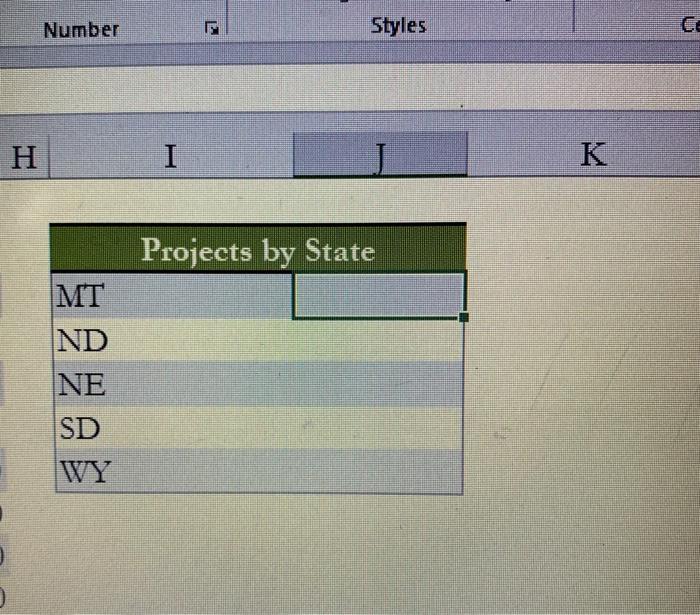
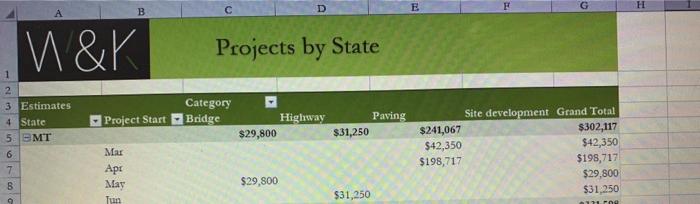
Return to the Projects worksheet. In the range 117:J22, Hwan wants to display the project estimate amounts per state. He can retrieve this information from the PivotTable on the Projects by State worksheet. Display the estimates per state as follows: a. In cell 118, insert a formula using the GETPIVOTDATA function to display the total estimate amount for projects in Montana from cell G5 on the Projects by State worksheet. Number Styles H I K Projects by State MT ND NE SD WY B D H E W & K Projects by State 1 2 3 Estimates 4 State 5 EMT Category Bridge Project Start Highway Paving $31,250 $29,800 6 7 B Mar May Tun Site development Grand Total $241,067 $302,117 $42,350 $42,350 $198,717 $198,717 $29,800 $31,250 $29,800 $31,250 9 171
Step by Step Solution
There are 3 Steps involved in it

Get step-by-step solutions from verified subject matter experts