







Question: Reverse engineering wc (Word Count) Extracting the Specifications Prerequisites You should be competent with: 1. A command line shell (bash, preferably) 2. Python programming (nothing
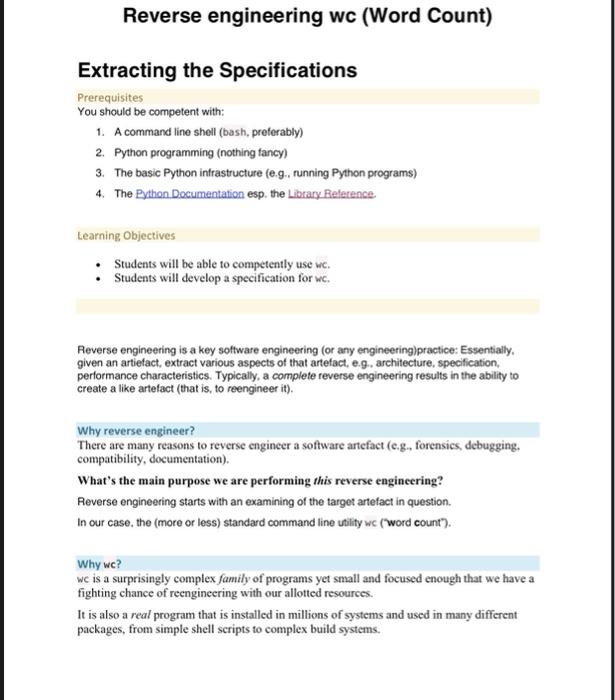
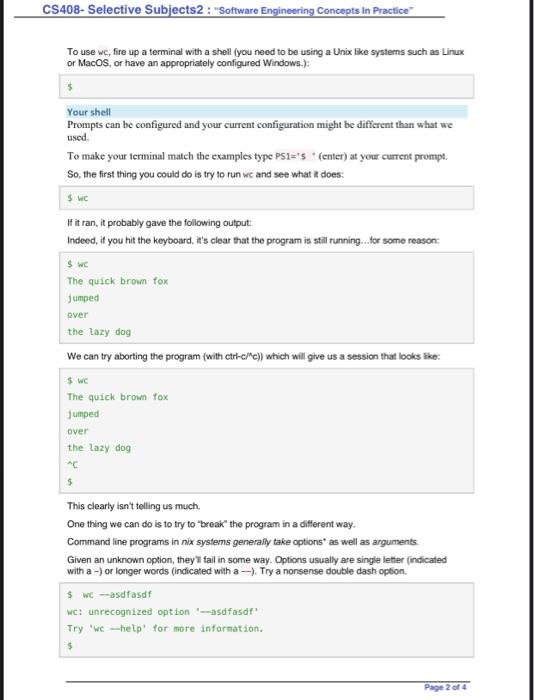
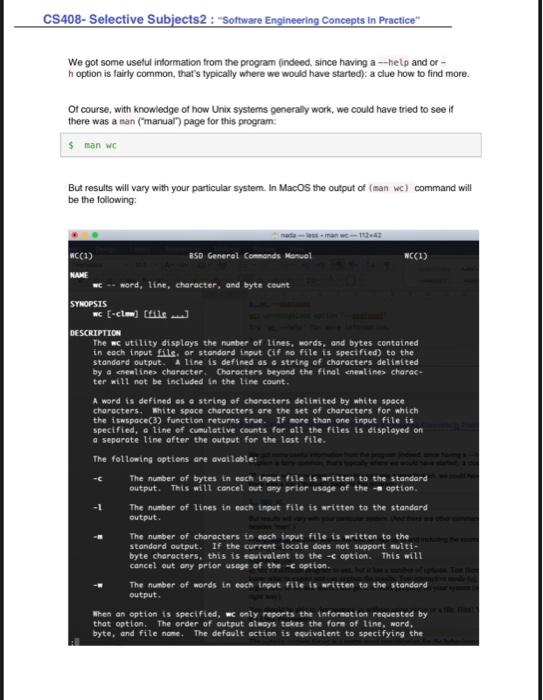
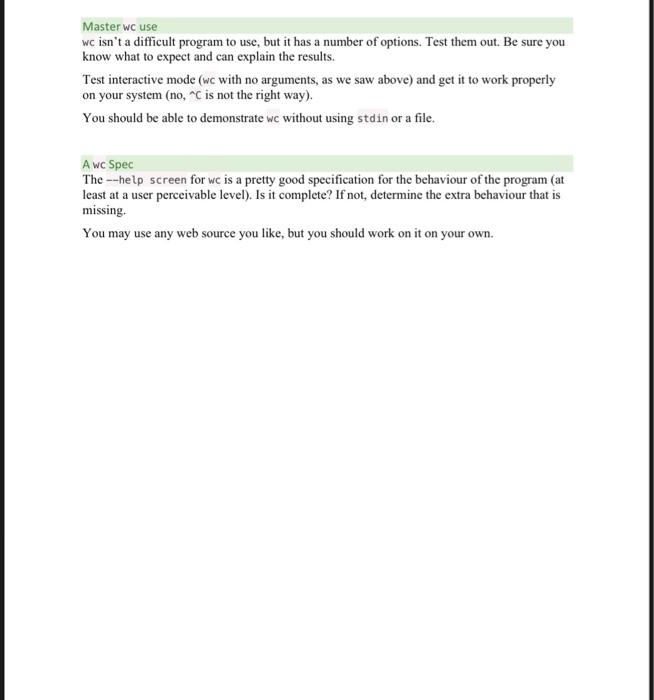
Reverse engineering wc (Word Count) Extracting the Specifications Prerequisites You should be competent with: 1. A command line shell (bash, preferably) 2. Python programming (nothing fancy) 3. The basic Python infrastructure (e.g., running Python programs) 4. The Python Documentation esp. the Library Reference Learning Objectives Students will be able to competently use wc. Students will develop a specification for wc. Reverse engineering is a key software engineering (or any engineering practice: Essentially given an artiefact, extract various aspects of that artefact , e.g., architecture, specification, performance characteristics. Typically, a complete reverse engineering results in the ability to create a like artefact that is, to reengineer it). Why reverse engineer? There are many reasons to reverse engineer a software artefact (e.g., forensics, debugging. compatibility, documentation). What's the main purpose we are performing this reverse engineering? Reverse engineering starts with an examining of the target artefact in question. In our case, the more or less) standard command line utility wc ('Word count). Why wc? we is a surprisingly complex family of programs yet small and focused enough that we have a fighting chance of reengineering with our allotted resources. It is also a real program that is installed in millions of systems and used in many different packages, from simple shell scripts to complex build systems. CS408- Selective Subjects2: "Software Engineering Concepts in Practice To use wc, fire up a terminal with a shell you need to be using a Unix like systems such as Linux or Macos, or have an appropriately configured Windows.): Your shell Prompts can be configured and your current configuration might be different than what we used To make your terminal match the examples type Psi="$ * (enter) at your current prompt. So, the first thing you could do is try to run wc and see what it does $ WC If it ran, it probably gave the following output: Indeed, if you hit the keyboard, it's clear that the program is still running...for some reason: $ wc The quick brown fox Jumped over the lazy dog We can try aborting the program (with ciri-c/^c)) which will give us a session that looks like: $ wc The quick brown fox Jumped over the lazy dog "C $ This clearly isn't telling us much. One thing we can do is to try to break" the program in a different way. Command line programs in nix systems generally take options as well as arguments Given an unknown option, they'll tail in some way. Options usually are single letter (indicated with a -) or longer words (indicated with a --). Try a nonsense double dash option $ wc --asdfasdf wc: unrecognized option '--asdfasdf Try 'wc --help' for more information. $ Page 2 of 4 CS408- Selective Subjects2 : "Software Engineering Concepts in Practice" We got some usetul information from the program findeed, since having a --help and or - h option is fairly common, that's typically where we would have started): a clue how to find more. Of course, with knowledge of how Unix systems generally work, we could have tried to see if there was a man ("manual) page for this program: $man wc But results will vary with your particular system. In Macos the output of (man wc) command will be the following: ha WC(1) BSD General Commands Manuel NC(1) NAME word, line, character, and byte count SYNOPSIS NC (-cm] Cils ] DESCRIPTION The nc utility displays the number of lines, words, and bytes contotned in each input fils, or standard input (if no file is specified) to the standard output. A line is defined as a string of characters delimited by a celine character Characters beyond the final chenline charac- ter will not be included in the line count. A word is defined as a string of characters delimited by white space characters. White space characters are the set of characters for which the isnspace(3) function returns true. If more than one input file is specified, a line of cumulative counts for all the files is displayed on a separate line after the output for the last file. The following options are avatlable: The number of bytes in each input file is written to the standard output. This will cancel out any prior usage of the option The number of lines in each input file is written to the standard output. -1 The number of characters in each input file is written to the Standard output. If the current locale does not support multi- byte characters, this is equivalent to the -c option. This will cancel out any prior usage of the option The number of words in each input file is written to the standard output. When an option is specified, NC only reports the information requested by that option. The order of output al cys takes the form of line, Nord. byte, and file name. The default action is equivalent to specifying the Master wc use wc isn't a difficult program to use, but it has a number of options. Test them out. Be sure you know what to expect and can explain the results. Test interactive mode (wc with no arguments, as we saw above) and get it to work properly on your system (no, " is not the right way). You should be able to demonstrate wc without using stdin or a file. A WC Spec The --help screen for wc is a pretty good specification for the behaviour of the program (at least at a user perceivable level). Is it complete? If not, determine the extra behaviour that is missing. You may use any web source you like, but you should work on it on your own. Reverse engineering wc (Word Count) Extracting the Specifications Prerequisites You should be competent with: 1. A command line shell (bash, preferably) 2. Python programming (nothing fancy) 3. The basic Python infrastructure (e.g., running Python programs) 4. The Python Documentation esp. the Library Reference Learning Objectives Students will be able to competently use wc. Students will develop a specification for wc. Reverse engineering is a key software engineering (or any engineering practice: Essentially given an artiefact, extract various aspects of that artefact , e.g., architecture, specification, performance characteristics. Typically, a complete reverse engineering results in the ability to create a like artefact that is, to reengineer it). Why reverse engineer? There are many reasons to reverse engineer a software artefact (e.g., forensics, debugging. compatibility, documentation). What's the main purpose we are performing this reverse engineering? Reverse engineering starts with an examining of the target artefact in question. In our case, the more or less) standard command line utility wc ('Word count). Why wc? we is a surprisingly complex family of programs yet small and focused enough that we have a fighting chance of reengineering with our allotted resources. It is also a real program that is installed in millions of systems and used in many different packages, from simple shell scripts to complex build systems. CS408- Selective Subjects2: "Software Engineering Concepts in Practice To use wc, fire up a terminal with a shell you need to be using a Unix like systems such as Linux or Macos, or have an appropriately configured Windows.): Your shell Prompts can be configured and your current configuration might be different than what we used To make your terminal match the examples type Psi="$ * (enter) at your current prompt. So, the first thing you could do is try to run wc and see what it does $ WC If it ran, it probably gave the following output: Indeed, if you hit the keyboard, it's clear that the program is still running...for some reason: $ wc The quick brown fox Jumped over the lazy dog We can try aborting the program (with ciri-c/^c)) which will give us a session that looks like: $ wc The quick brown fox Jumped over the lazy dog "C $ This clearly isn't telling us much. One thing we can do is to try to break" the program in a different way. Command line programs in nix systems generally take options as well as arguments Given an unknown option, they'll tail in some way. Options usually are single letter (indicated with a -) or longer words (indicated with a --). Try a nonsense double dash option $ wc --asdfasdf wc: unrecognized option '--asdfasdf Try 'wc --help' for more information. $ Page 2 of 4 CS408- Selective Subjects2 : "Software Engineering Concepts in Practice" We got some usetul information from the program findeed, since having a --help and or - h option is fairly common, that's typically where we would have started): a clue how to find more. Of course, with knowledge of how Unix systems generally work, we could have tried to see if there was a man ("manual) page for this program: $man wc But results will vary with your particular system. In Macos the output of (man wc) command will be the following: ha WC(1) BSD General Commands Manuel NC(1) NAME word, line, character, and byte count SYNOPSIS NC (-cm] Cils ] DESCRIPTION The nc utility displays the number of lines, words, and bytes contotned in each input fils, or standard input (if no file is specified) to the standard output. A line is defined as a string of characters delimited by a celine character Characters beyond the final chenline charac- ter will not be included in the line count. A word is defined as a string of characters delimited by white space characters. White space characters are the set of characters for which the isnspace(3) function returns true. If more than one input file is specified, a line of cumulative counts for all the files is displayed on a separate line after the output for the last file. The following options are avatlable: The number of bytes in each input file is written to the standard output. This will cancel out any prior usage of the option The number of lines in each input file is written to the standard output. -1 The number of characters in each input file is written to the Standard output. If the current locale does not support multi- byte characters, this is equivalent to the -c option. This will cancel out any prior usage of the option The number of words in each input file is written to the standard output. When an option is specified, NC only reports the information requested by that option. The order of output al cys takes the form of line, Nord. byte, and file name. The default action is equivalent to specifying the Master wc use wc isn't a difficult program to use, but it has a number of options. Test them out. Be sure you know what to expect and can explain the results. Test interactive mode (wc with no arguments, as we saw above) and get it to work properly on your system (no, " is not the right way). You should be able to demonstrate wc without using stdin or a file. A WC Spec The --help screen for wc is a pretty good specification for the behaviour of the program (at least at a user perceivable level). Is it complete? If not, determine the extra behaviour that is missing. You may use any web source you like, but you should work on it on your own
Step by Step Solution
There are 3 Steps involved in it

Get step-by-step solutions from verified subject matter experts
 Study Help