







Question: Right now my code is working where I can have rectangles popup where I click and holding shift while pressing will change the color. But
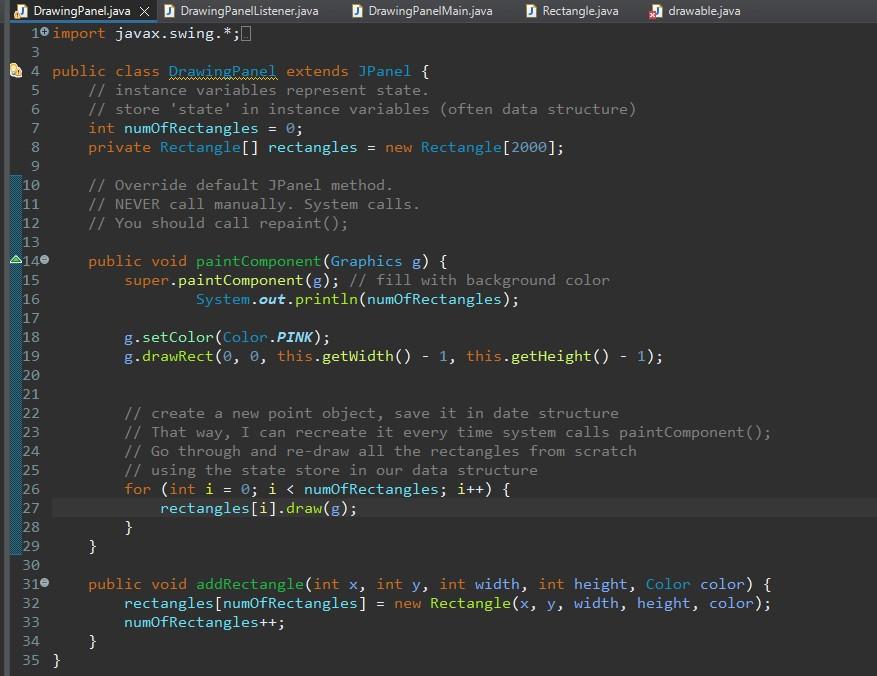
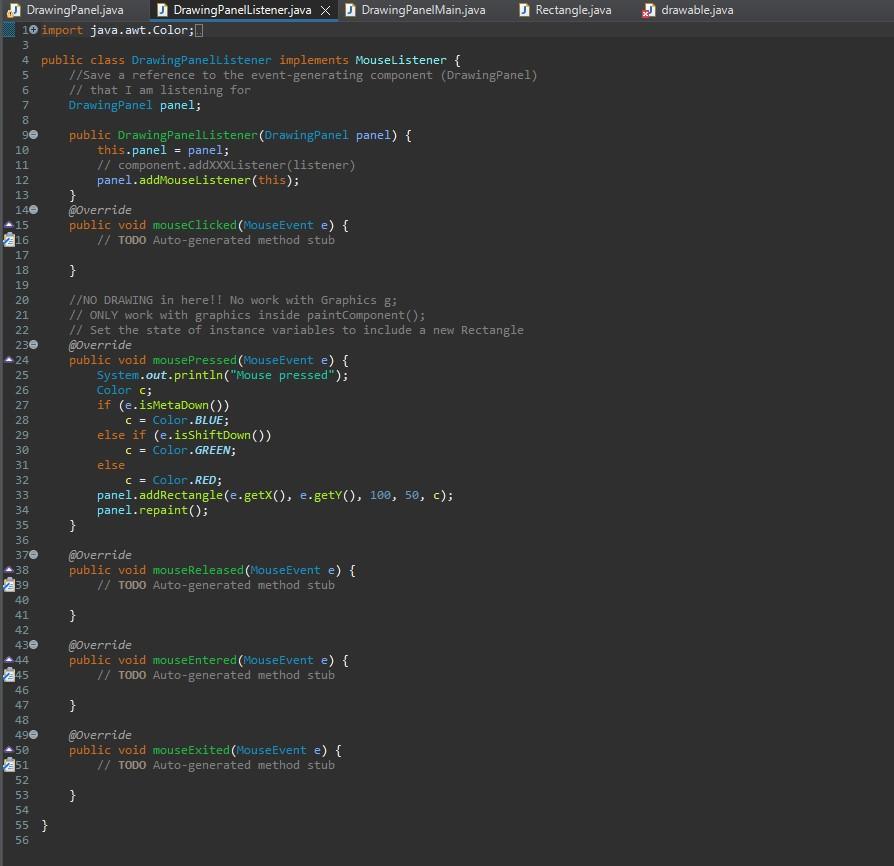
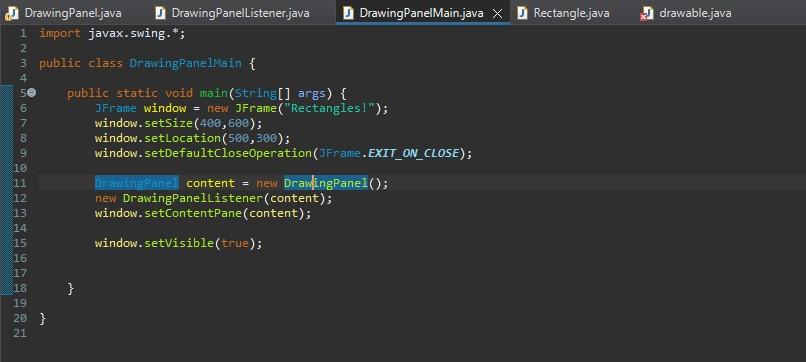
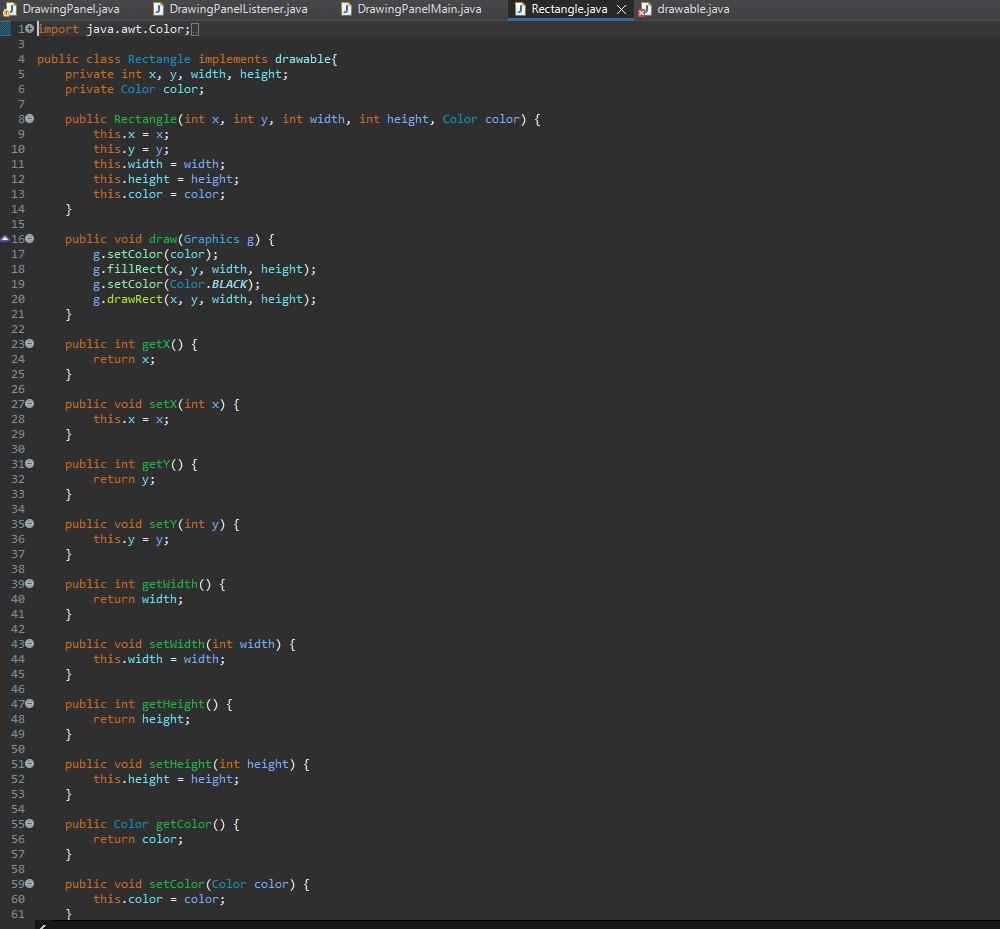
Right now my code is working where I can have rectangles popup where I click and holding shift while pressing will change the color. But I need to code it that I am able to move the rectangles around.
ALL CODE IN JAVA
An example of the working program : https://www.youtube.com/watch?v=MOfqM-zy2r0
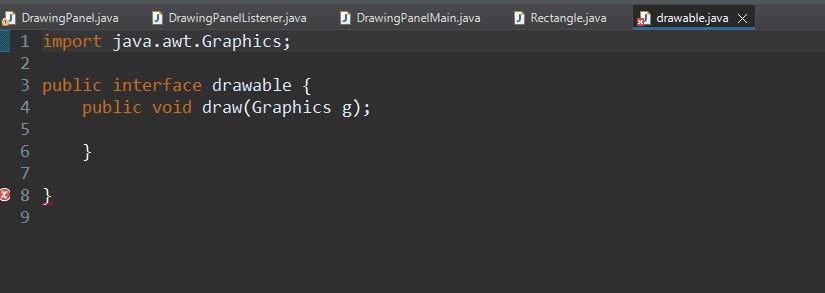
awingPanel.java DrawingPanelListener.java X J DrawingPanelMain.java J Rectangle.java import java. awt.Color; public class DrawingPanellistener implements Mouselistener \{ //Save a reference to the event-generating component (DrawingPanel) II that I am listening for DrawingPanel panel; public DrawingPanellistener(DrawingPanel panel) \{ this.panel = panel; // component.addXXXIListener(listener) panel.addMouselistener(this); \} Goverride public void mouseclicked(MouseEvent e) \{ // TODO Auto-generated method stub \} //NO DRAWING in herell No work with Graphics g; // ONLY work with graphics inside paintComponent(); II Set the state of instance variables to include a new Rectangle 6override. public void mousePressed(MouseEvent e) \{ system.out.println("Mouse pressed"); Color c; if (e.isMetaDown ()) c= color.BLUE; else if (e.isshiftDown()) c= Color.GREEN; else C= Colar.RED; panel.addRectangle(e.getX(), e.getY(), 100,50,c); panel. repaint(); 3 goverride public void mousereleased (MouseEvent e) \{ /I TODO Auto-generated method stub 3 Goverride public void mouseEntered (MouseEvent e) \{ // TODO Auto-generated method stub 3 goverride public void mouseExited(MouseEvent e) \{ // ToDo Auto-generated method stub \} 3 import java. awt. Color; public class Rectangle implements drawable\{ private int x,y, width, height; private Color color; public Rectangle(int x, int y, int width, int height, color color) \{ this. x=xj this y=y; this. width = width; this. height = height; this. color = color; 3 public void draw(Graphics g) \{ g.setColor (color); g.fillRect( x,y, width, height); g. setColor (Color.BLACK); g.drawRect( x,y, width, height); 3 public int getx() \{ 3 return x; public void setx ( int x){ 3 public int getY() \{ 3 return y; public void sety (int y){ 3 this. y=y; public int gethidth() \{ 3 return width; public void setwidth (int width) \{ this. width = width; 3 public int getHeight() \{ 3 return height; public void setHeight(int height) \{ this.height = height; 3 public Color getcolor() \{ return color; \} public void setcolor(Color color) \{ ? U DrawingPanel.java DrawingPanellistenerjava DrawingPanelMain.java drawable.java 1 import java.awt. Graphics; 2 3 public interface drawable \{ public void draw(Graphics g); 3 3
Step by Step Solution
There are 3 Steps involved in it

Get step-by-step solutions from verified subject matter experts
 Study Help