







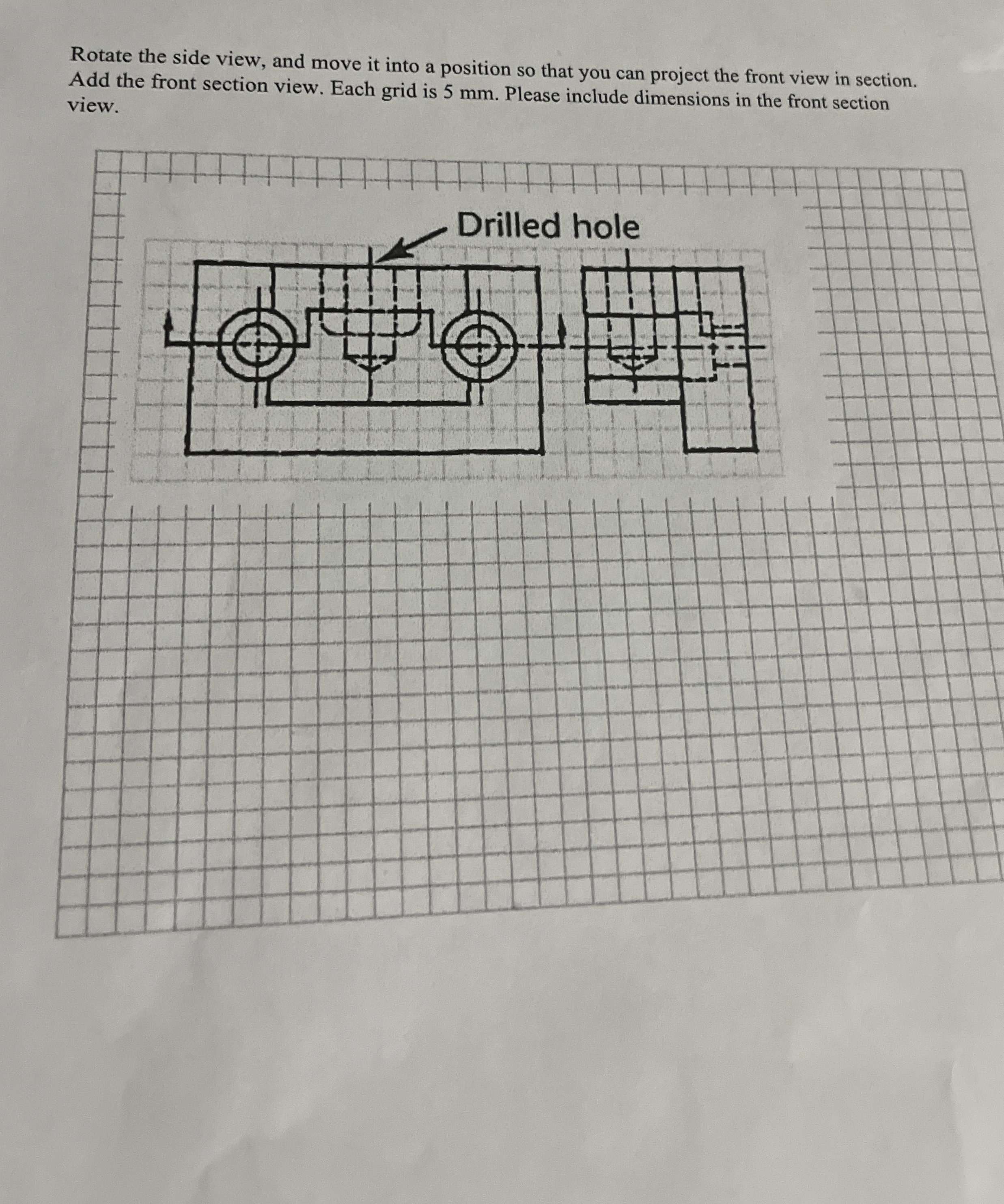
Question: Rotate the side view, and move it into a position so that you can project the front view in section. Add the front section view.
Rotate the side view, and move it into a position so that you can project the front view in section. Add the front section view. Each grid is mm Please include dimensions in the front section view.
Step by Step Solution
There are 3 Steps involved in it
1 Expert Approved Answer
Step: 1 Unlock

Question Has Been Solved by an Expert!
Get step-by-step solutions from verified subject matter experts
Step: 2 Unlock
Step: 3 Unlock
 Study Help