







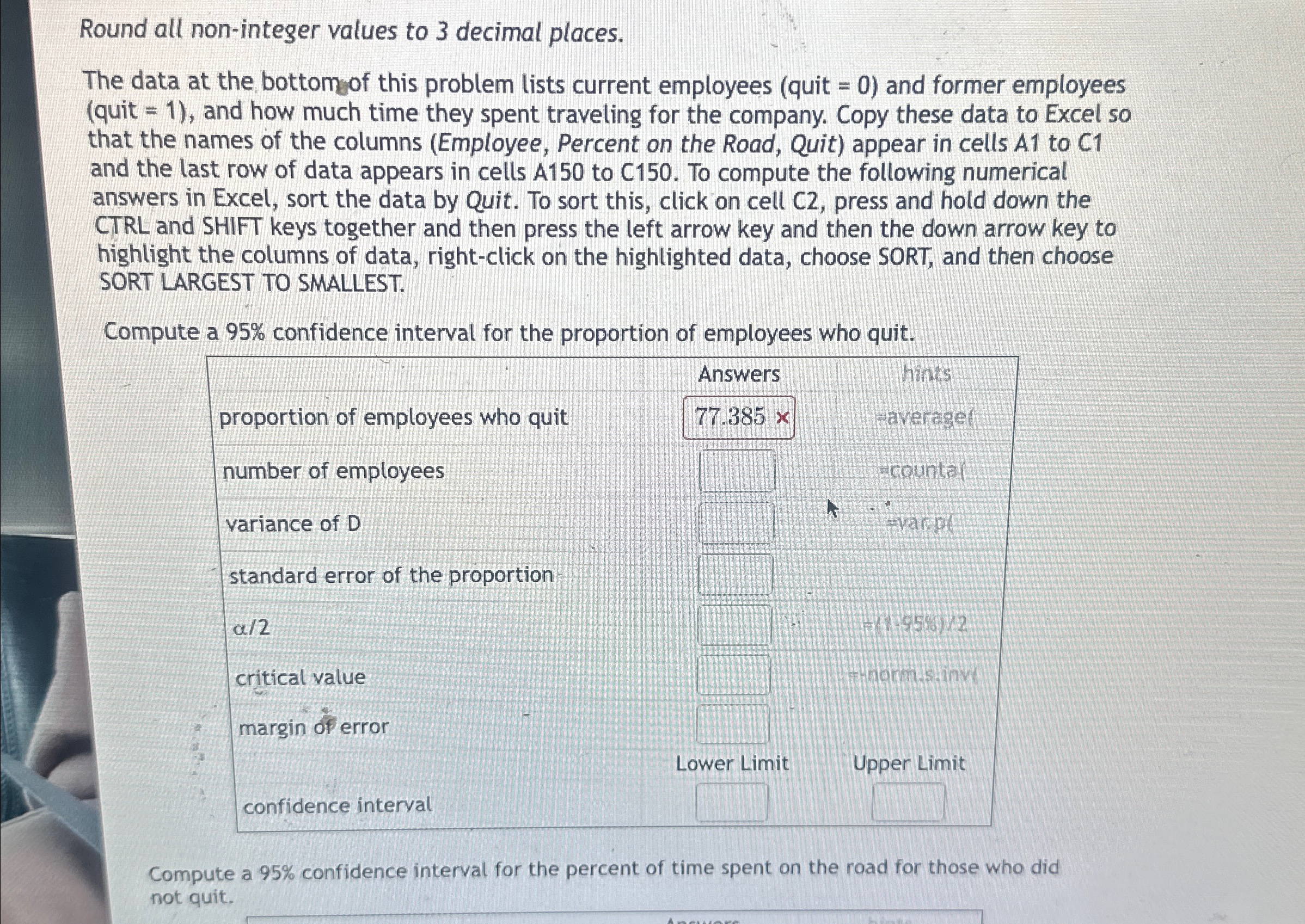
Question: Round all non - integer values to 3 decimal places. The data at the bottomof this problem lists current employees ( quit = 0 )
Round all noninteger values to decimal places.
The data at the bottomof this problem lists current employees quit and former employees quit and how much time they spent traveling for the company. Copy these data to Excel so that the names of the columns Employee Percent on the Road, Quit appear in cells A to C and the last row of data appears in cells A to C To compute the following numerical answers in Excel, sort the data by Quit. To sort this, click on cell C press and hold down the CTRL and SHIFT keys together and then press the left arrow key and then the down arrow key to highlight the columns of data, rightclick on the highlighted data, choose SORT, and then choose SORT LARGEST TO SMALLEST.
Compute a confidence interval for the proportion of employees who quit.
tableAnswers,hintsproportion of employees who quit,averagelnumber of employees,,table countar evar.plvariance of standard error of the proportion
Step by Step Solution
There are 3 Steps involved in it
1 Expert Approved Answer
Step: 1 Unlock

Question Has Been Solved by an Expert!
Get step-by-step solutions from verified subject matter experts
Step: 2 Unlock
Step: 3 Unlock
 Study Help