







Question: Round all non - integer values to 3 decimal places. Periodic Inventory management tracks inventory at the end of an accounting period. At your firm,
Round all noninteger values to decimal places.
Periodic Inventory management tracks inventory at the end of an accounting period. At your
firm, periodic inventory management is done monthly. An unexpected increase in monthly
inventory indicates that product demand is low. The opposite indicates that product demand is
high. When demand is weak for a given product your firm produces, you want to notify
production so they can slow production of that product and increase production of a product
that is in high demand.
Periodic inventory management at your firm uses monthly Net Inventory of all the products it
produces: NI Beginning Inventory Inventory Produced Ending Inventory. At the bottom
of this problem is a table that is a record of your firm's NI for one of the products it sells for the
previous months. Copy this table to cells A to D cells in an Excel worksheet. After you
copy the data, the value of in month of should be in cell D Delete columns A B
and C so that NI and its observations are in column A Highlight the numbers in column A and
then name this set of cells NI
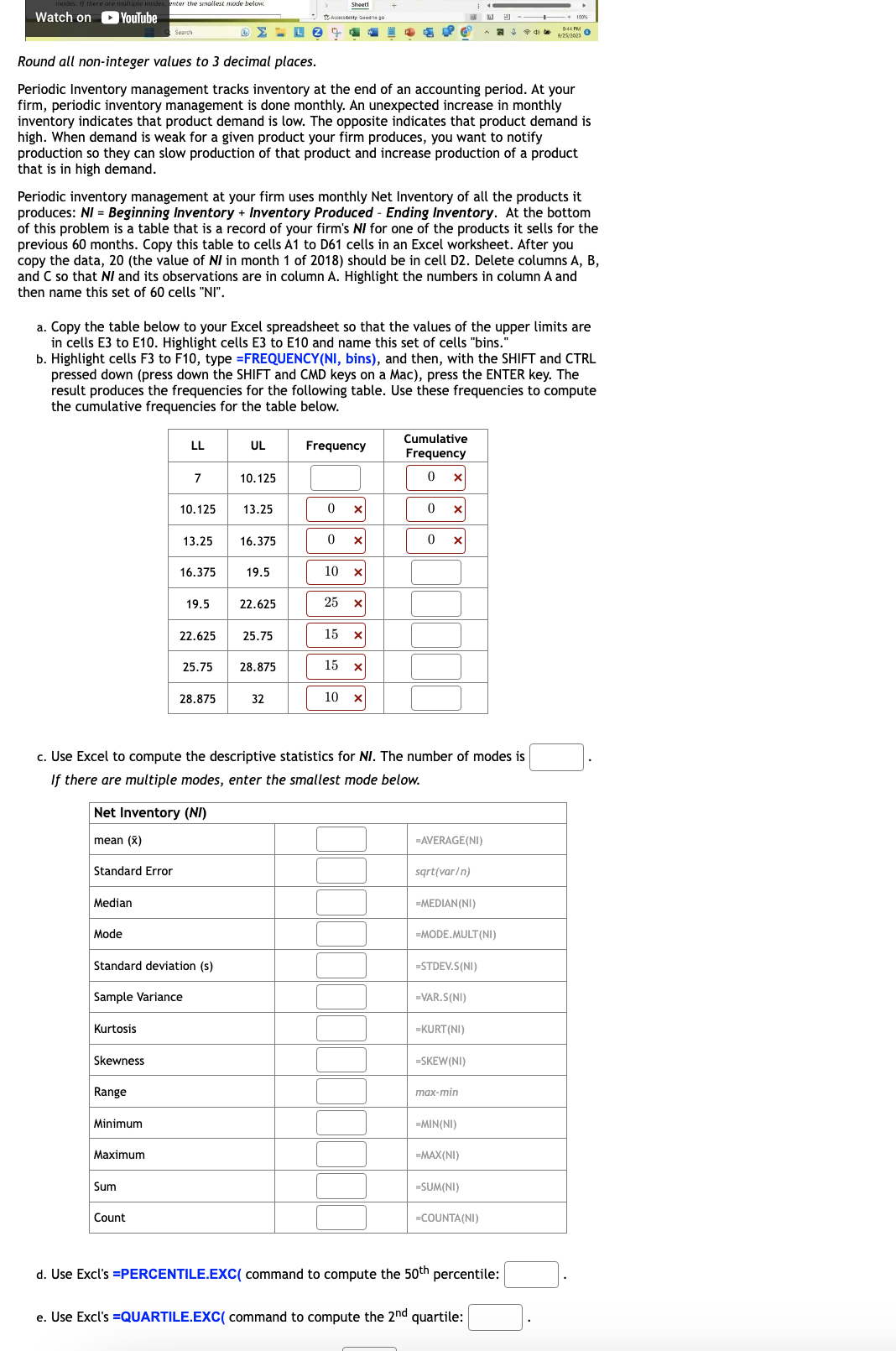
a Copy the table below to your Excel spreadsheet so that the values of the upper limits are
in cells E to E Highlight cells E to E and name this set of cells "bins."
b Highlight cells F to F type FREQUENCYNI bins and then, with the SHIFT and CTRL
pressed down press down the SHIFT and CMD keys on a Mac press the ENTER key. The
result produces the frequencies for the following table. Use these frequencies to compute
the cumulative frequencies for the table below.
c Use Excel to compute the descriptive statistics for NI The number of modes is
If there are multiple modes, enter the smallest mode below.
d Use Excl's PERCENTILE.EXC command to compute the percentile:
e Use Excl's QUARTILE.EXC command to compute the quartile:
Step by Step Solution
There are 3 Steps involved in it
1 Expert Approved Answer
Step: 1 Unlock

Question Has Been Solved by an Expert!
Get step-by-step solutions from verified subject matter experts
Step: 2 Unlock
Step: 3 Unlock
 Study Help