







Question: ######### routine to print the numbers on one line. .data space:.asciiz # space to insert between numbers head: asciiz Fibonecci sayilarimiz .text print:add $t0,
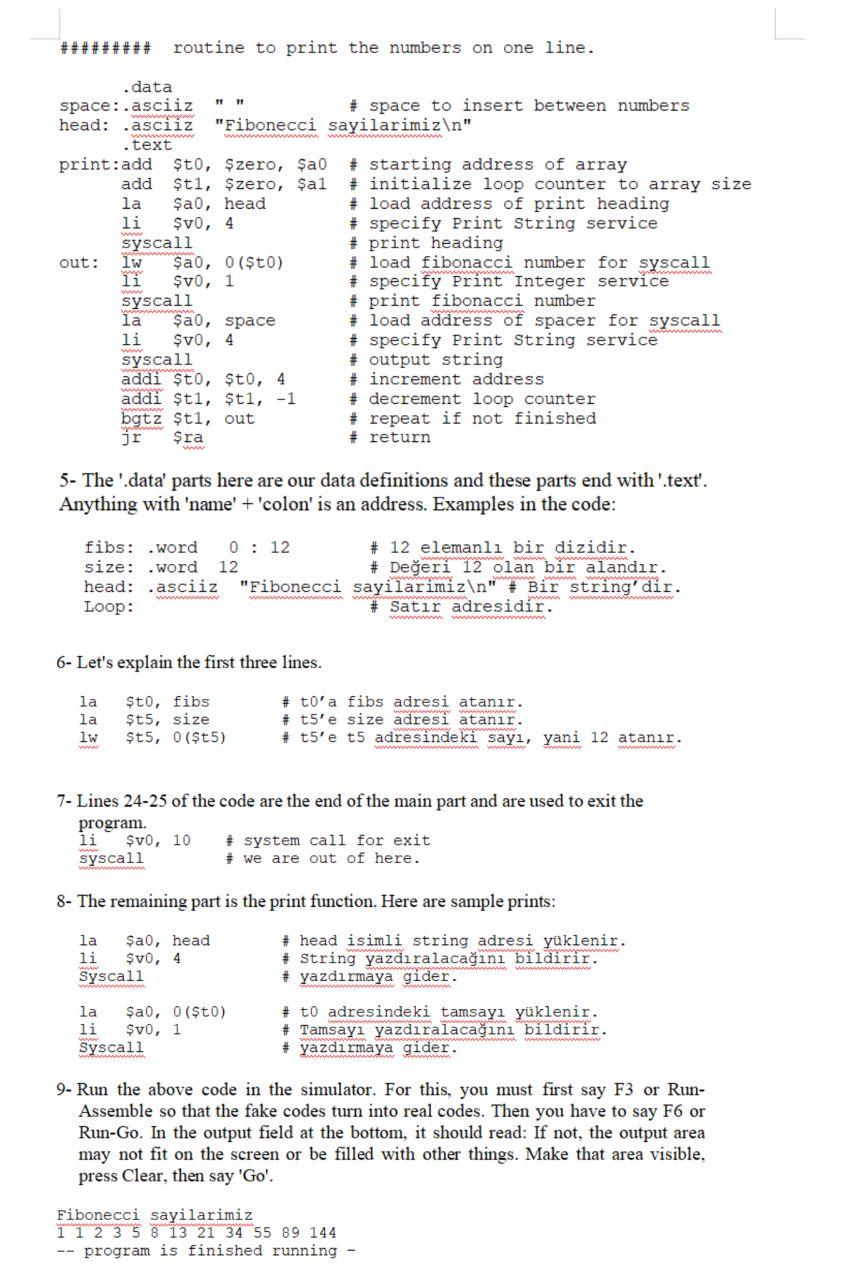
######### routine to print the numbers on one line. .data space:.asciiz # space to insert between numbers head: asciiz "Fibonecci sayilarimiz " .text print:add $t0, Szero, $a0 # starting address of array add $t1, Szero, Sal # initialize loop counter to array size la ao, head # load address of print heading li $v0, 4 # specify Print String service syscall # print heading out: lw ao, 0 ($t0) + load fibonacci number for syscall li $v0, 1 # specify Print Integer service syscall # print fibonacci number la ao, space + load address of spacer for syscall li $v0, 4 # specify Print String service syscall # output string addi to, $t0, 4 # increment address addi ti, ti, -1 # decrement loop counter bgtz $t1, out # repeat if not finished jr Sra # return 5- The 'data' parts here are our data definitions and these parts end with 'text'. Anything with 'name' + 'colon' is an address. Examples in the code: fibs: .word 0 : 12 # 12 elemanl bir dizidir. size: .word 12 # Deeri 12 olan bir alandr. head: .asciiz "Fibonecci sayilarimiz " # Bir string'dir. Loop: # Satr adresidir. Www 6- Let's explain the first three lines. la la lw Sto, fibs $t5, size $t5, 0($t 5) # to'a fibs adresi atanr. # t5'e size adresi atanr. # t5'e t5 adresindeki say, yani 12 atanr. w 7- Lines 24-25 of the code are the end of the main part and are used to exit the program. li $v0, 10 # system call for exit syscall # we are out of here. 8- The remaining part is the print function. Here are sample prints: la ao, head li $v0, 4 Syscall # head isimli string adresi yklenir. # String yazdralacan bildirir. # yazdrmaya gider. # to adresindeki tamsay yklenir. # Tamsay yazdralacan bildirir. # yazdrmaya gider. la Sa, 0 ($t0) li $v0, 1 Syscall 9- Run the above code in the simulator. For this, you must first say F3 or Run- Assemble so that the fake codes turn into real codes. Then you have to say F6 or Run-Go. In the output field at the bottom, it should read: If not, the output area may not fit on the screen or be filled with other things. Make that area visible, press Clear, then say 'Go'. Fibonecci sayilarimiz 1 1 2 3 5 8 13 21 34 55 89 144 -- program is finished running
Step by Step Solution
There are 3 Steps involved in it

Get step-by-step solutions from verified subject matter experts
 Study Help